

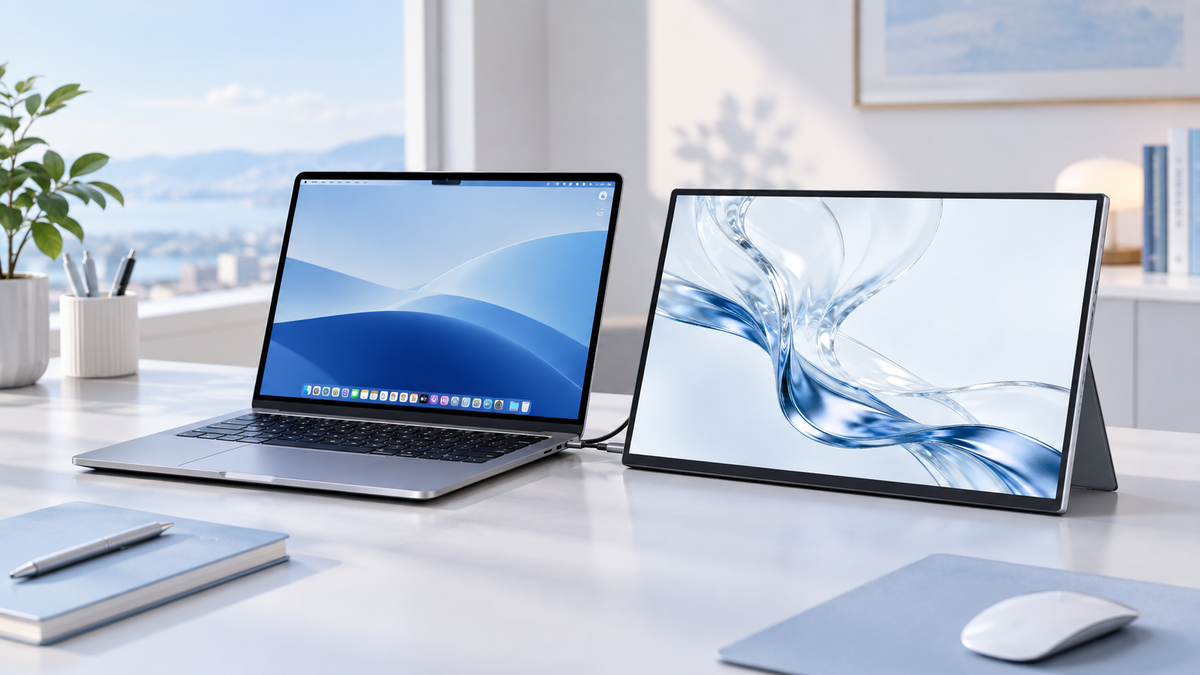
The fan‑silent MacBook Air M2 remains one of Apple’s most beloved ultraportable notebooks for students, remote knowledge workers, UI designers and casual creative users. Even though its built‑in Liquid Retina display looks excellent, the native screen quickly becomes cramped once you multitask: coding with reference docs open side‑by‑side, managing multiple browser tabs, previewing UI mock‑ups or editing photo assets.
However, not every portable monitor works harmoniously with the MacBook Air M2’s Thunderbolt / USB‑C ports. Many budget displays suffer from flickering, colour inaccuracy, limited PD power delivery, or require messy adapter dongles. The best companion external screens for MacBook Air M2 work driver‑free over a single USB‑C Thunderbolt cable, offer good colour gamut alignment matching Apple’s display profile, and support PD pass‑through charging to keep your MacBook Air M2 topped‑up while extended‑display mode is active.
This curated buying guide rounds‑up our top‑10 portable monitors validated for MacBook Air M2 workflow, mixing well‑known international brands and two new‑generation UPERFECT portable monitor models.
Key Considerations for MacBook Air M2 Portable Monitors
- Full‑featured USB‑C Alt‑Mode/ Thunderbolt compatibility: Direct plug‑and‑play without extra adapters.
- PD power pass‑through capability: Charging your MacBook Air M2 via the monitor’s USB‑C connection.
- Colour gamut matching: 100% sRGB or wider DCI‑P3 to align with macOS colour management.
- 16:10 aspect ratio (preferred): Matches the vertical‑space philosophy of MacBook native screens.
- Driver‑free operation: No extra software installation needed under macOS.
Top 10 Best Portable Monitors for MacBook Air M2 (2026)
Editor’s Choice: UPERFECT MX16BU — 16‑inch 3K OLED 16:10 Portable Monitor

Click to Buy: UPERFECT MX16BU
Our top premium recommendation for MacBook Air M2 creative users is the newly‑launched UPERFECT MX16BU. This 16‑inch 2880×1800 16:10 OLED portable display delivers 100% DCI‑P3 colour gamut, engineered for seamless colour‑matching with the MacBook Air M2 Liquid Retina panel. A single USB‑C cable handles video signal and PD pass‑through charging for your M2 notebook. Its aerospace‑grade aluminium chassis shares the same minimalist design language as MacBook Air M2, with built‑in stand ready right out of the box. The OLED panel boasts 30000:1 contrast ratio for deep, inky blacks and 450 cd/m² brightness for sharp visibility indoors.
✅ Pros
- Native single‑cable USB‑C PD operation for MacBook Air M2
- 30000:1 OLED contrast plus accurate 100% DCI‑P3 colour alignment for Apple creative workflows
- MacBook‑friendly 16:10 aspect ratio for expanded vertical workspace
- Driver‑free plug‑and‑play, integrated metal stand included
❌ Cons
- No touch‑screen functionality
- No VESA mounting support
- 60Hz refresh rate; not ideal for high‑motion gaming
Best for: photo editors, graphic designers, content creators, knowledge workers prioritising OLED image quality.
KTC H15F9 15.6-Inch FHD IPS Portable Monitor

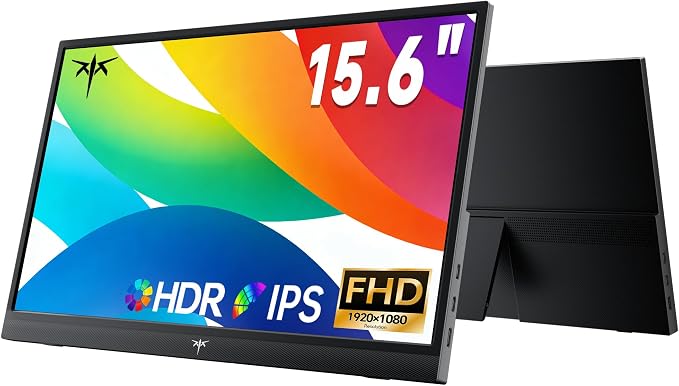
KTC H15F9 is a lightweight 15.6-inch Full HD IPS portable monitor designed for MacBook Air M2 users who want a simple and affordable second screen for everyday work. Its 1920×1080 display delivers a clear workspace for documents, browser tabs and video calls, while two USB-C ports and a Mini HDMI port provide flexible connectivity. At around 600g, the monitor is also easy to carry between home, office and travel workspaces.
Pros:
- 6-inch Full HD IPS display
- Lightweight design at around 600g
- Two USB-C ports plus Mini HDMI
- 60Hz refresh rate with 300-nit brightness
- Driver-free plug-and-play connectivity
Cons:
- FHD resolution rather than 2K
- 16:9 aspect ratio provides less vertical workspace
- 61% sRGB coverage is more suited to everyday productivity than colour-critical work
Best for: MacBook Air M2 users who want a lightweight and straightforward second screen for everyday productivity and travel.
Acer PM161Q 15.6-Inch FHD IPS Portable Monitor

Acer PM161Q is a lightweight 15.6-inch Full HD IPS portable monitor designed for MacBook Air M2 users who want a simple second screen without adding much bulk. Its 1920×1080 IPS panel provides a clear workspace for documents, browser tabs and everyday productivity, while USB-C connectivity makes it easy to connect to a compatible MacBook. The slim design and built-in stand also make it practical for mobile workspaces.
✅ Pros
- Lightweight 15.6-inch portable design
- Full HD IPS display with 60Hz refresh rate
- USB-C connectivity for direct display connection
- Built-in stand for flexible viewing angles
- Compact form factor for travel and mobile work
❌ Cons
- FHD resolution rather than 2K
- 16:9 aspect ratio provides less vertical workspace
- Basic colour coverage compared with premium creative displays
Best for: MacBook Air M2 users who want a simple and lightweight second screen for everyday productivity.
ASUS ZenScreen Touch MB16AMT 15.6-Inch FHD IPS Touch Portable Monitor

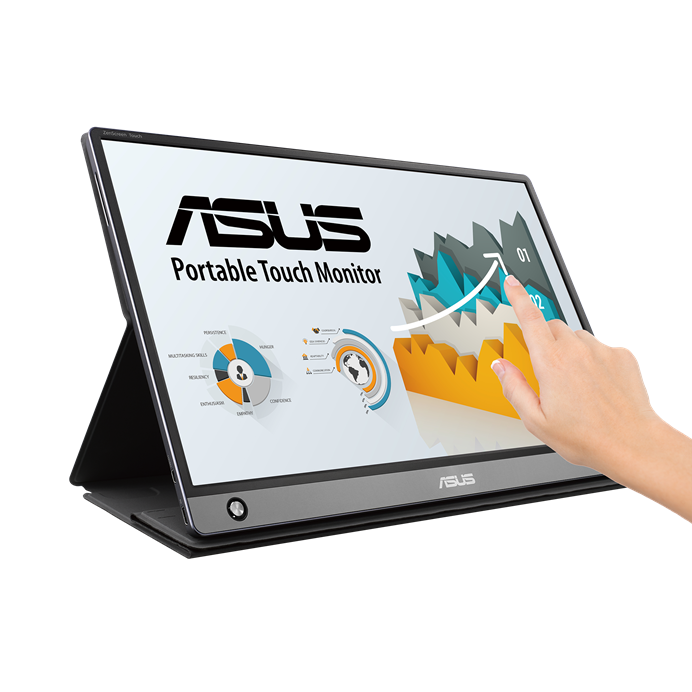
The ASUS ZenScreen Touch MB16AMT combines a 15.6-inch Full HD IPS display with 10-point touch functionality and a built-in 7800mAh battery. Its USB-C and micro-HDMI connectivity provides flexible options for MacBook Air M2 and other devices, while the built-in battery allows the monitor to operate without drawing power from the connected laptop. The foldable smart case can also be used as a stand in either portrait or landscape orientation.
✅ Pros
- 6-inch Full HD IPS display
- 10-point multi-touch functionality
- Built-in 7800mAh battery for more flexible mobile use
- USB-C and micro-HDMI connectivity
- Foldable smart case supports portrait and landscape setups
❌ Cons
- FHD resolution rather than 2K
- 16:9 aspect ratio
- Touch and battery features add weight compared with simpler portable monitors
Best for: MacBook Air M2 users who want touch interaction and battery-powered flexibility for mobile productivity.
GeChic M505I 15.6-Inch FHD Touch Portable Monitor


GeChic M505I combines a 15.6-inch Full HD display with 10-point touch functionality and USB-C connectivity, making it a flexible second screen for MacBook Air M2 workflows. Its USB-C connection supports 45W USB Power Delivery, allowing the monitor to work as a charging station for compatible devices. The monitor also supports VESA 100 mounting, giving users more flexibility when setting up a semi-permanent desk workspace.
✅ Pros
- 6-inch Full HD touch display
- 10-point multi-touch functionality
- 45W USB-C PD charging support
- HDMI and USB-C connectivity
- VESA 100 mounting support
❌ Cons
- FHD resolution rather than 2K
- Around 1.21kg, heavier than ultra-light portable displays
- Glossy screen can reflect bright surroundings
Best for: MacBook Air M2 users who want a touch-enabled second screen with charging and flexible mounting options.
Best Balanced Value Pick: UPERFECT MX19BU — 19‑inch 4K 16:9 LCD Portable Monitor

Click to Buy: UPERFECT MX19BU
The UPERFECT MX19BU is our sweet‑spot value selection for everyday MacBook Air M2 owners wanting a larger‑format external display. This 19‑inch 3840×2160 4K LCD display delivers ample screen real‑estate perfect for coding, document writing, spreadsheet analysis, multi‑tab browsing and media consumptionUPERFECT. Factory‑calibrated 100% DCI‑P3 colour coverage ensures consistent colours for macOS workflows. It works plug‑and‑play over USB‑C with MacBook Air M2 Thunderbolt port with PD pass‑through charging, featuring an all‑metal build and pre‑attached sturdy stand for instant desktop setupUPERFECT.
✅ Pros
- Outstanding large‑screen value‑to‑performance ratio for MacBook Air M2 users
- Crisp native 4K UHD resolution for detailed visuals and multitasking
- One‑cable video + PD charging; no extra adapters required
- Premium metal construction, built‑in adjustable stand included, 178° wide viewing angles
❌ Cons
- LCD panel with 1000:1 contrast, cannot match OLED deep‑black performance
- 16:9 aspect ratio offers less vertical space versus 16:10 panels
- No touch‑screen and no VESA mount capability
Best for: developers, students, remote workers, media consumers — everyday MacBook Air M2 users craving a big 4K portable canvas.
Elecrow MF156D 15.6-Inch FHD IPS Portable Monitor

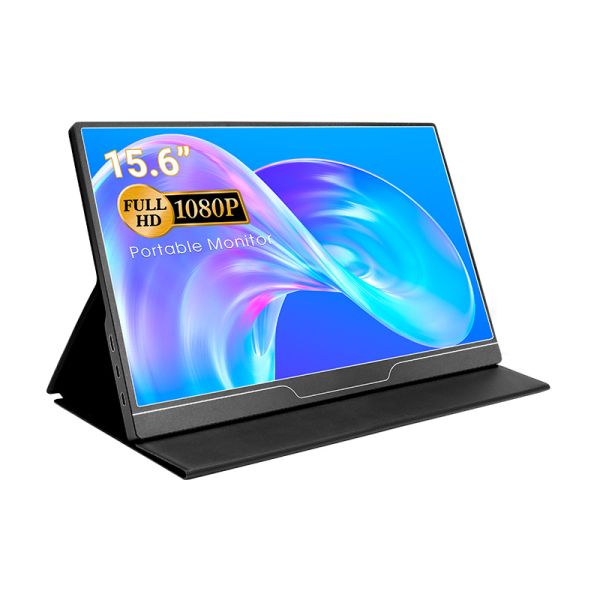
Elecrow MF156D is a 15.6-inch Full HD IPS portable monitor designed for users who need a straightforward second screen for MacBook Air M2 and other compatible devices. Its 1920×1080 IPS display provides a practical workspace for documents, web browsing and everyday multitasking, while Mini HDMI and two USB-C ports give users flexible connection options. The included magnetic protective case can also be folded into different viewing positions, making it convenient for mobile workspaces.
Pros:
- 6-inch Full HD IPS display
- 1920×1080 resolution with 60Hz refresh rate
- Two USB-C ports plus Mini HDMI
- Plug-and-play operation without software installation
- Magnetic protective case doubles as a stand
Cons:
- FHD resolution rather than 2K
- Around 740g monitor weight
- 45% colour gamut is less suitable for colour-sensitive creative work
Best for: MacBook Air M2 users who want a simple plug-and-play second monitor for everyday work, study and travel.
Philips 16B1P3320 — 15.6‑Inch FHD IPS Portable Monitor

Philips 16B1P3320 is a lightweight 15.6‑inch matte FHD IPS portable display built with a continuous integrated kickstand, adjustable from 0° to 90°, so you don’t have to rely on a protective sleeve to prop it up. Single USB‑C cable carries video signal for MacBook Air M2, and PD pass‑through charging is supported. It also adds 75×75 mm VESA mounting holes for desk-arm setups at home.
✅ Pros
- Fully continuous 0–90° built‑in kickstand, wider tilt range
- Matte anti‑glare IPS panel
- PD pass‑through charging for MacBook Air M2
- VESA mount compatible
❌ Cons
- Only FHD resolution; fixed 16:9 aspect ratio
- No built-in speakers
Best for: budget‑conscious MacBook Air M2 users who want flexible tilt angles plus VESA mounting capability.
AOC I1601C — 15.6‑Inch FHD IPS Portable Monitor


AOC I1601C is an ultra‑lightweight 15.6‑inch matte FHD IPS portable display built for MacBook Air M2 users. It works plug‑and‑play over USB‑C; DP Alt Mode carries video signal and PD pass‑through charging is supported for your M2 notebook. The included smart protective cover doubles as an adjustable stand. LowBlue and flicker‑free eye‑care features reduce strain during long hours of reading documents and browsing.
✅ Pros
- Ultra-light 0.8kg chassis, easy to toss into a backpack
- Matte anti‑glare IPS panel for bright rooms
- Single USB‑C cable handles video and PD pass‑through charging
- Smart cover functions as adjustable screen stand
❌ Cons
- FHD resolution only; fixed 16:9 aspect ratio
- No touch‑screen functionality
Best for: frequent travellers and remote MacBook Air M2 users needing a lightweight secondary screen for multitasking and document work.
EHOMEWEI Q1 16-Inch 2.5K IPS Portable Monitor


EHOMEWEI Q1 combines a larger 16-inch display with a 16:10 aspect ratio and 2560×1600 resolution, giving MacBook Air M2 users more vertical workspace for multitasking. Its IPS panel offers 100% DCI-P3 colour coverage, 400-nit brightness and a 60Hz refresh rate, making it suitable for productivity, photo work and content consumption. The monitor also supports USB-C connectivity and is designed to work with MacBook systems, while its CNC metal construction and integrated stand make it practical for both mobile and desktop setups.
Pros:
- 16-inch 2.5K IPS display with 2560×1600 resolution
- 16:10 aspect ratio provides more vertical workspace
- 100% DCI-P3 colour coverage
- 400-nit brightness and 1500:1 contrast ratio
- USB-C connectivity and MacBook compatibility
Cons:
- 60Hz refresh rate is less suited to high-refresh gaming
- Around 820g, heavier than smaller portable monitors
- Larger 16-inch format takes up more space in a travel bag
Best for: MacBook Air M2 users who want a larger 16:10 second screen with higher resolution and wide colour coverage for productivity and creative work.
Final Buying Conclusion for MacBook Air M2 Portable Monitors
The best portable monitor for your MacBook Air M2 depends largely on your workflow, travel habits and budget.
If you want a large canvas for multitasking and media viewing, the UPERFECT MX19BU 19‑inch 4K is a strong choice. For everyday office tasks such as document writing and web browsing, the KTC H15F9, Acer PM161Q and Elecrow MF156D provide dependable plug‑and‑play USB‑C performance at a friendlier price point.
If touch input is important for annotating PDFs or quick sketching, check out the ASUS ZenScreen Touch MB16AMT and GeChic M505I. Users who travel frequently will appreciate the lightweight AOC I1601C. The EHOMEWEI Q1 offers sharp 2.5K resolution for extra vertical workspace, ideal for developers and writers. The Philips 16B1P3320 features an integrated kickstand, great for simple desk setups without extra stands.
All these monitors support USB‑C DP Alt Mode and work plug‑and‑play with MacBook Air M2. Keep in mind PD pass‑through power varies between models. Not every unit can fully charge your MacBook Air M2 using just one USB‑C cable.
Choose a compact lightweight model if you carry your setup often. Opt for the larger 19‑inch UPERFECT MX19BU if it will mostly stay on your desk. Any of these picks will expand your MacBook Air M2 workspace wherever you work.
Share:
10 Best Portable Monitors for Small Desk Setups in 2026: Compact Workspaces & More
Best Portable Monitors for Samsung DeX (2026): A Truly Mobile Setup