

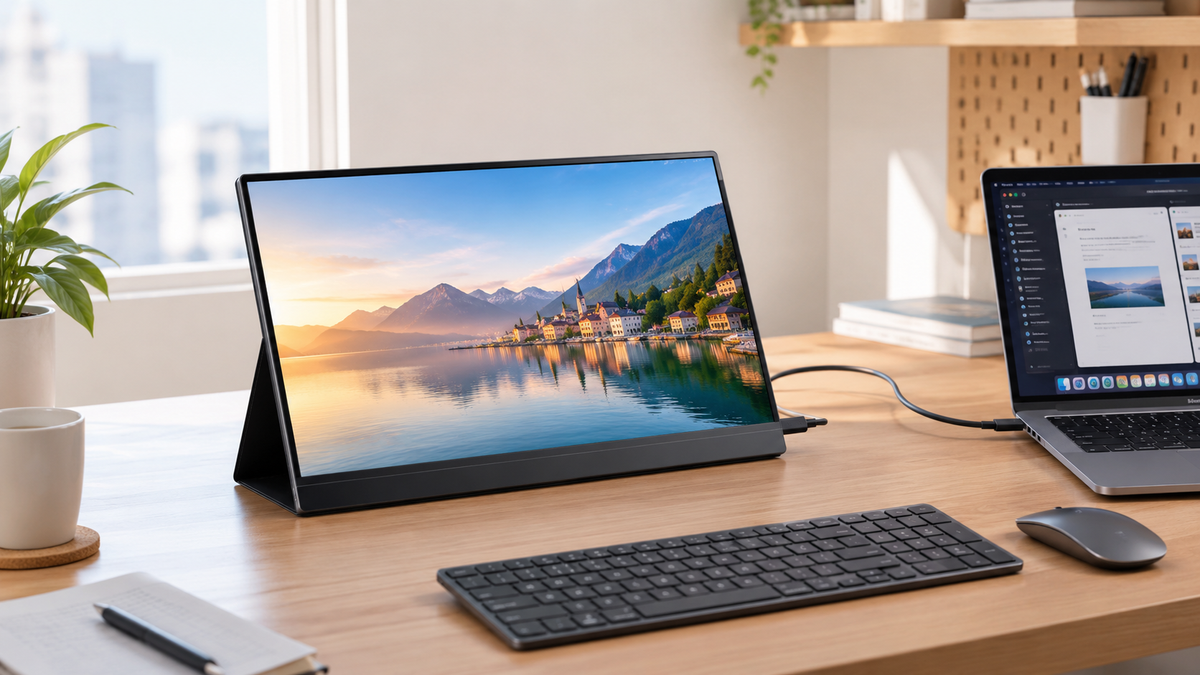
Small desk setups have become increasingly common as people try to fit more functionality into limited workspace. Today’s users may work from compact home desks, small apartments, co-working spaces and multi-purpose workstations. Even a good laptop screen quickly becomes limiting once you juggle spreadsheets, email threads, browser research tabs and presentation slides simultaneously.
A great portable monitor adds valuable screen real-estate without taking over your desk. For space-conscious setups, you should prioritize a compact footprint, comfortable aspect ratio, reliable USB-C connectivity, flexible positioning and manageable weight. Gaming-focused high refresh rates are not always necessary here, while features such as VESA compatibility and built-in stands can make a bigger difference when desk space is limited.
In this round-up, we gathered 10 top-tier portable monitors for small desk setups. The lineup mixes well-established global monitor brands together with two UPERFECT models, covering compact lightweight options, high-resolution displays, touch-screen solutions and all-in-one designs for different workspace needs.
Key Buying Considerations for Small Desk Setups
- Compact screen size and footprint: A portable monitor should add useful screen space without overwhelming a small desk. 14-inch to 16-inch models can provide a good balance between viewing area and physical footprint, while larger displays may be better suited to desks with more available room.
- 16:10 or taller aspect ratios: Extra vertical space can make reading documents, reviewing webpages, and working with spreadsheets more comfortable. However, 16:9 remains common among portable monitors and can offer broader compatibility.
- USB-C connectivity: A full-featured USB-C connection can carry video and power through one cable, helping reduce cable clutter. When available, additional USB-C ports, HDMI connectivity or power pass-through can make it easier to connect and manage multiple devices in a compact workspace.
- Flexible stands and mounting options: A built-in stand can make it easier to position the monitor without requiring additional desk accessories. VESA compatibility, portrait orientation and adjustable viewing angles can also be useful when working with limited desk space.
- Weight and thickness: For desks that serve multiple purposes, a slim and lightweight monitor is easier to move and store when not in use. Larger premium models may be heavier but can provide substantially more working space and features.
Top 10 Picks for Work‑Focused Portable Monitors 2026
1. Editor’s Choice: UPERFECT BE16BQ 16‑Inch 2K 1600P IPS Business Portable Monitor

Click to buy: UPERFECT BE16BQ
The UPERFECT BE16BQ is our overall editor pick for hybrid professionals. This 16‑inch 2560×1600 IPS display adopts the productivity‑friendly 16:10 aspect ratio, delivering substantially more vertical screen real‑estate than conventional 16:9 portable panels. 100% sRGB colour coverage ensures reliable colours for slides and reports. At merely 0.8 kg and 13 mm thin, it slips neatly inside a backpack. It supports full‑featured USB‑C single‑cable operation plus mini‑HDMI legacy connectivity, with 75×75 mm VESA mounting holes for desk‑arm setups back at home or the office.
✅ Pros
- 16:10 2K resolution excellent for spreadsheets & long‑form documents
- Ultra‑light aluminium chassis for commuting and business trips
- Single‑cable USB‑C PD video‑and‑power solution
- VESA mount compatible for fixed desk configurations
- Matte anti‑glare surface for bright office rooms
❌ Cons
- No touch‑screen functionality
- Refresh rate limited to 60Hz
Best for: hybrid remote workers, business travellers, financial analysts, writers.
2. GeChic M141E 14-Inch FHD Portable Monitor


The GeChic M141E is a compact portable monitor designed for users who need a second screen without taking up much desk space. Its 14-inch 1920×1200 display uses a 16:10 aspect ratio, providing additional vertical workspace for documents, spreadsheets, and multitasking. At around 0.7kg, the M141E is also lightweight enough to move between different workspaces, while its HDMI and USB-C inputs provide flexible connectivity.
✅ Pros
- Compact 14-inch 16:10 display
- 1920×1200 resolution for extra vertical workspace
- Lightweight design at around 0.7kg
- HDMI and USB-C connectivity
- Supports flexible landscape and portrait setups
❌ Cons
- FHD-class resolution rather than 2K
- Smaller screen size than 15.6-inch portable monitors
- 250-nit brightness may be limited in bright environments
Best for: users who need a compact second screen for small desks, documents, multitasking, and flexible workspace setups.
3. Elecrow CrowView Note 15.6-Inch FHD IPS Portable Monitor


The Elecrow CrowView Note takes a different approach to compact workspace setups by combining a 15.6-inch FHD IPS display with an integrated keyboard, touchpad, speakers, and battery. Its all-in-one design helps reduce the number of separate accessories needed on a small desk, while the full-function USB-C port provides flexible connectivity. The built-in 6000mAh battery also makes it useful for temporary workspaces where access to a power outlet is limited.
✅ Pros
- 6-inch FHD IPS display with 100% sRGB coverage
- Integrated keyboard and touchpad for an all-in-one setup
- Built-in 6000mAh battery
- Full-function USB-C connectivity
- Supports Windows, macOS, Android, Linux, and other systems
❌ Cons
- Around 1.5kg, heavier than standard portable monitors
- 26mm thick, making it less compact when packed
- Integrated keyboard design is less flexible than a standalone monitor
Best for: users who want an all-in-one portable workstation for small desks, temporary workspaces, and mobile office setups.
4. EVICIV 15.6-Inch FHD QLED Portable Monitor


The EVICIV 15.6-inch portable monitor is designed for users who want a compact second screen with enhanced colour performance. Its Full HD QLED display delivers 500 nits brightness and 100% DCI-P3 colour coverage, while the slim design makes it easy to fit into a small workspace. An integrated stand and protective cover also provide flexible positioning when desk space is limited.
✅ Pros
- 6-inch Full HD QLED display
- 100% DCI-P3 colour coverage
- 500 nits brightness for brighter environments
- Lightweight design at around 0.73kg
- Integrated stand and protective cover
❌ Cons
- FHD resolution rather than 2K
- 60Hz refresh rate
- Larger footprint than compact 14-inch models
Best for: users who want a compact second screen with strong colour performance for work, entertainment, and small desk setups.
5. Premium OLED Touch Pick: UPERFECT MX17BU 17‑Inch 3K OLED 16:10 Touch Portable Monitor

Click to buy: UPERFECT MX17BU
Fresh from IFA 2026, the UPERFECT MX17BU is a large‑format premium OLED portable monitor built for professionals who regularly annotate PDFs and mark‑up drafts. Its 17‑inch 3K 16:10 OLED panel delivers outstanding contrast and 100% DCI‑P3 colour gamut. The 10‑point multi‑touch input works via plug‑and‑play USB‑C connection. While it weighs a little more, the extra screen space makes reviewing multi‑page contracts and design files much less tedious.
✅ Pros
- Gorgeous deep‑black OLED contrast for dark‑mode office workflows
- Responsive multi‑touch for PDF annotation & document markup
- Large 17‑inch 16:10 workspace
- Single-cable USB-C connectivity
❌ Cons
- Higher premium price bracket
- Heavier, less ideal for ultra‑light daily backpack carry
Best for: legal workers, management consultants, in‑house creative teams.
6. Philips 16B1P3302D 16‑Inch FHD IPS Portable Monitor

Philips 16B1P3302D is a solid mid‑range business portable monitor. 15.6‑inch FHD matte IPS panel, USB‑C single‑cable PD, built‑in fold‑out kickstand integrated directly into the rear casing, so you do not always need to rely on the protective cover for propping the screen up.
✅ Pros
- Integrated rear kickstand built‑in (no sleeve‑stand required)
- Matte anti‑glare panel
- Competitive mid‑range pricing
❌ Cons
- FHD resolution only; 16:9 aspect ratio
- Kickstand angle adjustment range is somewhat restricted
- 64% sRGB
Best for: budget‑minded hybrid workers who prefer a built‑in physical kickstand.
7. AOC 16T3E 15.6‑Inch FHD IPS Touch Portable Monitor


AOC 16T3E is an affordable touch‑enabled portable IPS monitor. This 15.6‑inch FHD panel features 10‑point capacitive touch input over USB‑C. The touch-screen functionality supports compatible Windows and macOS workflows, making it useful for basic annotation work.
✅ Pros
- Budget‑friendly touch‑screen portable display
- Plug‑and‑play touch support over USB‑C
- Matte anti‑glare surface
❌ Cons
- FHD resolution; 16:9 aspect ratio
- Touch‑screen draws slightly more power
Best for: users needing casual touch‑screen meeting annotation without OLED premium pricing.
8. ASUS ZenScreen MB16QHG 16-Inch 2.5K WQXGA IPS Portable Monitor

The ASUS ZenScreen MB16QHG is a high-resolution portable monitor designed for professionals who need more screen space and smoother scrolling during mobile work. Its 16-inch 2560×1600 WQXGA IPS display uses a productivity-friendly 16:10 aspect ratio, while 100% DCI-P3 colour coverage and DisplayHDR 400 support make it suitable for presentations, visual content, and demanding office workflows. The 120Hz refresh rate also makes scrolling through long documents and webpages noticeably smoother.
✅ Pros
- 16:10 2560×1600 resolution for extra vertical workspace
- 100% DCI-P3 colour coverage for richer visual content
- Smooth 120Hz refresh rate for scrolling and multitasking
- Two full-featured USB-C ports plus HDMI connectivity
- Built-in L-shaped kickstand for flexible viewing angles
❌ Cons
- Heavier than ultra-light portable monitors at around 1.2kg
- Higher price bracket than basic FHD models
- Larger footprint for users prioritizing minimum carry weight
Best for: professionals who want a high-resolution second screen for spreadsheets, presentations, content review, and multitasking.
9. ViewSonic VA1655 15.6-Inch FHD IPS Portable Monitor

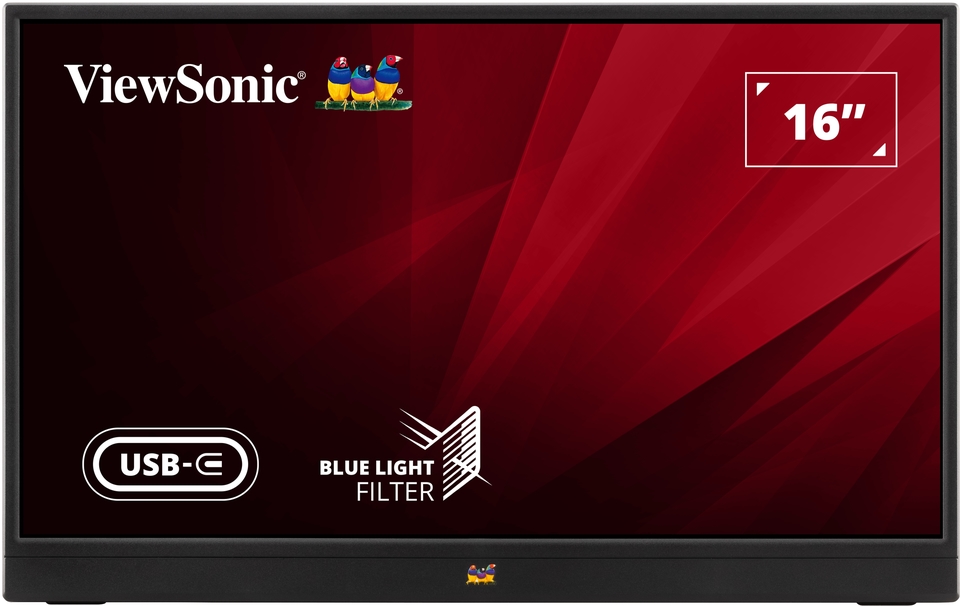
The ViewSonic VA1655 is a lightweight portable monitor designed for professionals who need a simple second screen while working away from a fixed desk. Its 15.6-inch FHD IPS display features an anti-glare surface, while the built-in foldable stand supports flexible viewing angles and portrait orientation. At only around 0.7kg, it is easy to carry between home, office, and temporary workspaces.
✅ Pros
- Lightweight 0.7kg design for easy commuting
- 15.6-inch FHD IPS display
- Anti-glare surface for office environments
- USB-C and mini-HDMI connectivity
- Built-in foldable stand with portrait orientation support
❌ Cons
- FHD resolution rather than 2K
- 64% sRGB coverage
- No VESA mounting support
Best for: commuters, hybrid workers, and office users who want a lightweight second screen for everyday productivity.
10. ViewSonic TD1655 15.6-Inch FHD IPS Touch Portable Monitor

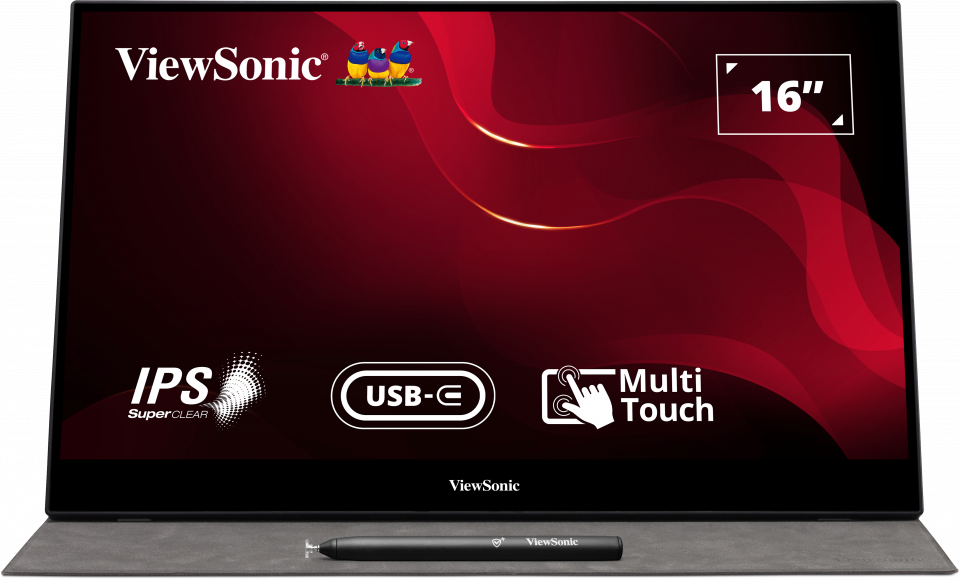
The ViewSonic TD1655 adds 10-point multi-touch functionality to a compact 15.6-inch FHD IPS portable monitor. Its two USB-C ports support video, audio, and power through a single-cable setup, while mini-HDMI provides an additional connection option for compatible devices. The built-in stand supports adjustable viewing angles, making it practical for presentations, note-taking, and interactive office workflows.
✅ Pros
- 10-point multi-touch functionality15.6-inch FHD IPS display
- Two USB-C ports plus mini-HDMI
- Single-cable USB-C multimedia and power solution
- Built-in adjustable stand for flexible viewing angles
❌ Cons
- FHD resolution rather than 2K
- Glossy screen surface can reflect overhead lighting
- Touch functionality may require additional software on macOS
Best for: professionals who need touch interaction for presentations, note-taking, document annotation, and interactive workflows.
Final Buying Advice for Small Desk Setups
For most small desk setups, the UPERFECT BE16BQ offers a strong balance of 16:10 2K resolution, lightweight design, a matte anti-glare screen, and VESA mount compatibility.
If you need a larger premium display for multitasking and creative work, the UPERFECT MX17BU OLED touch provides more screen space with a 16:10 3K OLED display and touch functionality.
For those prioritizing a compact footprint, the GeChic M141E is a practical choice, while the Elecrow CrowView Note is worth considering if you want an all-in-one workspace with an integrated keyboard and touchpad. If you are working with a tighter budget, the Philips 16B1P3302D or AOC 16T3E can provide a more straightforward second-screen solution.
When choosing a portable monitor for a small desk, prioritize the features that matter most for your setup, such as screen size, aspect ratio, connectivity, stand flexibility, and VESA compatibility. A space-efficient design can help you add a second screen without making your workspace feel crowded.
Share:
The Best Portable Monitors for Xbox Gaming in 2026: On-the-Go Console Gaming
What Are the Best Portable Monitors for MacBook Air M2 in 2026