

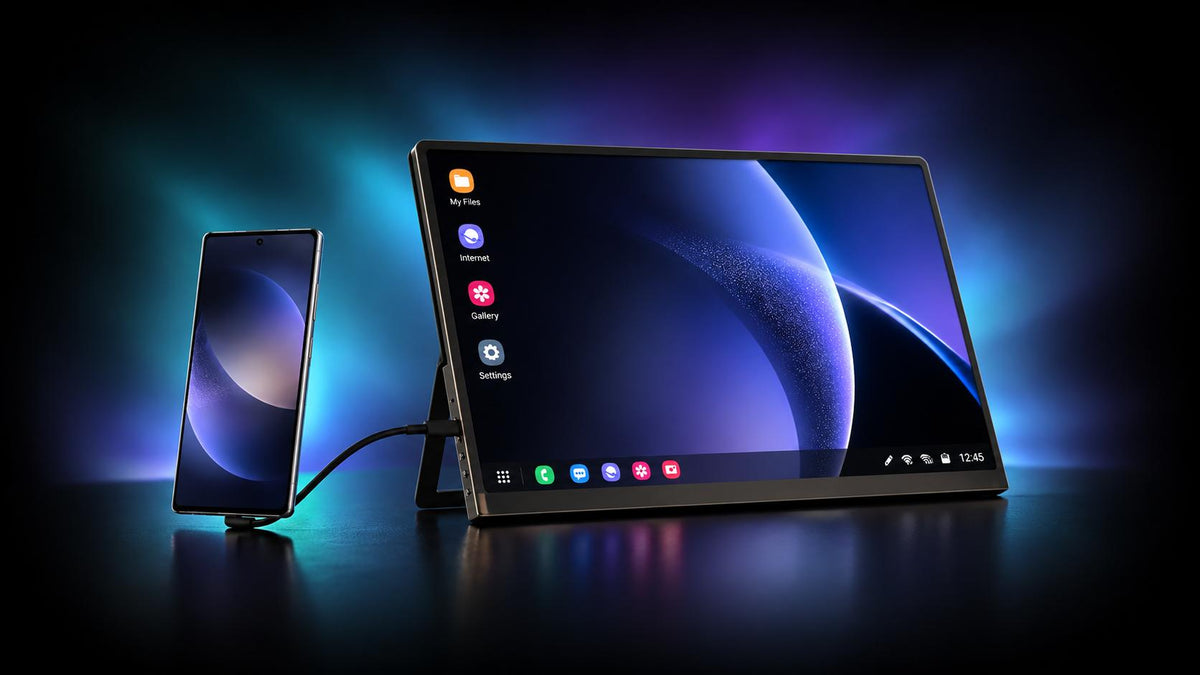
Samsung DeX is a powerful way to transform your handheld devices into a fully-fledged desktop setup, but without a “mobile” companion, it can be more work than it's worth.
That’s where portable monitors come in, giving Samsung DeX a whole new way to work, even on-the-go.
So today, we’re highlighting some of the best portable monitors for Samsung DeX to revolutionize the way you work, with just a smartphone or tablet, and a portable monitor in your backpack.
1. UPERFECT GR14BU – (Editor’s Pick) Best Overall Portable Monitor

Click here to buy: UPERFECT GR14BU
At a Glance –
Display Size: 14-inch | Display Type: OLED | Resolution: 3K (2880 × 1800) | Refresh Rate: 120Hz | Brightness: 500nits | Weight: 0.59kg
- Price: $399.99
- Best For: Users looking for the best balance of performance, image quality, and portability
Our Take
First up, we have the UPERFECT GR14BU, the best overall portable monitor for Samsung DeX for a few great reasons. The screen on the GR14BU is a 14-inch OLED display with a crystal-clear 3K resolution.
The smaller 14-inch size is perfect to keep things portable, weighing in at just 0.59 kg, while giving you the extra screen space you need for work or play.
In addition, the monitor supports a silky smooth 120Hz refresh rate and since it’s an OLED panel, you also get a near-instant 1ms response time in addition to the punchy, extremely vibrant colors with a fantastic contrast.
To top it off, the display is also a touchscreen, so you can use it to control Samsung DeX inputs alongside a mouse and keyboard, for an all-in-one business monitor.
The Trade-Offs
The biggest trade-off here is the price. Since it’s an OLED panel, it’s expected there’d be a premium. But if you’re after one of the best options available, the GR14BU is worth it.
2. EHOMEWEI D6 Air – Best Premium Portable Monitor for Samsung DeX

At a Glance –
Display Size: 17.3-inch | Display Type: QLED | Resolution: 2.5K (2560 x 1440) | Refresh Rate: 265Hz | Brightness: 350nits | Weight: 1.35kg
- Price: $489.99
- Best For: Samsung DeX users who need something versatile for both work & play
Our Take
The EHOMEWEI D6 Air is a solid pick if you’re after a larger screen and don’t mind splurging for it. The display is a massive 17.3-inch QLED touchscreen panel with a sharp 2.5K resolution.
QLEDs are brighter and more color accurate than typical LCD panels, and paired with the 2.5K resolution, you’ve got detailed and vivid image quality. Another standout is the refresh rate, a blazing fast 265Hz refresh rate.
The body itself is built out of a CNC metal alloy, which keeps it durable and gives it that premium in-hand feel. The kickstand on the rear also allows for both portrait & landscape orientations switching seamlessly.
The Trade-Offs
For all its positives, the biggest downside is the price. Ranging at $489.99, the price is a bit too rich for some, especially considering you’re getting an objectively “worse” display than an OLED in terms of color vibrancy and contrast, even with the premium price tag.
3. ViewSonic VA1653 – Best Value-for-Money Portable Monitor for Samsung DeX

At a Glance –
Display Size: 15.6-inch | Display Type: IPS LCD | Resolution: Full HD (1920 x 1080) | Refresh Rate: 60Hz | Brightness: 250nits | Weight: 0.68kg
- Price: $89.99
- Best For: Samsung DeX users on a budget, but still wants a larger, sharper screen
Our Take
If you’re after a more ‘reasonable’ portable monitor, then the ViewSonic VA1653 is a great value-for-money pick. Even at its low price of $89.99, you’re getting a capable display with a 15.6-inch LCD screen and a Full HD resolution.
The display also has a few built-in features including Flicker-Free and a Blue Light Filter, which makes longer sessions more comfortable on the eyes.
You’re also getting dual built-in stereo speakers, a durable smart cover, and a lightweight 0.68kg build.
The Trade-Offs
That said, to achieve that price, there have been a few obvious cuts. Firstly, the brightness is at 250nits which is respectable for the price range, but can be a bit too dim in brightly lit environments.
Plus, the overall build quality can feel a bit lacking, with a “basic” design that looks a bit outdated.
4. ASUS ZenScreen OLED MQ16AHE – Best OLED Portable Monitor for Samsung DeX

At a Glance –
Display Size: 15.6-inch | Display Type: OLED | Resolution: Full HD (1920 x 1080) | Refresh Rate: 60Hz | Brightness: 400nits | Weight: 0.72kg
- Price: $329
- Best For: Readers who love the punchy & vibrant colors of an OLED panel
Our Take
For Samsung DeX users who need a bit of extra screen real-estate on their OLED monitor, the ASUS ZenScreen OLED MQ16AHE is a solid option. On the display, you’ve got a 15.6-inch OLED panel with a Full HD resolution and a 60Hz refresh rate.
This nets you real-blacks on the display with punchy contrast and vibrancy, also in part thanks to HDR support.
Another standout feature is the kickstand. On the rear, there’s a 360° kickstand that gives you plenty of ways to work with Samsung DeX, and with automatic orientation switching, it’s convenient to use however you need it to.
The Trade-Offs
On the other hand, even with an OLED display, the monitor only features a Full HD resolution. It’s crisp enough for most users and work tasks, but can feel a bit lacking in terms of overall detail & clarity compared to higher-res screens.
5. UPERFECT BE156EF – Best Battery-Powered Portable Monitor for Samsung DeX

Click here to buy: UPERFECT BE156EF
At a Glance –
Display Size: 15.6-inch | Display Type: IPS LCD | Resolution: Full HD (1920 x 1080) | Refresh Rate: 60Hz | Brightness: 270nits | Weight: 0.79kg
- Price: $199.99
- Best For: Users who need the ultimate portability with built-in power and an all-in-one package
Our Take
The UPERFECT BE156EF is a fantastic option for users who want something as portable as possible, thanks to the built-in battery. On a single charge, you’re getting up to 4 hours of use with the 8000mAh battery, that charges back up in just 2 hours.
On-screen, you’re getting a proper 15.6-inch IPS display with a clear Full HD resolution, with some vivid colors to boot thanks to the 100% sRGB color gamut support.
Plus, with Miracast support built-in, you can start using Samsung DeX wirelessly without any cables. This makes it the perfect rofessional monitor for a truly portable workstation with just a phone and display.
To top it off, the monitor comes packed with a foldable Bluetooth keyboard and UBAG carry case to complete the package.
The Trade-Offs
That said, one drawback is the monitor’s max brightness. While 270nits works perfectly in most scenarios, in rooms with a bit too much light (or sunlight), on-screen fidelity takes a slight hit.
6. Intehill U16ZT – Best Touchscreen Portable Monitor for Samsung DeX

At a Glance –
Display Size: 16-inch | Display Type: IPS LCD Touchscreen | Resolution: 3K (3072 x 1920) | Refresh Rate: 60Hz | Brightness: 400nits | Weight: 0.86kg
- Price: $289.99
- Best For: Users who want a touchscreen capable display with some premium features
Our Take
The Intehill U16ZT is a great option for users who need that touchscreen with some premium niceties to boot. For example, the display is a sizable 16-inch IPS LCD touchscreen panel with a detailed 3K resolution.
This gives you plenty of space to work with, while displaying top-notch visuals in terms of detail and clarity.
Additionally, the monitor supports an accurate 100% sRGB color gamut with a 400nits peak brightness, so colors pop off screen & and appear lively. It also comes with a built-in anti-glare panel, which helps keep reflections off-screen while doubling the display’s protection.
All-in-all, a solid pick if you’re after highly detailed 3K resolution & 10-point touchscreen support.
The Trade-Offs
That said, the Intehill U16ZT is a bit pricier than most similarly sized options on the list. While the touchscreen feature is indeed a worthy addition, if you don’t need it, another pick may have better value-for-money.
7. Lenovo L15 – Best Business Portable Monitor for Samsung DeX

At a Glance –
Display Size: 15.6-inch | Display Type: IPS LCD | Resolution: Full HD (1920 x 1080) | Refresh Rate: 60Hz | Brightness: 250nits | Weight: 0.86kg
- Price: $149.99
- Best For: Business users who need something sleek & dependable for working with Samsung DeX
Our Take
For users who need something simple but ready to handle a day’s workload, the Lenovo L15 is a solid business monitor. It sports a 15.6-inch LCD anti-glare display with a Full HD resolution and a 60Hz refresh rate, perfect for handling word processors and web-apps.
On the rear, you’ll find the adjustable ‘foot’ stand, which can be propped up all the way to 90-degrees to find the best angle for your workstyle.
It also features two USB-C ports for connectivity and power pass-through support as well as TÜV Rheinland Low Blue Light technology for reduced eye strain.
The Trade-Offs
On the flipside, this one’s got a lot of compromises. Even though it’s priced at a reasonable $149.99, it lacks a few key features. For example, it only supports a 45% NTSC color gamut with a 250nits peak brightness, which is sorely lacking to other options.
It’s a decent enough pick for business users who need the basics done in a well-built package, but if you’re after ‘more’, other options may be a better deal.
8. NexiGo NG17FG – Best Gaming Portable Monitor for Samsung DeX

At a Glance –
Display Size: 17.3-inch | Display Type: IPS LCD | Resolution: Full HD (1920 x 1080) | Refresh Rate: 144Hz | Brightness: 350nits | Weight: 0.95kg
- Price: $299
- Best For: Mobile gamers looking to level up their gaming experience on a fully-fledged monitor
Our Take
The last option on our list is for the true-blood gamer who needs a beefy screen, the NexiGo NG17FG. The display is a huge 17.3-inch LCD panel with a clear Full HD resolution, but what bumps it up is the speedy 144Hz refresh rate performance.
This makes everything on-screen feel a lot smoother, like scrolling and in-game motion.
The panel also supports Flicker-Free technology and a 100% sRGB color gamut, so games pop to life with vivid colors. To add to the gaming performance, there’s a near-instantaneous 1ms response time in 144Hz mode and a 5ms response time in 60Hz mode.
To round it off, the display features G-Sync support, built-in eye care mode, and weighs in at 0.95kg, which is light considering the screen size.
The Trade-Offs
However, if you’re using this predominantly for Samsung DeX gaming, this performance can be a bit overkill. Because Samsung DeX supports a max 60Hz refresh rate, unless you’re going to be using the monitor with other devices like your PC or gaming consoles, it can be a bit too pricey.
Samsung DeX FAQs
Does Samsung DeX support touchscreen monitors?
According to Samsung’s documentation, Samsung DeX does not support touchscreen monitors & displays. However, real-world users have reported that touchscreen input can work when using a USB-C-to-USB-C connection between a compatible Samsung device and touchscreen monitor.
However, this can depend on your device, display, and cable, so your mileage may vary.
Can you play games with Samsung DeX?
Yes! Compatible Android games on your device can be played through Samsung DeX. Samsung also supports Bluetooth controllers, so DeX can be a capable gaming ‘console’ when connected to a larger-screen monitor. But this also depends on game compatibility & support.
What’s the max supported resolution on Samsung DeX?
Samsung DeX can support up to 4K UHD (3840 x 2160) up to 60Hz on compatible Galaxy devices and setups. That said, the max supported resolution mainly depends on your specific Galaxy device, adapter or hub, software, and the connected display.
How to get 4K resolution on Samsung DeX?
Firstly, connect a compatible Galaxy device to a 4K monitor with a supported adapter or hub. You’ll then need to use the Good Lock app to enable High resolutions for external display settings. You’ll find it in Good Lock > MultiStar > I Love DeX.
Then select 3840 x 2160 in DeX's display settings.
What cables do I need to connect Samsung DeX to a portable monitor?
For wired connections, you’ll need either a USB-C to HDMI cable or a USB-C-to-USB-C connection that supports DisplayPort signals. Alternatively, on Miracast supported displays such as the UPERFECT BE156EF, you can connect Samsung DeX wirelessly.
Share:
What Are the Best Portable Monitors for MacBook Air M2 in 2026