

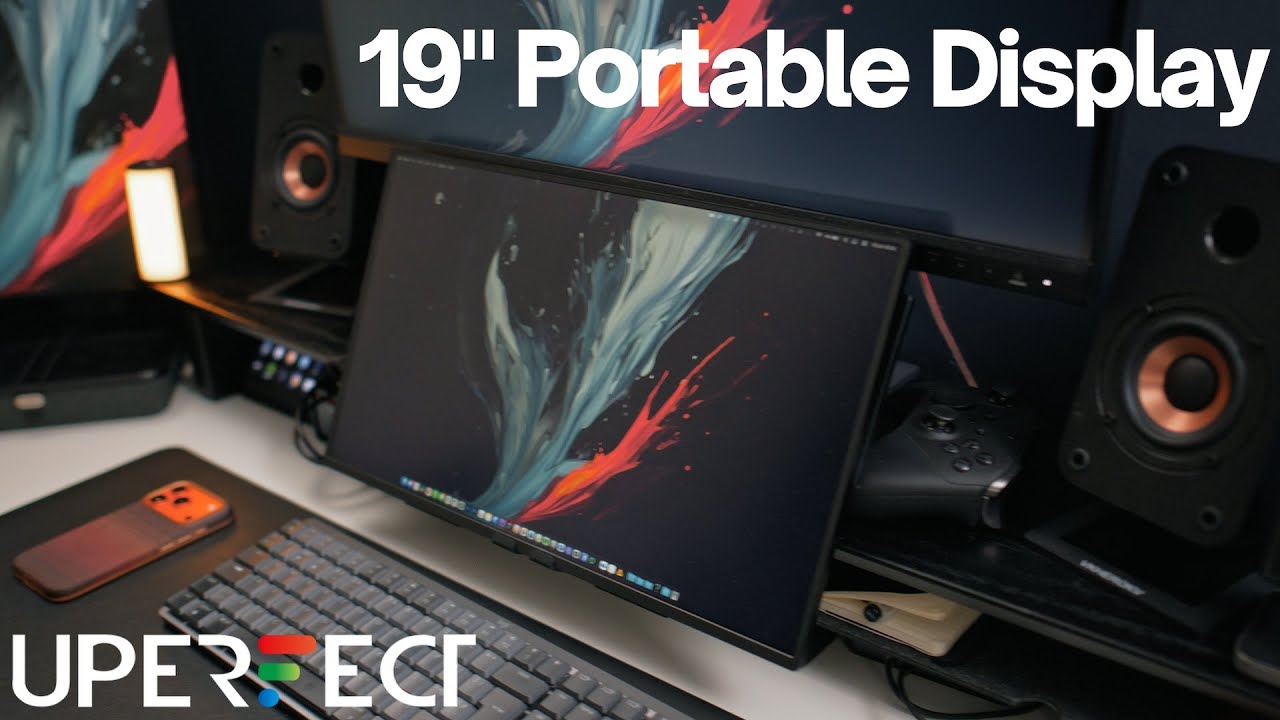
This is the UPERFECT GR19BU (UColor Apex) 19, a 4K 19 inch portable monitor, and honestly, it is probably one of the best portable monitors that I have ever used. It's got a 144 Hz refresh rate, HDR and it's got 100% DCIP3 color gamut, as well as full USB-C connectivity. It's probably one of the best portable monitors a tech content creator like myself can use.
Workflow & Why This Monitor Matters

As a creator whose large focus is on camera and content creation tech, as well as somebody who does a fair amount of freelancing on the side, I spend a lot of time on my desk editing.
I need my desk to be set up in a way that contributes to that editing workflow to increase my efficiency and productivity when outputting this content because I also work with brands, businesses, doing freelance work as well as the brand work that I do that you guys see on my channels.
I need to make sure that all of my peripherals are reliable and of a high quality. And not only that, I do often also work away from my desk, and so I also need to have the options for a portable yet powerful setup, which I can take with me wherever I want to give me an almost desktop-like feel, and that's where the UPERFECT Apex 19 comes in.

Simple Connectivity & Desk Integration
And all I need to do is connect it up via the USB-C cables to the USB-C ports on the monitor, and it works. And it's the same as any USB-C powered monitor.
It's not only very useful on the go as a portable monitor, but it's the perfect addition as the third screen to my already busy desk setup.


Build Quality & Unboxing Experience
Now when unboxing this thing, the first thing that I noticed was the premium feel of the monitor. It's got a decent amount of weight to it, it's not super heavy, but I wouldn't say it's the lightest monitor either.
That's a good thing in some sense because it means that it's got very good build quality. The overall chassis seems very solid, and the display itself is pretty much almost bezel-less. The bezels are extremely thin, and that is really, really good because it means that I'm getting the maximum coverage in the minimum amount of space from this monitor and it's not making it feel larger.
Not only that, it's got this kick stand already built into it, which means that it's ready to go right out of the box. I can stand it up without having to attach any additional stands and things like that.
It comes in the box with all of the cables already there, which is very, very useful. So it's got the mini HDMI to HDMI cable, it's got two USB-C cables, as well as a USB-C charger to power the monitor with, and that's very important because it's such a big monitor, it's such a big display.
It does need additional power to give you the maximum quality and maximum output from this monitor. If you don't use the power cable, then you are limited to like 20% of the brightness of the monitor, and I think it just doesn't work as well. So if you want the maximum brightness coming from this beautiful display, then you need to have that connected.

Portability & Everyday Use
For me it's not a problem, both at my desk or when I'm out and about because I do have a multi USB-C charger on me all the time when I'm out and about, so I can just connect an additional cable to that. It's not really a hassle, and at my desk, obviously I've got power cables and things running that I can connect up to the monitor, in addition to the USB-C cable going into the dock that powers my MacBook, and that connects it up perfectly.
Not only that, you can also get this carry pouch with it, which means that you don't have to worry about trying to fit this massive, I say it's massive, it is quite big, 19 inch display into your backpack. In a traditional backpack this is probably not gonna fit. Unless you've got something really large, then yes, you might be lucky, but I'm pretty happy to trade off the ability to carry everything in a single backpack for the productivity I'm getting out of this guy.
However, this UPERFECT 19 inch monitor is still really slim and relatively lightweight that you can carry it with you alongside of your everyday carry.

Display Quality & Color Accuracy
Now like I mentioned, this thing has a 100% DCIP3 color gamut, which means it is very color accurate. The display itself is also very, very bright and vibrant with nice deep tones. It is a QLED display, which means it does have rich colors and deep tones to it, and that makes it the perfect display for things like editing, which is something that I do obviously a lot of.
For me it has been amazing because I'm using it stacked underneath my main 4K display which I've got, a 27 inch 4K display here. I've got it stacked underneath that on my desk setup pretty much all the time when I'm at home, and it is serving me as the additional real estate that I needed whilst I'm doing my editing.
Quite often I'm using it as my display screen for the footage that I am editing on DaVinci Resolve, for example, and because it's color accurate, plus I've had it color matched to all of my displays, so I've had all of my displays color calibrated and matched, it means that I'm getting the most accurate colors coming from this.
I've not had any glare issues or seen any kind of artifacts or anything wrong with the display itself. The 4K resolution is great, the quality, colors, everything coming out of it is great, so yeah, no complaints there at all.

Productivity Boost & Multi-Device Setup
Having this as part of my desk setup has been a game changer because it means that I can have independent timelines running on it or I can arrange my screen and windows in the most convenient way.
When I'm doing other things outside of editing, I can have specific apps running here all the time that I'm gonna need to access. The bonus that I've actually felt with this is that because it's got that mini HDMI port on it as well, when I'm doing my 9 to 5, I can run like a dual PC setup or dual laptop setup.
My MacBook stays permanently connected to my main 4K display and vertical display, and I can connect my work laptop directly to the portable monitor. That way I don't need to disconnect anything I just plug it in and I’ve got a dual screen work setup instantly.

On-the-Go Editing & Travel Companion
Because it's connected just via those two USB-C cables most of the time, I can just take this off and take it with me wherever I go.
Whether I'm working from my mum's house, a cafe, or traveling somewhere, that 19-inch display color matched to my MacBook gives me an almost desktop-like editing experience on the go.

Entertainment & Gaming Capabilities
It is a 4K UHD QLED display running at 144 Hz, which means not only can I use this for editing, but I can also use it for watching content and gaming.
I often run YouTube videos or tutorials on it while editing. It can also connect to gaming consoles like an Xbox or a Nintendo Switch. There’s even a dedicated mode for the Switch 2.
With 4K resolution and high refresh rate, you're getting sharp visuals, rich tones and vibrant colors whether you're working or gaming.

Stands, Ports & Controls
UPERFECT sent two additional stands a VESA stand and a magnetic stand. The built-in kickstand is already more than enough for most setups, but if you want elevation, those extra stands help.
For connectivity, it features two USB-C ports, a mini HDMI port, and a micro USB OTG port, along with navigation buttons for brightness, volume, and settings.

Final Verdict
I definitely recommend this UPERFECT monitor if you're a content creator who needs additional desk space without sacrificing too much desk real estate. It’s also perfect for someone who works both at their desk and remotely, needing portability with professional-level color accuracy.
It is a premium portable display and priced accordingly, but if maximum productivity and efficiency matter to you, this monitor ticks all the right boxes.
Share:
UPERFECT UColor T3 Review: A Compact 4K Monitor Built for Everyday Creators | Chan's Tech Review
UPERFECT ZX245CQ (UMax 24 Touch) monitor review by Tech Dad