

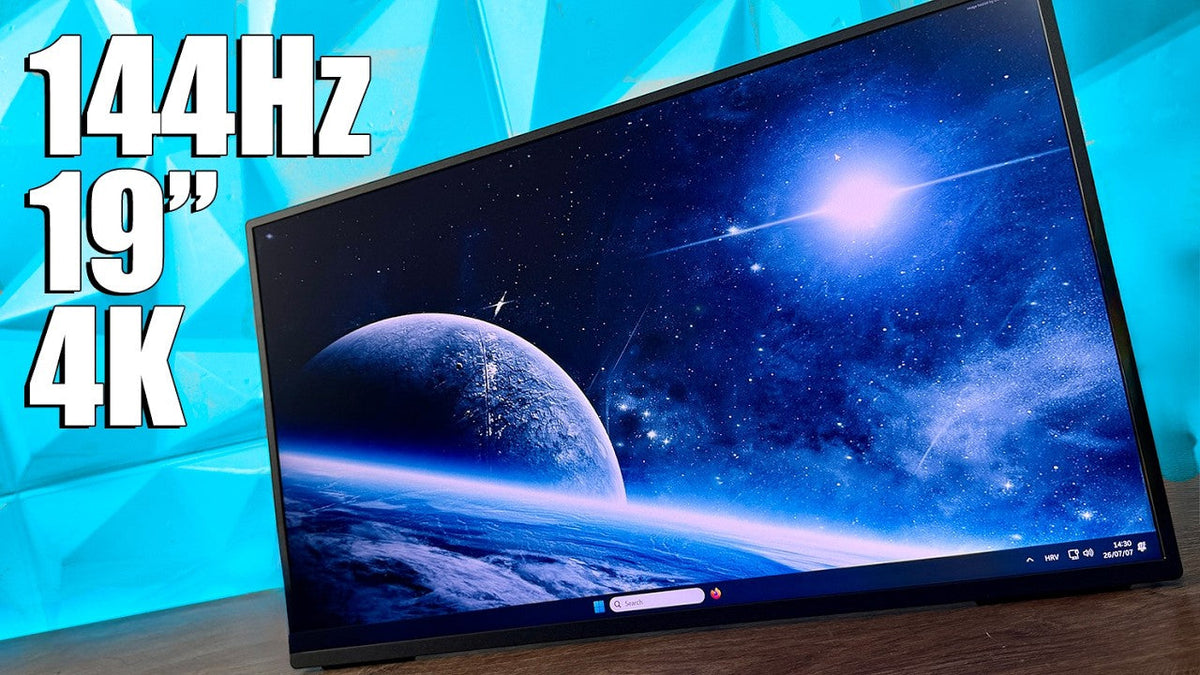
Usually when you're buying a gaming monitor or anything that is in that sense, you're thinking something around 24 to 30 inch, high resolution or mid resolution, like 2K, and then we go with refresh rate, which also goes into that segment, but then we go with something.
Portable or Secondary Screen
Portable or potentially a secondary screen next to your main monitor, maybe you're working with a limited desk space, maybe you travel often or want something more capable than standard portable display, or maybe you simply just want a compact monitor that still offers the features when, Normally expect from a larger screen, and this exactly is where the UPERFECT GR19BU (UColor 19 Apex) comes into the picture, this is a 19-inch 4K UHD monitor with QLED panel, 144 Hz refresh rate, HDR support, and a design that focuses on, well, basically flexibility.
First Impression

At first glance, the combination sounds a little unusual. A 19-inch 4K monitor with a high refresh rate is not something we see every day. So today, let's take a look at this monitor, what it offers, and we have some additional parts right here that you might consider as well, because let's be honest, we're having some angled connections, we're having a hub and we're having a stand, so let's take a. Look at everything a bit closer.
UHub Power X3

First, we're going to go with the UHub Power X3, which is designed to expand connectivity and simplify your setup.
Instead of connecting multiple adapters individually, a hub like this gives you a centralized solution for connecting additional devices. So for compact workspaces, this can be especially useful because the whole idea behind the monitor like a UPERFECT GR19BU (UColor 19 Apex) is flexibility.
Laptop and Accessory Use
You're connecting storage peripherals or additional accessories, having more connectivity options helps make the setup cleaner and easier to manage, pairing the monitor with a hub also makes more sense for people using laptops, where availability of the ports are often limited,
UStand Mag Z1

and then we have the Ustand Mega Z1, which brings something quite different to the table because right here this is the standard.
Stand Adjustment
Rotates quite easy and you can do a 360 quite fairly easy, you can adjust the angle of this, also quite cool, and basically this is the mag part, you have the best mount right here, you have two different types of screws, depending on the mounting mechanism here on the monitor, and you have this sticker which basically.
Magnetic Mount
connects magnetically over here, you rotate it and you can adjust everything as you wish, so this is basically it when we're talking about Uhub Power X3 and the Ustand Mag Z1.
UPERFECT GR19BU (UPERFECT 19 Apex)

Design and Size
Now let's continue with the main star of the show, which is the UPERFECT GR19BU (UColor 19 Apex).
Starting with the design, the first thing that you notice is the size, so. Logical 19-inch, sits somewhere between a traditional desktop monitor and a portable display, it is large enough to comfortably work on, but still compact enough to fit into a smaller setups or even travel bags.
Build Quality
The monitor uses aluminum construction, which gives it a much more solid feeling compared to the many portable monitors and rely mostly on plastic. The profile is also extremely thin, with the display measuring around 8 millimeters at its thinnest point.
Bezels
Around the front, Have a slim 5 millimeter bezel design, which helps maximize the usability of the screen area and gives the monitor a cleaner appearance.
Integrated Stand
One thing I like about this type of monitor is that it does not require a lot of additional space, so you're not dealing with a large stand base taking up entire desk. Instead, it's integrated and it folds out directly into the back of the monitor.
Resolution and Pixel Density

Now let's talk about the most important part of this monitor, which is the display. UPERFECT GR19BU (UColor 19 Apex) comes with a resolution of 3840 by 2160 UHD resolution, 19-inch screen, this results in a very high pixel density of around 231 pixels per inch, and this is where the smaller size actually becomes an advantage, because the pixels are packed much closer together, text, images and small details appear very, very sharp,
Productivity
for productivity, this means that you can comfortably work with detailed interfaces, documents and create.
Creative Work
Applications without needing a large physical display. for creators, the 4K resolution can especially be useful when working with photos, video editing, graphic design, or any task where seeing more details matters.
QLED Panel and Color

The panel itself uses a QLED technology, and UPERFECT lists a white color coverage, which means that 146.2 SRGB, 108.4% above RGB, and 107.8% DCIP3.
HDR Support
the monitor also supports the HDR, so of course with a compact display like this, expectation needs to be more realistic. This is, of course, not replacing a professional reference monitor, but the HDR support can still improve compatible content by adding more separation between the brighter and darker areas.
Brightness and Contrast
The monitor features 1200 by 1 conscious ratio and up to 400 needs of brightness, combined with the QLED panel and white color range coverage. It creates a display that is not only useful for work, but also enjoyable for entertainment.
Viewing Angle
The 178-degree viewing angle is another useful feature because smaller displays are often used in flexible positions rather than directly in front of you like a traditional monitor.
Gaming Performance

Refresh Rate and Free Sync
One of the most interesting features here is the 144 Hz refresh rate. For a 19-inch 4K display, this is not something you do see very often, for games, The monitor also supports free sync, which helps reduce screen tearing when the frame rate changes.
Response Time
The response time is rated at 9 milliseconds, so this is not designed to compete with dedicated e-sports gaming monitors.
Portable Gaming
However, a compact gaming display, secondary screen, or even a portable gaming setup, having a 4K resolution combined with 144 Hz, is definitely an interesting combination.
Connectivity

When it comes to connectivity, Super includes the ports needed for a variety of setups, so the monitor comes with two full-featured USB type C ports, one mini-HDMI port, one USB-A OTG port, and a 3.5-millimeter audio output.
USB-C Connectivity
The USB-C connections make it easy to connect to modern laptops, tablets, handhelds, gaming devices, and other compatible hardware. Depending on your device, you can transfer both video and power through USB-C, which helps keep the.
Current Setup
set up much cleaner, in that sense, what I did and how it's connected right now is that HDMI is connected directly towards the HDMI port and USB type C is connected to the motherboard. Now, the motherboard gives the power to the screen, and this is how it works.
Angled Connections and Cable Management

Now, apart from that, you might be wondering if the type C is hidden, why the HDMI isn't, well, I have it right here just to show you a bit, so this is a USB type C, which hides the cable going through the back, and then you have the small, well, mini-HDMI that also does the same, so it's angled by 180 degrees, and it helps with, let's say, cable management.
Mounting Consideration
One thing I do have to mention, and this is regardless of these angled connections, is that when you want to put it on a vesa mount or the mag Z1 or whatever. You have to rotate this stand that is located here integrated inside the monitor, so you have to flip it, but if the cable is connected, you can't flip it. You have to de-attach the cable, flip the stand, and then attach it to any type of this amount that you have on hand, and then connect the cables back.
Cable Routing
So that's one thing that you need to take into consideration because either the cables are running smoothly through. Through the stand or somewhere at the back, it's all up to you.
Who Is It For?

Now, after spending some time with this monitor like this, the biggest question is, as always, who is it actually for? So I don't think this is a replacement for a traditional main desktop monitor, as I said in the previous few perfect reviews that I did, so basically, If you have a dedicated workstation, a larger display will still make more sense for the majority of people,
Specialized Tool
where this monitor becomes interesting is as a specialized tool, so creators can use it as an additional screen, travelers can use it as a compact workstation display, gamers can use it for a smaller setup, or the main thing, people with limited desk desk space can get a high-resolution display without needing a massive.
Portable Use
Monitor, the combination of 4K resolution, QLED technology and 144 Hz refresh rate makes it more versatile than a basic portable monitor, and honestly, when you think about it when I mentioned for who this monitor is, then you can also add something else, creators, gamers, or anybody who is on the go that needs a portable monitor, it doesn't have to be a 4K resolution, but if you really want a 4K resolution, then there you go, so.
Travel and Protection
You can basically carry it around because it's slim inside the box, you also get a nice pouch to place it inside, so the screen doesn't get damaged, and that is also quite cool.
Features and Build
19-inch 4K QLED. Panel, I already mentioned this multiple times, but white-collar coverage, 144 Hz refresh rate, HDR support, flexible connectivity gives this monitor a lot of different use cases,
Compactness and Portability
So, if you're looking for a compact monitor that can pack all these features inside the smaller chassis, because let's be honest, today's 19 inch is quite small to be your main monitor, but if you're limited with your desk space, you want to travel around, still have all those features that I mentioned.
Overall Experience
And everything that you heard throughout the video, because even though these are my final thoughts about the monitor you heard and you can kind of realize everything through the video, what does this monitor actually support and give you in return when we're talking about the compactness, it's a well-built chassis, well connected as well when we're talking about connectivity and all the other stuff, but still gives plenty back, especially because it's portable and very light.
Final Thoughts

In comparison to other lightweight and portable monitors, so going with that, this was you perfect you UPERFECT GR19BU (UColor 19 Apex) with 4K QLED, 144 Hz refresh rate, 9 milliseconds response time, that could be a deal breaker for some gamers, but if you're gaming on the go, I think that should be all right.
In other words, the UPERFECT GR19BU (UColor 19 Apex) is a very specific product, it's not trying to replace every monitor on the market, as I already stated, Instead, it focuses on people who need something more compact, but do not want to sacrifice the features.
Share:
UPERFECT GR16EQ 2K 144Hz Gaming Monitor reviewed by Axel
UPERFECT GR14BU 3K OLED Touchscreen Gaming Monitor reviewed by FIRE WOLF TECH