

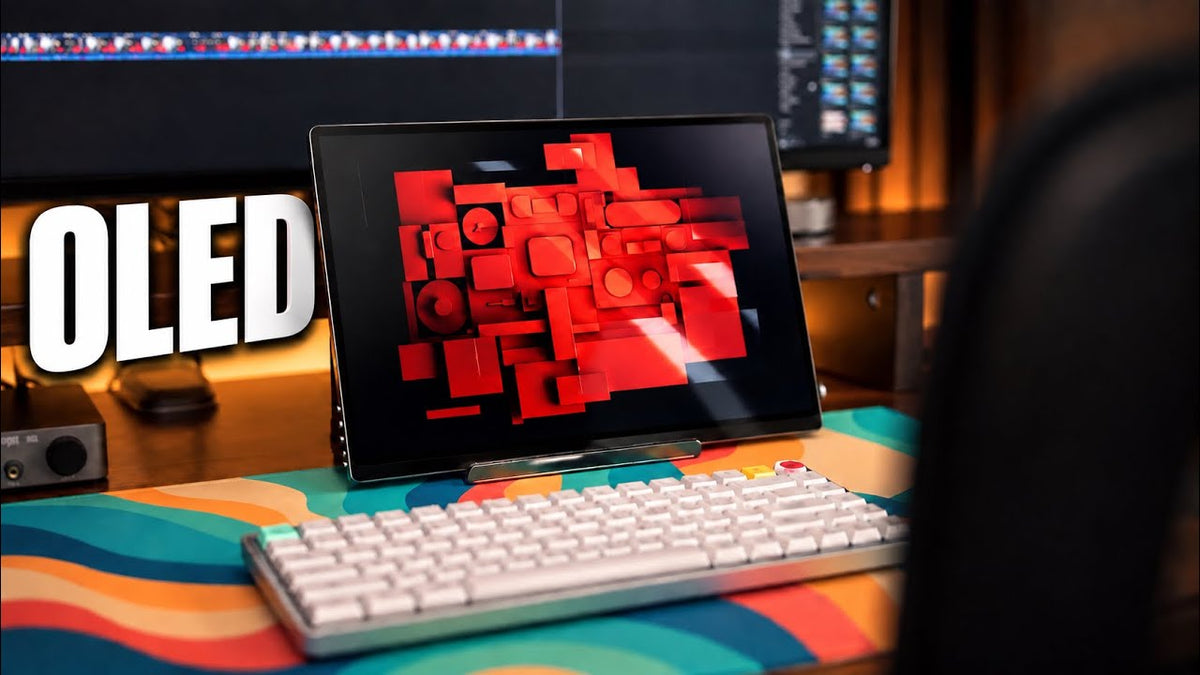
Portable monitors have always been one of those products that I think from a practical standpoint, make a lot of sense on paper. You get more screen space wherever you go, they're lightweight and most of them can run straight from your laptop. But the ones I've seen usually come with a pretty obvious compromise. The screen is nowhere near as good as the laptop you're connecting to.
First Impressions of the GR14BU

So, when UPERFECT sent me out their GR14BU 14-inch. New portable monitor. I was honestly expecting something pretty similar, another useful second screen that I'd probably only pull out whenever I really needed the extra screen space. But this one had a 14-inch 3K OLETD panel, a 120 Hz refresh rate, touchscreen support, and weighs just around 1.3 pounds.
And after actually using it for my productivity, for gaming, and for travel. I realized that this is less about simply having another screen that I'm just willing to tolerate. It actually feels like a display that I want to use, and that to me makes a much bigger difference than I expected.
Physical Design and Portability
Aluminum Shell and Build Quality

Now, the first thing UPERFECT gets right here is the physical design. The UPERFECT GR14BU uses an aluminum shell, and the entire monitor feels surprisingly solid despite being. Extremely thin. It weighs around 657 g or roughly 1.3 pounds.
So, throwing it into my backpack alongside my laptop, my keyboard, and everything else I'm pretty much already carrying doesn't add a ridiculous amount of weight. On paper, 14 inches, I know, might sound a little bit on the smaller side, but when you're building a setup that's supposed to travel with you, I think there's a point were going bigger starts. Working against the whole reason you bought a portable monitor in the first place.
The 14-Inch Size

This feels like a really nice middle ground to me. It's big enough that it genuinely just gives me, you know, useful additional screen space, but small enough that I don't hesitate to bring it with me at all. But the size isn't actually my favorite thing about this monitor. That would actually be the screen.
3K OLED Display Quality
OLED Panel and Image Quality

Each pixel can illuminate itself or completely switch off, which gives you genuinely deep blacks, significantly stronger contrast and colors that tend to look much richer than what you'll get from a typical inexpensive LCD portable monitor, and you actually can notice it immediately. Dark screens actually look dark instead of. Slightly gray colors have more punch, highlights stand out way more than I'm used to, and because you're also getting that 3K resolution on a relatively small 14-inch screen, everything to me looks incredibly sharp, text looks clean, games look pretty detailed, and video looks fantastic, even something as simple as. Browsing around the desktop feels noticeably more premium.
Color Coverage and Contrast

Now UPERFECT rates the display for 109.9% DCIP3 coverage, 1.07 billion colors, and 100,000 to 1 contrast ratio. Now those numbers sound pretty, pretty impressive, but I think the simpler way of putting it is this. It doesn't feel like I'm looking at a cheap secondary display, and that's probably the biggest compliment I can give it, because if I'm connecting a portable monitor to next to my laptop, my MacBook Pro.
That actually already has a really good screen. I don't want my eyes, you know, to constantly noticing how much worse the second display that I'm using looks, but with this one, that difference is way smaller. It's actually pretty comparable to my MacBook Pro screen.
120 Hz Refresh Rate and Gaming
Smooth Everyday Use

But then there is also the 120 Hz refresh rate. Now for everyday productivity, 120 Hz makes scrolling, moving windows, and generally navigating feel noticeably smoother, but gaming is obviously where it becomes much more useful. And combined with the OLED panel, games look really good on this thing.
Gaming Performance

You get the deeper blacks and contrast from that OLED panel, the sharpness from that 3K resolution and smoother motion when you're playing something that actually take advantage of that higher refresh rate. Now, there is one important limitation that I found and I obviously have to mention to you guys. Now, to run the full native 2880 by 1800 resolution.
At 120 Hz, you actually need to connect through USB-C. Over HDMI, the native resolution tops out at 100 Hz. You can of course drop the resolution down to 2560 by 1600, and then you can reach that 120 Hz over HDMI.
USB-C and HDMI Limitations

But you can't have both the full 3K resolution and the 120 Hz through. That HDMI connection. Now, for most games running around 160 frames per second, that's really not a major issue, but if you're buying this specifically because you want to push higher frame rates, it's something you absolutely want to know beforehand.
Compatibility With Games
There's also the 16 by 10 aspect ratio to consider. Now personally, I'm used to it because I spend a lot of time gaming on devices like. the Xbox, ROG AI X, the Spe deck, but not every game properly supports that 60 by 10 aspect ratio. So occasionally you're gonna be seeing those black bars at the top and bottom rather than having the game fill the entire display.
It doesn't bother me much, especially on a screen this size, but I definitely prefer when a game supports the full panel.
10-Point Multi-Touch Functionality
Touchscreen Features

Now the other interesting feature here on this monitor is the 10-point multi-touch functionality, and it's one of those features that I wouldn't necessarily buy the monitor for, but I'm actually glad it's here. For browsing, navigating apps, or quickly changing something on screen, being able to simply reach over and tap the display can be surprisingly convenient. Now I've used it for things like swiping through apps on Either my Xbox, RGLIX or my Steam deck or quickly changing a video without reaching for another input device.
Touch Connection Requirements

But there are some connection limitations here as well that I have to make mention too. Now for touch functionality, you need to use the appropriate USB-C connection. If you're connecting a device purely through HDMI, you're obviously not going to get touch control.
Because HDMI isn't carrying that USB-C touch data. So depending on the device you're connecting, touchscreen support may or may not be a part of the experience.
Connecting to Portable Gaming Devices

Now one setup I really like is using it again directly connected to one of my portable gaming consoles. I can connect the Xbox RGLA X through USB-C for video and touch support. then provide power to the monitor through the 2nd USB-C connection that allows the monitor to pass power through to the portable gaming device.
So, I can have the larger OLED display, touchscreen support and keep the ROG LIX charging without needing a full dock in between. I personally think it's a really clean little setup. Now, do I use a touchscreen constantly?
Honestly, no. If I'm gaming with a controller, I actually barely touch it, but for the situations where it makes a lot of sense, it's actually a genuinely useful addition rather than something that's just sitting unused on the spec sheet.
Additional Display Features
On-Screen Controls and Settings

Now there are also a handful of smaller features that make the GR14BU a bit nicer to live with. You have the usual controls for things like brightness and volume, along with an on-screen menu that gives you access to color temperature, menu positioning. Transparency, and a few other display settings.
Two options I found particularly useful are low blue light and HDR. The low blue light mode gives you 4 different levels, allowing you to reduce the amount of blue light coming from the display. The stronger setting obviously give the screen a much warmer, more yellow appearance, so I wouldn't use them when color accuracy actually matters.
Low Blue Light and HDR

But if I'm just reading, browsing, or, you know, working later at night, having that option can Make the display feel a little more comfortable to look at. There's also that HDR support. Now I've mostly left the monitor set to automatically handle HDR and then control it directly from whatever device I'm using, but you can also manage it through the monitor's own settings.
Built-In Stand and Mounting Options

Now, I've used portable monitors before where you need to rely on folding case or carrying another stand just to, you know, keep the screen upright. Here I can just simply pull the monitor out, flip the stand open, connect. My device, whichever device I'm using, and then I can just go ahead and start using it.
I know it sounds like a really small thing until you actually use a portable monitor that doesn't have one, and of course bonus, you actually have mounting points on the rear if you prefer to integrate it into more of a permanent setup.
Overall Experience With the GR14BU

Balance of Features
So, with that said, after spending time with the UPERFECT GR14BU, what I like most isn't any one individual feature, it's actually the overall balance. A lot of Portable monitors can give you extra screen space. You can also find much cheaper options, but the GR14BU gives me the extra display without making the display itself feel like a compromised.
The OLED panel looks fantastic. The 3K resolution is extremely sharp, 120 Hz makes both gaming and general use feel smoother, and somehow UPERFECT has packed all of that into something that's still this thin and light enough that I actually. Want to throw into my backpack whenever I'm traveling.
Limitations to Consider
It's not perfect, and there are definitely some, you know, limitations that I've mentioned earlier, like getting that full 3K resolution at 120 Hz. It's only over USB-C connection and not HDMI. Touchscreen functionality also depends on how you're connected and the device you're connected to.
And also depending on the games you play, 16 by 10 support can be a little inconsistent, but none of those have been. You know, deal breakers for me, especially for the way how I use it.
Who Should Buy the GR14BU?

So, if you're only looking for a basic second display for a browser window or email, you probably don't need something like this premium, ON monitor. There are much cheaper portable monitors that will more than do the job for you, but if you travel regularly, if you game on portable devices, you're simply, you know, tired of connecting a second monitor that looks noticeable.
Possibly worse than the screen that you are already using on your laptop, then this is where the GR14BU starts making a lot more sense. And that's what really surprised me.
Final Thoughts

I actually expected it to be another, you know, somewhat useful portable monitor. Instead, it's become one of the few that I've, you know, tested, I've used, where the screen quality is actually part of the reason I want to bring it with me. And for me, that makes the UPERFECT GR14BU one of the best portable monitors that I've used so far.
Share:
UPERFECT BE156EF 15.6 Inch Wireless Monitor Reviewed by BasicDadTech
UPERFECT BE156EF Wireless Monitor with Bluetooth Keyboard Reviewed by Slothy Vlogs