

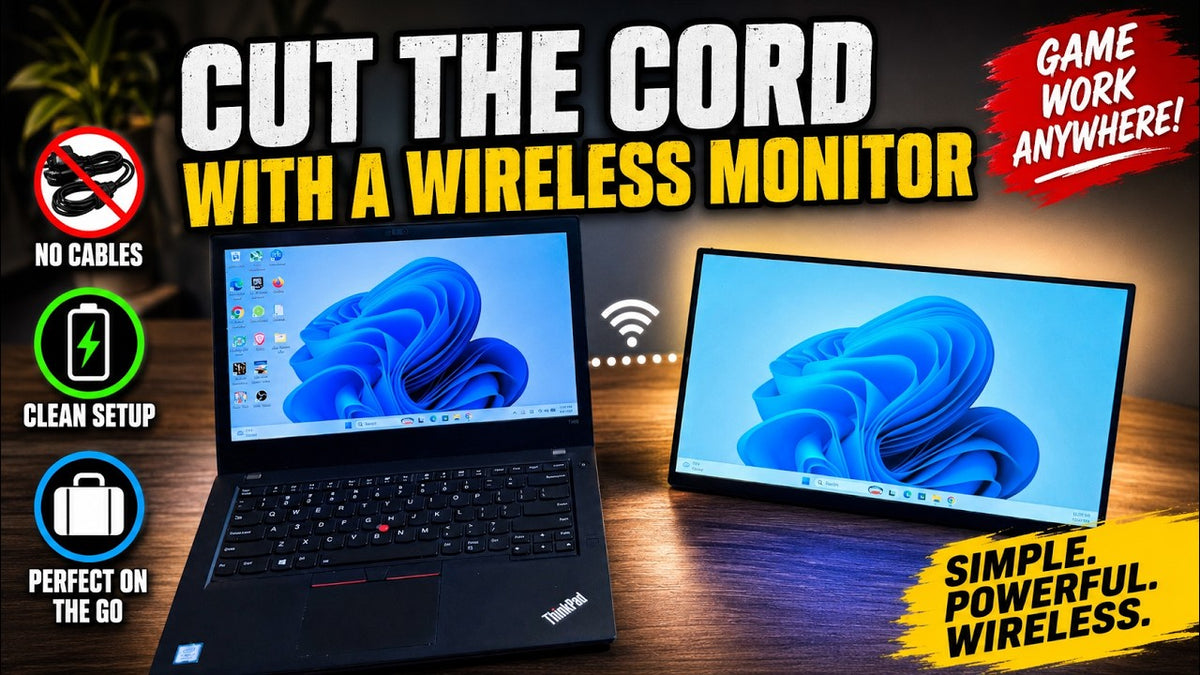
In today's video, I'm gonna be checking out a portable monitor that is completely wireless. No HDMI cable needed and no power cables needed as well. In this box is the UPERFECT BE156EF 15.6-inch wireless business monitor with a full 1080p display. Now, I have checked out portable monitors in the past, but this is the first completely wireless one. Now, I do want to mention that UPERFECT did send this to me for review.
Unboxing and First Impressions
Unboxing the Monitor

So, let's do a quick unboxing here. And one thing that I really like about UPERFECT is that it gives you everything you need to get going in the box. It comes with a mini-HDMI cable in case you do want to use it with a wire, and you also get a Type C to Type C cable and a USB to Type C cable.
Included Accessories

We also get here a USB Type C 180-degree U-shaped adapter. Now, it is nice that they include a lot of accessories. Like I said, I don't think I'm gonna need these, but again, it's just really nice that they include a lot of accessories. Looks like we actually have 3 of them here.
Foldable Keyboard Bonus

And here's another cool little bonus, a tiny foldable keyboard with a touch pad. This actually looks pretty cool. not sure how comfortable it would be to use this for an extended period of time though. It could be nice to use for something like a home theater PC, but, yeah, I love little gadgets like this. And again, another cool little bonus that you perfect added with this monitor.
Design and Features
Design and Build Quality

All right, so now let's take a look at the monitor. It is a 15.6-inch screen. Yeah, it's very light and it's also very thin. The bracket stand opens 180 degrees and it is fully adjustable.
Ports and Controls

On the sides here, we have a mini-HDMI port along with two Type C 3.1 ports, and on this other side over here, we have our power button, our volume button, brightness, and signal source buttons, and we even have a headphone jack, which is kind of cool.
Built-In Battery and Wireless Connectivity

The standout feature of this monitor is it has a built-in battery. You charge the battery up and then you can use the monitor wirelessly with lots of different devices via screen mirror. When you power it on, as you can see here, it shows you how to set it up with multiple devices.
Wired Connectivity Options
Now, if you wanted to, of course, you could use an HDMI cable or USB type C cable to connect it to your device. All right, now let's see if this is gonna work.
Wireless Connectivity and Device Testing
Using the Monitor with Samsung DeX

I have my old Samsung Galaxy S21 phone here and what I'm gonna do is I'm gonna start up dex mode, Samsung dex mode, which basically gives your phone a desktop computer experience and as you can see, I'm gonna try right now to cast it over to the UPERFECT portable monitor here and let's see how it does.
Wireless Screen Mirroring
Connect All right, took a few seconds, but there we go, it is working. Here's a look at the foldable keyboard. I was gonna try this out using Samsung deck, but it wasn't charged, but I will be trying this out later on.
Using the Phone as a Mouse

So, instead, I'm gonna use my phone as a mouse. And you could see it is working as I move the arrow around the screen. Now there is some latency, as you can see, but it's not too bad.
Web Browsing Experience

So, for browsing the web, it should be fine. Again, I would not use this monitor wire wirelessly for gaming, but it should work fine via, you know, HDMI or USB Type C for gaming. And here I am browsing the web wirelessly. It's actually a pretty good experience, even, you know, scrolling up and down here. Latency is very minimal.
Productivity and Work Experience

Connecting the Monitor to a Laptop
All right, and now I'm gonna connect this to my laptop here. This is my trusty ThinkPad T480. Now, UPERFECT is calling this wireless monitor a business monitor, which makes a lot of sense to me.
A Second Screen for Work
If you work from home and need a second screen and just don't want to deal with any additional cables or wires in your setup, this comes in very handy. And to connect this, I'm just gonna follow the instructions on the monitor here by hitting the Windows key plus the K key. As you can see, I just did that and you can duplicate the monitor or extend the display.
Multitasking and Productivity
I'm gonna end up extending the display here. So, this is great for multitasking and for productivity purposes. Now I'm gonna just move this window to the wireless display, and as you can see, it works really well, it's very seamless.
Display Controls and Audio Performance
Monitor Menu and Controls

Here's a look at the menu screen. You can change the brightness, the contrast, the sharpness. Navigating the menu with the buttons on the side is not the easiest thing to do. There is a bit of a learning curve.
Speakers and Sound Quality

Probably the only negative thing I could say about this monitor right now. The speakers aren't gonna blow you away, they're average at best. If you want better quality sound, you could use EarPods or connect it to a Bluetooth speaker.
Final Thoughts on the UPERFECT BE156EF

So, if you are in the market for a wireless monitor, this UPERFECT BE156EF is definitely one to consider. You can basically connect any device to it, whether wirelessly or via wire. The included mini keyboard is a very nice bonus as well, and you get all the included cables as well, as I spoke about earlier on.
Share:
UPERFECT GR19BU 19 Inch 4K Gaming QLED Monitor Reviewed by NERD
UPERFECT GR14BU 3K OLED Gaming Monitor Reviewed by Dre Anthony