

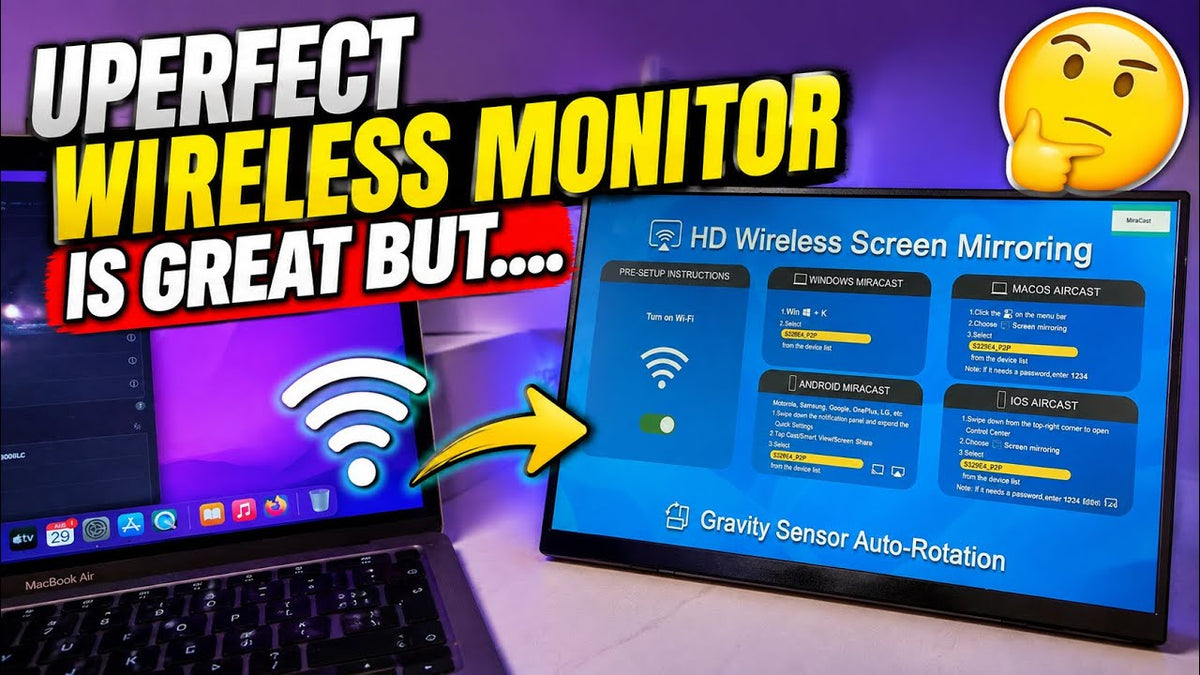
I've got another box, another review video for you all today. Yeah, this is another UPERFECT device, I already have the portable gaming monitor, which is amazing. Go check out the review, I still use that to this day, it's a 2K gaming monitor, really, really nice and portable.
This is a separate UPERFECT BE156EF Wireless Monitor. It'll be interesting to see just how good this one is. It's a quick look at the box. So, on top you have like this pouch to keep it safe, really good for kind of travel.
A nice soft pouch to keep the monitor in. Take off this protective layer and this is the device, wow, it's really actually quite thin. That is super thin.
Accessories and Included Keyboard


This gives you a wireless monitor option or a second screen. I'm led to believe you can mirror your computer to it. It comes with loads of loads of accessories.
Loads of accessories in here. HDMIs, USB-C cables, so yeah, loads of, loads of cables, actually comes with a foldable keyboard with a touchpad, that is. That's awesome, it's a very nice touch, that actually comes standard in the box and this thing is very inexpensive.
I put the price of time recording on the screen for you, but yeah, it's not very expensive. So it is a really good option for a wireless monitor if you're in the market for one of them. Yeah, for Android, Windows or iOS so honestly, I, I don't really know much about it.
Display and Wireless Features
Resolution and Intended Use

I've just opened it up and we'll look at it, then I'll do a bit of research into the specs on it. I know it's only 1080p, it's not a 4K display, it's not a 2K display, it's only a 1080p display, but for like work and stuff, that is fine and you can't game on it because of, I'd imagine, input lag would be an issue, but we'll have a look. So, you've got this stand.
It just comes out. Like that, and of course it is wireless, so that means there's a built-in battery to the monitor. You've got your power button, got like a volume rocker, brightness and a headphone jack.
I mean it looks a nice monitor. Oh wow, so there you go, just turned it on there and you've got all of your instructions on the screen. The Wi Fi, Windows Mirror cast, iOS Air cast, Android Mirror cast, so all of the options are here.
Screen Mirroring and Rotation
You can probably cast your phone directly to it as well, which is pretty awesome, and you can actually rotate it. So, if you were doing like Twitch streaming, you could have your chat potentially up here or live on YouTube, anything like that, you can have it this way to read chat. So that's really nice, you can have it kind of both ways.
So yeah, I like the viewing angles, they're not too bad, not, not amazing, but they're not too bad for a, for a cheaper monitor. It's nice and bright, colors look good. Again, you can probably see on the camera.
The viewing angles, they're not amazing, but they're not too bad either. So, the screen itself is a 16.6-inch full HD screen, 1080p. If you want to use it as a normal monitor, it does come with the correct cables and plugs, so you can actually plug it in and just use it as a monitor, I'm guessing, but the option is there, of course, for it to be wireless, that's the main selling point.
As you can see, absolutely. No cables whatsoever. Yeah, this is my, this is my Uperfect gaming monitor, so quite a bit bigger plus the quality on here is better.
Testing the Monitor for Gaming

Connecting a PlayStation
So, if you are looking for like a portable gaming solution, check out the UPERFECT 2K gaming monitor. Now my PlayStation is currently under here with the Xbox. I'm gonna see if I can pull this out.
And plug it into this portable monitor. So, this comes with it, it's just a little mini-HDMI. In theory, we should be able to plug that into the PlayStation and into the monitor.
Can't get it in the alt, so you can turn the brightness up and down as well, it goes up to 10, which is fairly bright actually. This should be the PlayStation. And it works.
Console Gaming Test
So, we know it can be used to play video games on. Like I said, this is completely wireless, just running off battery. The only thing is you would need something to plug your PlayStation into, so this is definitely not what it's intended for, but it's nice to know you can just use it as a secondary monitor.
Obviously, no input lag at all because it's coming directly from the console. mirroring is where, where it's gonna be an issue, especially for, for gaming. I just don't think you'll be able to game on it.
Input lag will be, will be, yeah, too much. But it's nice to know this will do it. Yeah, and that also means it will run any console you want, Xbox, Switch, Switch 2, anything at all with a HDMI you can run directly on this.
Phone Mirroring and Portable Entertainment
Testing the Included Keyboard

I've never used one of these before, so this is all new. So, I'm not a tech expert at all. All new for me. This folds out. Like that, so you've got a trackpad, keyboard, very nice satisfying click. I quite like the way they include that, so screen mirroring.
Mirroring a Smartphone

Not actually too bad, the input lag is kind of nonexistent, it's, it's really good. Just scrolling through my YouTube videos here. So, we've got it the right way now, like full screen.
That's, that's pretty damn good. That's pretty damn good. So, can we play a video?
There you go, so we're just mirroring our phone screen onto the monitor. So, if you were camping and you had your phone, you could just take this as a portable monitor and just watch everything on a much bigger screen. So, your family could gather around, you could watch a movie.
Vertical test

You can have your vertical screen and when you watch something you can just. Basically, flip it around and you just turn your phone to watch it at full screen. And it's full screen on there.
So, if you're scrolling TikTok, you can have it vertical, if you're watching something like a movie or YouTube. You can have it like that. That's pretty damn good, I like that, so yeah, the phone mirroring aspect is amazing, and remember, no cables, absolutely no cables on this, completely wireless.
Completely running off that battery on the back. And I'm really impressed with the, the picture quality as well. It's really nice picture quality on there for a 1080p screen.
The clarity is pretty damn good. And see if we can turn it up a bit more. Where's the volume rocker at?
The volume, it's not too bad at all. So, there we go, I have a kind of much bigger screen.
Using the Monitor as a Second Display
Dual-Screen Editing Setup

So yeah, now there's like my edit in here. Libby has the exact same apartment all to herself. So, I can edit with dual screens or use it as a separate display.
I could in theory, use this as a second monitor. So, like, that is absolutely brilliant actually. Like I could drag and drop my editing.
To this screen, so I can edit on this screen, this is actually really, really good, so I can literally watch YouTube, one side, so if I just move that out of the way. So, it is actually brilliant, it is just a, a secondary monitor. So yeah, we can, I can watch the football this side and still edit my video this side, which is.
Really, really good. I, I'm well impressed with that. So, I could just edit this separately.
Portability and Small Workspaces
When you shut your laptop, it does cut it off. Yeah, so I can see loads of different scenarios for this, so maybe you had a small desk, not much office space, so you couldn't actually run dual monitors.
This is perfect cos this just folds away. I also got sent this really nice UPERFECT bag as well. Yeah, it's really good for TikTok scrolling as well.
It's got like a full screen there. It's a full screen TikTok. It's really good for that.
Using It While Traveling

Why is it all the places we've been? I do like the Miriam feature, especially for your phone, like I said, if you are out and about and you want to mirror your phone, camping, anything like that, car journey, you could stand and hold it in the car. Perfect. Be there.
Yeah, so I'm just sat here, I could edit on this screen. I thought I'd bring up Netflix on this screen to watch in the background, that doesn't work. As you can see, it's a, it's a black screen, you can't view Netflix.
Streaming App Compatibility
Netflix and Other Streaming Services

You can hear it, but you can't actually see it. So no, you can't actually use Netflix as a a background task. You can't use it on this dual setup, which is.
A little unfortunate cos I like to kind of watch Netflix in the background while I, while I do stuff, and I'm guessing it's probably the same with Disney Plus, Amazon Prime, I'm guessing all of them. You can't actually watch like this, which is a little bit of a shame, but you can do YouTube, we've tried that and that works. Spotify you could probably do as well, so you can bring up your favorite playlist.
YouTube, Spotify, and Other Content
 Listen to that and change tracks without kind of leaving your editing software, which is really nice. Unfortunately, it doesn't stream your owned Apple movies. Again, it kind of blocks it, which is a shame.
No, even mirroring from your phone doesn't allow you to play Netflix, unfortunately. Yeah, the same for Amazon Prime. Look at the cat.
Final Thoughts

It does not let you play it or Disney Plus. So, I've tried all kinds of major streaming apps. None of them work, whether you're mirroring your phone to it.
But YouTube works. YouTube works and TikTok. Well, you can really see the, the delay there, so yeah. Not perfect for gaming, but it's not designed for this, it's just a little test I like to run.
Share:
UPERFECT GR14BU 3K OLED Gaming Monitor Reviewed by Dre Anthony
UPERFECT GR19BU QLED 144Hz Gaming Monitor Reviewed by Badger DIY