

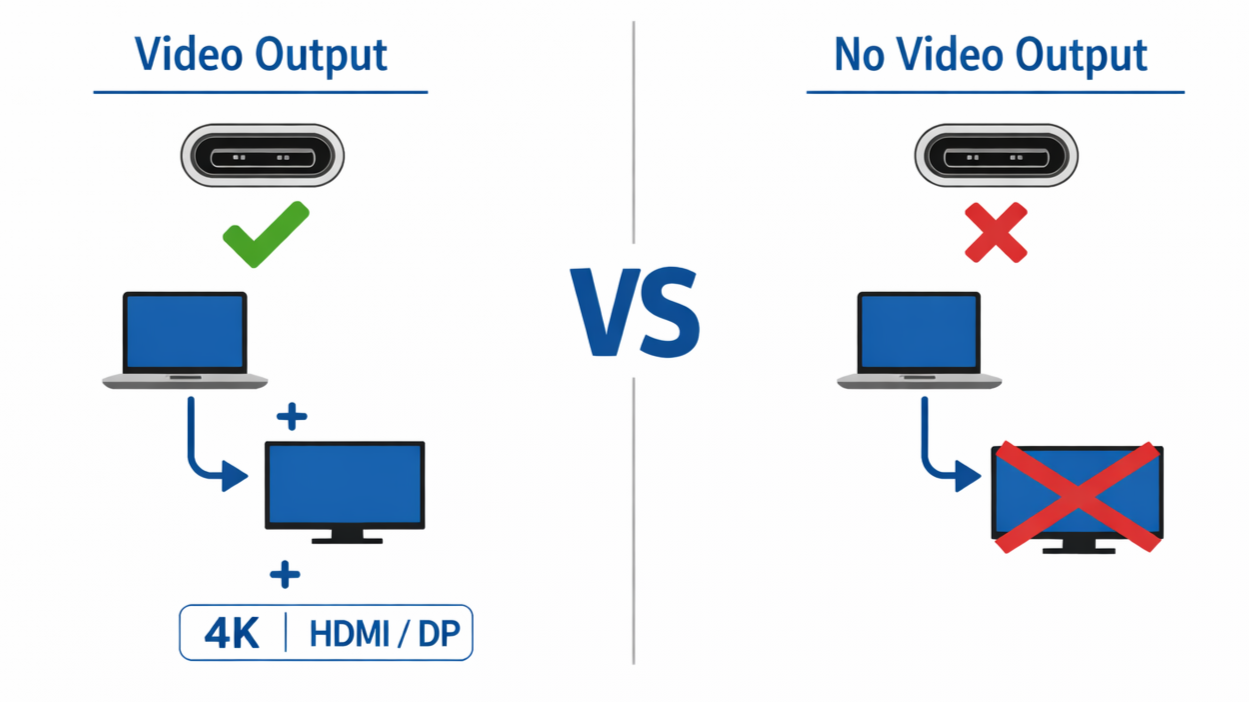
USB-C port has offered a universal solution to digital display and transfer, yet they produce inconsistent results in real-world use. While most USB-C ports appear identical in design, they usually function in radically different ways. Sometimes, two identical USB-C ports may end up with different features and functionality. While one port may deliver video output, ]another fails in that aspect.
However, there is a common misconception that every connector with a USB-C port must support video output. The reality is that a USB-C port is just a physical connector with complex internal signal routing that determines its functionality. There are certain hardware components and protocols that play a big role in enabling USB-C to deliver video output. In this article, we’ll explore all of these factors and reveal platform-level constraints that determine the capabilities of different ports.
USB-C Is Only the Physical Interface
One of the major issues users have with USB-C is the inability to judge its ability from its design. However, this issue stems from ignorance. The connector is often misunderstood as a feature, rather than an ordinary physical interface with hardware components.
USB-C simply defines the orientation of the connector plug and the mode which devices connect at a basic level. This is why a USB-C connector does not guarantee digital display or advanced connector features. Even while the port is universal, its capabilities are not.

Image credit: Cabletime
The Difference Between Port Shape and Port Capability
Before the introduction of USB-C, USB used multiple physical interfaces with the same USB protocol. Connectors like USB-A, USB-B, and Mini-USB, existed in different shapes but similar data transfer standards. Just like all these physical interfaces, USB-C is also a connector standard with the ability to possess different features depending on the manufacturer.
For a USB-C port to support video outputs, manufacturers enhance display signals from the GPU. This process of signal routing is done by using protocols like DisplayPort Alt Mode or Thunderbolt. Without these features on the motherboard, a USB-C can only support digital transfer and charging. This is why some USB-C ports are only ideal for charging, and others can support advanced features like digital display.
Why The USB-C Label Is Not Enough
Any product that carries the “USB-C” label in specification often creates a false sense of advanced quality. In reality, this label provides no meaningful information about the capabilities of the port.
There are three major functions of physical connectors:
- Charging
- Data transfer, and
- Video Output.
Each of these above functions are independent qualities, and most USB-C ports may not support all three. There are ports that can handle fast charging but have limited data speed. Some have high data transfer speed but lack video output features. Above all, display is dependent on additional protocols that are simply not guaranteed simply because a port uses the USB-C connector.
Meanwhile, marketing labels have been a major source of confusion, often obscuring the technical reality of a USB-C port. Since most manufacturers omit the DisplayPort Alt Mode support detail, users will reasonably assume certain connector features that may not exist in that device.
Video Output Requires More Than a USB-C Port
There are cases where a video-supported USB-C port cannot deliver video output. That’s because displaying a pixel on a visual system is a system-level operation, not a port-level feature. Hence, a USB-C connector will only deliver video output if the other hardware is designed to support it.
The Role of the GPU and Display Engine In Video Output
One of the major components responsible for the display of image frames is the GPU. The Graphic Processing Unit is responsible for generating the video stream, which is then processed by the system before being transmitted to the display output interface. Before any connection, the USB-C manufacturer must have routed display signals from the GPU to the USB-C controller using hardware like DisplayPort Alt Mode or Thunderbolt.
Meanwhile, manufacturers choose not to route the display signals from the GPU to USB-C ports. These grades of USB-C connectors are created due to factors like chipset limitation, design priorities, or cost-effectiveness. This type of USB-C port is usually suitable for charging and data transfer, provided the necessary features are present.

Image credit: Subtel
Video Display Controllers and Signal Path Design
Beyond having a functional GPU to generate video streams, the video output function of a USB-C is also dependent on the designed signal path. A controller and pre-determined routing signal plays a massive role in determining whether the video signal is transmitted to the connector.
To make this process easier, modern systems have found a way to integrate the GPU and display engine into the SoC. So a USB-C that supports video output must be routed from the SoC’s display controller to the USB-C controller through specific high-speed lanes. The absence of these lanes will prevent the USB-C port from receiving display signals.
Meanwhile, the need for these complex signal routing increases the complications in the motherboard. As a result, manufacturers often make conscious trade-offs by disabling it entirely in expense for lower cost and aesthetics.
DisplayPort Alt Mode: The Most Common Video Path
DisplayPort Alt Mode is the most commonly used technology in USB-C ports. It simply works by repurposing USB-C fast lanes to carry DisplayPort signals from the graphics processing unit. However, USB-C always provides a limited number of high-speed lanes, and the DisplayPort Alt mode must find a way to share these lanes for the purpose of charging and data transfer.
Depending on the number of high speed lanes, a USB-C port will sometimes prioritize video bandwidth over anything else. If the port provides fewer lanes to DisplayPort signals, the video output can end up with reduced resolution or refresh rate. Nevertheless, the high performance of its digital display would be at the expense of high data transfer speed. It’s no wonder some display resolutions are not supported by USB-C ports and some visual systems end up with very low quality image frames.
Why DisplayPort Alt Mode Is Optional
The addition of DisplayPort Alt Mode in USB-C requires a complex level of signal routing from the GPU to the USB-C controller. Also, video output in DisplayPort Alt Mode requires a dedicated number of lanes; all of which makes the motherboard complex. This high cost and complexity issue has made manufacturers remove the entire Alt Mode, leaving the USB-C port with charging and data transfer qualities.
Thunderbolt vs Average USB-C Ports
While many users are faced with the uncertainty of USB-C ports supporting video output, Thunderbolt almost always delivers. Beyond video output, Thunderbolt adds a high-speed data protocol along with many advanced capabilities.

Image credit: Thunderbolt
Why Thunderbolt Ports Almost Always Support Displays
Just as DisplayPort Alt Mode carries DisplayPort signals, Thunderbolt carries video signals using a process known as DisplayPort tunneling. This process is responsible for how the GPU’s display signal is transmitted over the port. Unlike standard USB-C, Thunderbolt signal routing is generally supported by the protocol.
However, the main reason every Thunderbolt port supports video display is because of compliance standards. For a Thunderbolt port to be certified, it must attain certain standards and support video output.
USB-C Ports Are Less Predictable
While Thunderbolt ports generally have a compulsory requirement, USB-C ports are the complete opposite. Since the external display feature is optional, USB-C ports are usually less predictable across several devices. This is why USB-C ports are sometimes misunderstood by users who expect every USB-C port to behave the same way. Since USB-C does not possess a capability standard, a manufacturer can choose to have widely varying support for video output.
The Impact of Firmware And Operating System
Beyond USB-C features and signal routing, external display is also reliant on firmware and certain drivers in the Operating System. These components determine how the capabilities of the USB-C port influence user experience.
Hardware Support And Enabled Display Features
During the production of USB-C ports, some manufacturers include BIOS or firmware settings to enable video output. Sometimes, users have the ability to disable DisplayPort Alt Mode even if it supports video output.
Meanwhile, there are some limited operating systems that can prevent signal routing over USB-C ports. In the same way, some outdated drivers that work with video output may lack enabling features. These are some of the reasons why two similar ports may behave differently.
Operating Systems Vs USB-C Display Output
During connection, the operating system of the source device must adequately detect the visual system over the USB-C interface. This process involves a series of negotiations for resolution and refresh rates based on certain protocols.
However, GPU drivers along with some controller and display drivers must work together during this negotiation to transmit a video signal. Any outdated driver will prevent the whole process or limit the output quality.
Adapters And Cables Change the Outcome
Adapters, docks, and cables are also some of the factors that determine video output. These components also play a massive role during connection. Unfortunately, some cables cannot handle the complexities of signal routing and conversion.
Cable Quality And Video Output
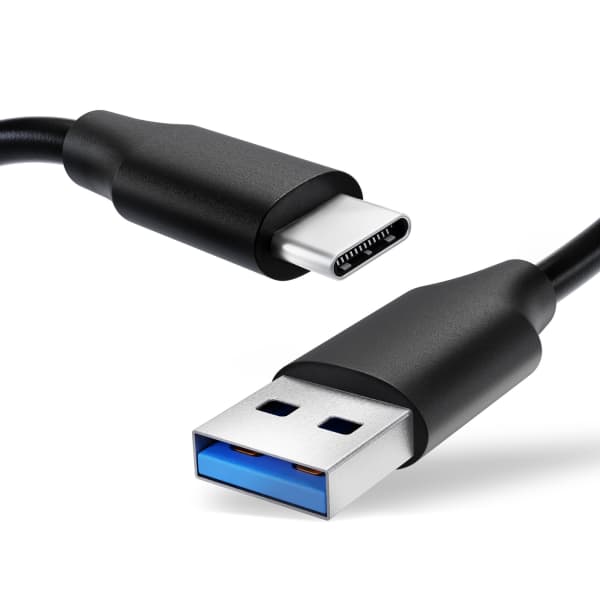
USB-C cables are different in the level of signal they can carry. Some of these cables are essentially limited to charging, and others have the ability to transfer high-speed data. Cables that do not meet the specifications for digital output will falter by blocking video signals.
Some of the major problems associated with low-quality cables include:
- Low resolution,
- Flickering screens,
- Low refresh rate,
- Lack of signal.
At a point, limited cables will fail to maintain adequate bandwidth for higher resolutions. This is why a high-quality cable is tantamount to an amazing visual experience.
Most Common Misconceptions
While every USB-C port possesses the charging feature, it is not an indication of whether or not it can deliver video output. Similarly, a USB-C port with a high-speed data transfer feature is usually conflicted with video output support. Above all, USB-C ports can differ even on the same device. This is a misconception where one working port does not make all other ports the same. Some ports may support digital output and others may be limited to just charging.
How to Determine The Features Of USB-C Ports
Manufacturers have discovered various ways to confuse users on the quality of connector devices. To avoid the pitfalls of USB-C ports that do not support video output, here are certain keywords to look out for in the specifications;
- “DisplayPort Alt Mode,”
- “Thunderbolt,”
- “HDMI over USB-C,”
- “DP Alt Mode.”
Meanwhile, certain marketing labels like “SuperSpeed USB-C” and “USB 3.2 Gen 2 Type-C,” simply account for data transfer speeds.
Conclusion
Ultimately, the “USB-C” label does not guarantee the capabilities of the connector. However, the ability of a USB-C port to deliver video output is dependent on pre-designed internal systems along with many other external components in the source device.
If you want to buy portable monitors, you can visit the UPERFECT website.
Share:
How DisplayPort Alt Mode Actually Works Over USB-C?
Why 4K 144Hz Sometimes Requires DSC or Chroma Subsampling?