

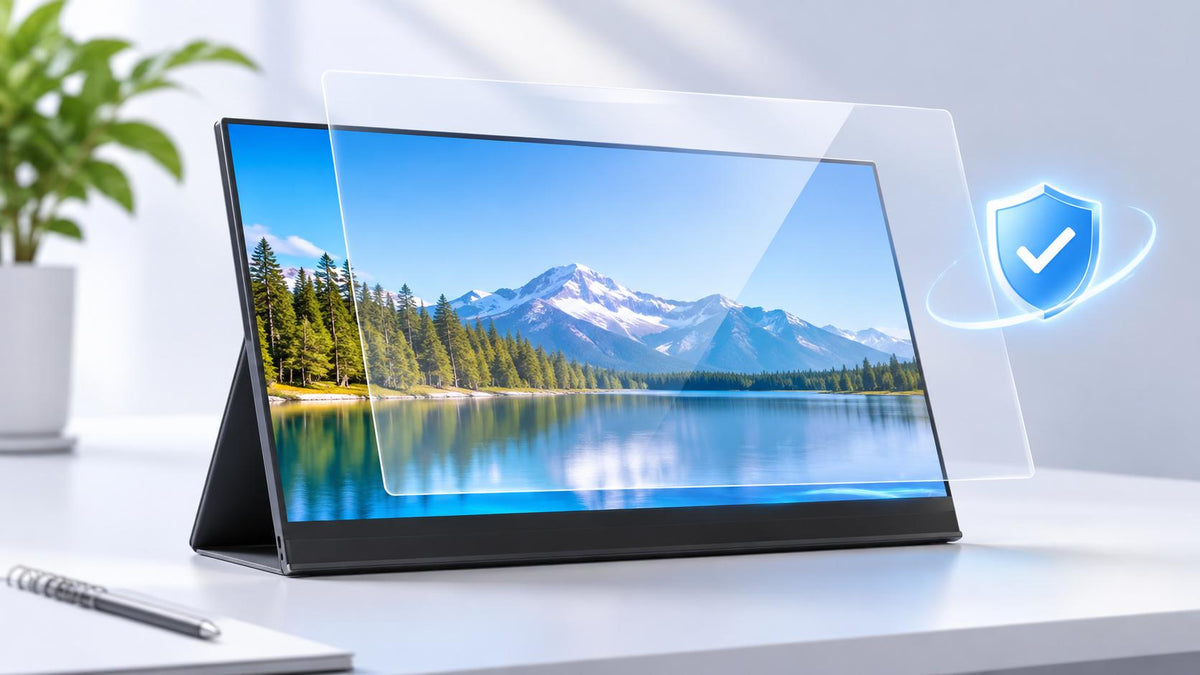
If you regularly carry a portable monitor between home, the office, and other locations, you've probably wondered whether you need a screen protector. Unlike a desktop monitor that usually stays in one place, a portable display is more likely to come into contact with other objects in a backpack or during transportation. Over time, this can lead to scratches, fingerprints, and surface wear.
However, not every monitor comes with a screen protector, and not every protective accessory serves the same purpose. Some products use a temporary plastic film to protect the display during shipping, while others offer adhesive screen protectors, removable protection panels, or protective cases for everyday storage and transportation.
So, what's the difference between these options? Which type of protection do you actually need, and how much should you expect to pay? Let's take a closer look.
Does a Portable Monitor Come with a Screen Protector?

The short answer is that it depends on the manufacturer, model, and included accessories. Some monitors come with a protective film applied during manufacturing or packaging, while others provide a separate protective accessory or rely on protective packaging.
Before purchasing an additional screen protector, it's worth understanding the four main types of screen protection you may encounter.
1. Temporary Dust-Protective Film
A temporary dust-protective film is a thin plastic layer that may be applied to a new monitor before packaging. Its primary purpose is to help keep the display surface clean during manufacturing, handling, and transportation.
Unlike a conventional screen protector, this film is not designed for long-term use. It mainly serves as a temporary barrier against dust and minor surface contact before the monitor reaches the customer.
If your new monitor arrives with this type of film, follow the manufacturer's instructions to determine whether it should be removed before use.
It's also worth noting that not every monitor comes with a pre-applied protective film. Some manufacturers use other packaging methods to protect the display during transportation.
2. Adhesive Screen Protector
An adhesive screen protector is a separate protective layer designed to be attached directly to the display. Unlike temporary shipping film, it is generally intended to remain on the screen during everyday use.
Depending on its material and surface treatment, it can help reduce scratches, fingerprints, and reflections. Some specialized versions also offer privacy filtering or anti-glare properties.
Adhesive screen protectors are available in several materials, including PET, TPU, hydrogel, and tempered glass. However, they are not standard accessories for every portable monitor and may need to be purchased separately.
Before installation, make sure the protector is compatible with your monitor's exact model and display dimensions.
3. Removable Screen Protection Panel
A removable screen protection panel provides another way to protect a portable monitor without permanently attaching anything to the display.
Unlike an adhesive screen protector, this accessory is a separate panel that sits over the screen when the monitor is not in use. You can place it over the display during transportation or storage and remove it whenever you want to use the monitor.
This design is particularly practical for portable monitors because it provides an additional physical barrier against contact with other objects in a backpack or carrying bag.
Some removable protection panels are made from lightweight plastic or similar materials. Their rigidity and protective performance depend on the specific design.
One advantage is that they do not require adhesive or permanent installation. However, they are not intended to improve the display's image quality or provide protection while the monitor is actively being used.
4. Protective Case or Cover
A protective case or cover is designed to protect the monitor as a whole rather than just its display surface.
Depending on the design, it may cover the screen, back panel, edges, or the entire monitor. Some cases also provide cushioning to reduce the risk of damage during transportation.
For portable monitors, a suitable case or padded sleeve can be particularly useful when carrying the display in a backpack, laptop bag, or suitcase.
However, a protective case is not the same as a removable screen protection panel. A panel specifically covers the display, while a case or sleeve is designed to provide broader protection for the monitor.
Some models may include one or more of these accessories, so check the product page and package contents before purchasing additional protection.
What Materials Are Screen Protectors Made Of?

If you decide to purchase an adhesive screen protector, the material is one of the most important factors to consider.
Different materials offer different levels of flexibility, surface protection, and viewing comfort. For portable monitors, the most common options include PET, TPU, hydrogel films, and tempered glass.
1. PET Film
PET stands for polyethylene terephthalate, a lightweight plastic commonly used in screen protectors.
It's a practical option if you want basic protection against everyday surface scratches without adding much thickness or weight. PET films are also available in different finishes, including clear and matte versions.
The main limitation is impact resistance. A thin PET film offers limited protection against strong impacts or pressure and is primarily designed for surface protection.
Best for: Users looking for a lightweight and affordable everyday screen protector.
2. TPU Film
TPU stands for thermoplastic polyurethane. It's a flexible material commonly used in protective films.
Compared with many conventional PET films, TPU can conform more easily to certain screen shapes. Some TPU products also feature self-healing properties that may help reduce the visible appearance of minor surface scratches.
However, performance varies by product. TPU is not automatically clearer or more durable than PET, so check the manufacturer's specifications before buying.
Best for: Users who prefer flexible screen protection.
3. Hydrogel Film
Hydrogel screen protectors are marketed as flexible polymer-based films. Some products share similar properties with TPU films, so the two categories are not always completely separate.
Depending on the formulation, hydrogel films may offer flexibility and limited recovery from minor surface marks. However, optical clarity, durability, and installation difficulty can vary considerably.
Best for: Users looking for a flexible protector with specific fit or surface characteristics.
4. Tempered Glass
Tempered glass protectors offer a more rigid surface than thin plastic films. They can provide good resistance to everyday scratches and a smooth touch experience.
However, they are generally thicker and heavier than plastic alternatives. Although tempered glass is strengthened, it can still crack under sufficient impact.
For portable monitors, size and fit are especially important. A protector that does not match the display properly may interfere with the frame or touchscreen functionality.
Best for: Users who prioritize surface scratch resistance and a glass-like feel.
What Types of Portable Monitor Screen Protectors Are Available?
Besides material, screen protectors also come in different finishes and functional designs. The right option depends on whether you prioritize image clarity, glare reduction, privacy, or easier cleaning.
Clear Screen Protectors
Clear screen protectors are designed to preserve the original appearance of the display as much as possible.
They're a good choice if you want additional surface protection without adding a noticeable matte texture. Users who work with photos, videos, or detailed graphics may prefer this type because image clarity is a priority.
However, clear does not necessarily mean reflection-free. The actual viewing experience depends on the film's optical properties and surface treatment.
Matte and Anti-Glare Screen Protectors
If you often use your portable monitor in a bright office, café, or other environment with overhead lighting, a matte screen protector may be worth considering.
These protectors use a textured surface or optical treatment to diffuse reflected light, which can make the screen easier to view under certain lighting conditions.
The trade-off is that the texture may reduce perceived sharpness or introduce a slightly grainy appearance. This can be more noticeable on high-resolution displays, particularly when reading small text or viewing detailed images.
Privacy Screen Protectors
A privacy screen protector is designed to limit visibility from certain side angles while keeping the display more visible from the front.
It's particularly useful if you frequently work with sensitive documents, emails, or business information in public spaces.
The downside is that privacy filters can reduce screen brightness and affect the viewing experience. Check compatibility with your monitor and consider whether the privacy benefits outweigh the potential impact on image quality.
Anti-Fingerprint Screen Protectors
Anti-fingerprint protectors use surface treatments, such as oleophobic coatings, to reduce the appearance of fingerprints and make the screen easier to clean.
Keep in mind that anti-fingerprint protection is a surface feature rather than a separate base material. It can be combined with different types of protective films.
Anti-Reflective and Blue-Light Filtering Protectors
Anti-reflective protectors are designed to reduce surface reflections through optical coatings or structures. They're different from matte protectors, which generally work by diffusing reflected light.
Blue-light filtering protectors, meanwhile, are designed to filter specific wavelengths of blue light. Their actual performance depends on the product's optical specifications, and some may affect color appearance.
Neither feature is essential for every portable monitor. If image clarity and accurate colors are your priorities, check the product specifications carefully before choosing a specialized protector.
How Much Does a Portable Monitor Screen Protector Cost?
The price depends on the material, screen size, surface treatment, and whether the product is designed for a specific monitor model.
Here's a general price guide to help you compare different adhesive screen protectors.
|
Screen Protector Type |
Estimated Price |
Example |
|
Clear PET film |
$8–20 |
|
|
Matte or anti-glare film |
$10–25 |
|
|
TPU or flexible polymer film |
$10–25 |
No verified portable-monitor-specific example available |
|
Tempered glass protector |
$15–35 |
No verified portable-monitor-specific example available |
|
Privacy screen protector |
$25–60+ |
|
|
Specialized optical protector |
$20–50+ |
Note: The products listed above are for illustrative purposes only. They are examples of products available on the market and do not represent an endorsement or recommendation by UPERFECT. Product specifications, compatibility, and prices may vary by model and retailer.
These figures are indicative estimates rather than fixed market prices. Actual costs vary by retailer, region, screen size, and product specifications.
For example, third-party suppliers offer different screen protector options for the Lenovo ThinkVision M14, including matte and privacy films. Some specialized products can cost considerably more than basic protective films.
Removable screen protection panels and protective cases are separate accessory categories, so their prices are not directly comparable with adhesive screen protectors.
When comparing products, check whether the package contains one protector or several. You should also consider shipping costs and whether installation accessories are included.
Do UPERFECT Portable Monitors Come with a Screen Protector?
For buyers considering UPERFECT portable monitors, there is a specific packaging change worth knowing.
Before December 2025, some UPERFECT monitors came with a thin plastic dust-protective film applied to the screen. This film was primarily intended to help keep the display surface clean during packaging and transportation, rather than serve as a long-term screen protector.
Since December 2025, UPERFECT monitors are no longer shipped with this pre-applied dust-protective film by default. Customers purchasing newer models should therefore not expect to find this plastic film covering the display when unpacking their monitor.
However, the absence of a pre-applied dust-protective film does not mean that all forms of screen protection are unavailable.
Some models may include a removable screen protection panel. This is a separate accessory that can be placed over the display during transportation or storage and removed when the monitor is in use. Unlike an adhesive screen protector, it does not need to be attached permanently to the screen.

Other models may offer a protective case or cover, depending on their included accessories. These products provide broader protection for the monitor during storage and transportation.
Because accessories vary between models, check the specific product page and package contents to confirm whether a removable protection panel, protective case, or other accessory is included.
How to Choose the Right Screen Protection for Your Portable Monitor?
Now that you understand the different protection options, how do you choose the right one? Here are a few things worth checking before making a purchase.
Check the Exact Model
Start with your monitor's model number. Screen size alone isn't enough to guarantee compatibility because different displays can have different active screen areas, frame dimensions, and surface designs.
Whenever possible, choose a screen protector or removable protection panel specifically listed as compatible with your model.
Consider How You Use Your Monitor
Your usage habits can help determine which type of protection makes the most sense.
- For everyday screen protection: Consider an adhesive PET, TPU, or tempered glass protector.
- For transportation and storage: A removable screen protection panel can help shield the display from direct contact with other objects.
- For broader physical protection: Choose a compatible protective case or padded sleeve.
- For temporary shipping protection: Follow the manufacturer's instructions regarding any pre-applied dust-protective film.
You do not necessarily need all four types. Choose the option that best matches your working environment and transportation habits.
Consider the Original Screen Finish
If your monitor already has a matte anti-glare surface, adding another matte film may make the image look grainier or less sharp.
On the other hand, if reflections are a problem in your working environment, an anti-glare protector may be worth considering.
Think about how and where you use your monitor before deciding which finish makes the most sense.
Check Touchscreen Compatibility
If you use a touchscreen portable monitor, make sure the adhesive protector is designed to work with touch input.
A poorly matched film may affect responsiveness or interfere with the intended touch experience. Check the product specifications rather than assuming that every screen protector works with every touchscreen.
For removable protection panels, make sure the accessory can be removed easily before using the touchscreen.
Don't Rely on a Screen Protector Alone
An adhesive screen protector can help reduce everyday surface scratches, but it cannot replace a protective case or carrying sleeve.
If you frequently put your monitor in a backpack, a suitable case can help protect its edges, back panel, and display from contact with other objects.
For many portable monitor users, combining an adhesive screen protector with a well-fitted carrying case offers a practical approach to everyday protection.
How to Install a Screen Protector on a Portable Monitor?
A screen protector can help prevent scratches and everyday wear, but only if you install it correctly. Before getting started, make sure the protector matches your portable monitor's screen dimensions and shape.
- Clean the screen.Turn off the monitor and disconnect its cables. Wipe the display with a clean microfiber cloth to remove dust and fingerprints.
- Align the protector.Check the cutouts and edges, then line up the protector with the display.
- Apply the film.Slowly lower the adhesive side onto the screen, working from one edge to the other.
- Smooth out the surface.Use a plastic squeegee to push trapped air toward the nearest edge.
For the cleanest result, apply the protector in a dust-free room and avoid touching its adhesive side. Even a small dust particle can leave a bubble that is difficult to remove.
How to Get Air Bubbles Out of a Screen Protector?
Air bubbles can appear when a screen protector is installed, but the fix depends on what's causing them. Small air pockets are usually easier to remove than bubbles caused by trapped dust.
- For air bubbles: Place a microfiber cloth over the bubble and gently push it toward the nearest edge with your fingers or a plastic squeegee.
- For dust trapped underneath: Carefully lift the nearest corner of the film with clean fingers. Use a piece of dust-removal tape to pick up the particle, then lower the film and smooth it out again.
- For bubbles that won't move: Check whether dust or debris is stuck under the film. If the adhesive has lost contact or the film is creased, replacing the protector may be the better option.
Avoid pressing hard on the display or using needles and other sharp objects to pop bubbles. These can scratch the protector or damage the screen underneath.
How to Remove a Screen Protector Safely
If your screen protector is cracked, scratched, or peeling at the edges, it may be time to replace it. Removing it slowly helps reduce the risk of scratching the display.
- Turn off the monitor and unplug all cables.
- Gently lift one corner with your fingernail or a plastic opening pick.
- Slowly peel the film away from the screen. Keep the film at a shallow angle and avoid pulling it sharply.
- Wipe away dust or residue with a clean microfiber cloth. If adhesive remains, use only a screen-safe cleaner approved by the monitor manufacturer.
Never use a knife, razor blade, or metal tool to lift the protector. These can scratch the screen surface.
Also, check what type of protection your monitor uses. An adhesive screen protector needs to be peeled off, while a removable screen protection panel or cover should simply be detached according to its design.
What to Do If Your Screen Protector Is Broken or Cracked?
A broken screen protector usually needs to be replaced rather than repaired. Trying to glue a cracked protector back together will not restore its original protective properties.
Start by checking whether the damage is limited to the protector. If the film is cracked but the display underneath still works normally, carefully remove the damaged protector and replace it with one that fits your monitor.
If you notice cracks, dark spots, flickering, or lines on the actual display, the monitor itself may be damaged. A new protector will not fix these problems.
Minor surface scratches do not always mean you need a replacement. However, deep scratches, cracks, peeling edges, or loose sections are good reasons to install a new protector.
How to Clean a Portable Monitor Screen Protector?
Fingerprints, dust, and smudges can make a portable monitor harder to view, especially when you're working in bright environments. Regular cleaning helps keep the screen clear without putting unnecessary stress on the surface.
- For dust: Wipe the screen gently with a clean, dry microfiber cloth.
- For fingerprints and smudges: Lightly dampen the cloth with a screen-safe cleaning solution, then wipe the surface. Never spray liquid directly onto the monitor.
- For stubborn marks: Wipe gently in small circular motions instead of scrubbing hard.
- For routine care: Avoid paper towels, abrasive cloths, and household glass cleaners unless the protector manufacturer confirms they are safe to use.
Before using any cleaning solution, check the instructions for your specific screen protector. Some coatings can be damaged by alcohol or other chemicals, so using the wrong cleaner may do more harm than good.
Frequently Asked Questions
1. What Is the Difference Between a Screen Protector and a Protective Panel?
A screen protector is generally an adhesive film attached directly to the display and designed to remain in place during everyday use. A removable screen protection panel is a separate accessory that covers the screen during storage or transportation and can be taken off whenever the monitor is in use.
2. Is a Screen Protector Necessary for a Portable Monitor?
Not necessarily. A screen protector is optional for most portable monitors. If you handle and store your display carefully, you may not need one. However, it can be useful if you want additional protection against everyday surface scratches.
3. Can a Screen Protector Affect Display Quality?
Yes. Matte films may reduce perceived sharpness, while privacy filters can lower screen brightness. Even clear protectors may slightly affect reflections or image clarity, depending on their optical quality.
4. Are There Any Disadvantages to Using a Screen Protector?
Besides potential changes in image quality, an adhesive screen protector may develop air bubbles, collect dust underneath, or leave adhesive residue when removed. Choosing a compatible product and installing it carefully can help avoid these issues.
5. Should I Remove the Protective Film That Comes with a New Monitor?
It depends on the type of film. Temporary dust-protective shipping films are generally intended to be removed before use, while some factory-applied screen protectors may be designed to stay on. If you're unsure, check the manufacturer's instructions before removing anything.
Final Thoughts
A screen protector can help keep your portable monitor looking its best, but it isn't the only way to protect the display. Adhesive screen protectors, removable protection panels, and protective cases each offer different levels of coverage, depending on how and where you use your monitor.
If you decide to use an adhesive protector, make sure it fits your screen and follow the installation instructions carefully. Keep it clean, deal with air bubbles or peeling edges early, and replace it if it becomes badly scratched or cracked. If you mainly need protection while traveling or storing your monitor, a removable panel or protective case may be a more practical option.
Before buying anything, check what accessories came with your monitor and think about the protection you actually need. The right choice should help prevent everyday damage without making your screen harder to use or affecting your viewing experience.
Share:
What Is QLED Technology? How Quantum Dots Improve Display Color