

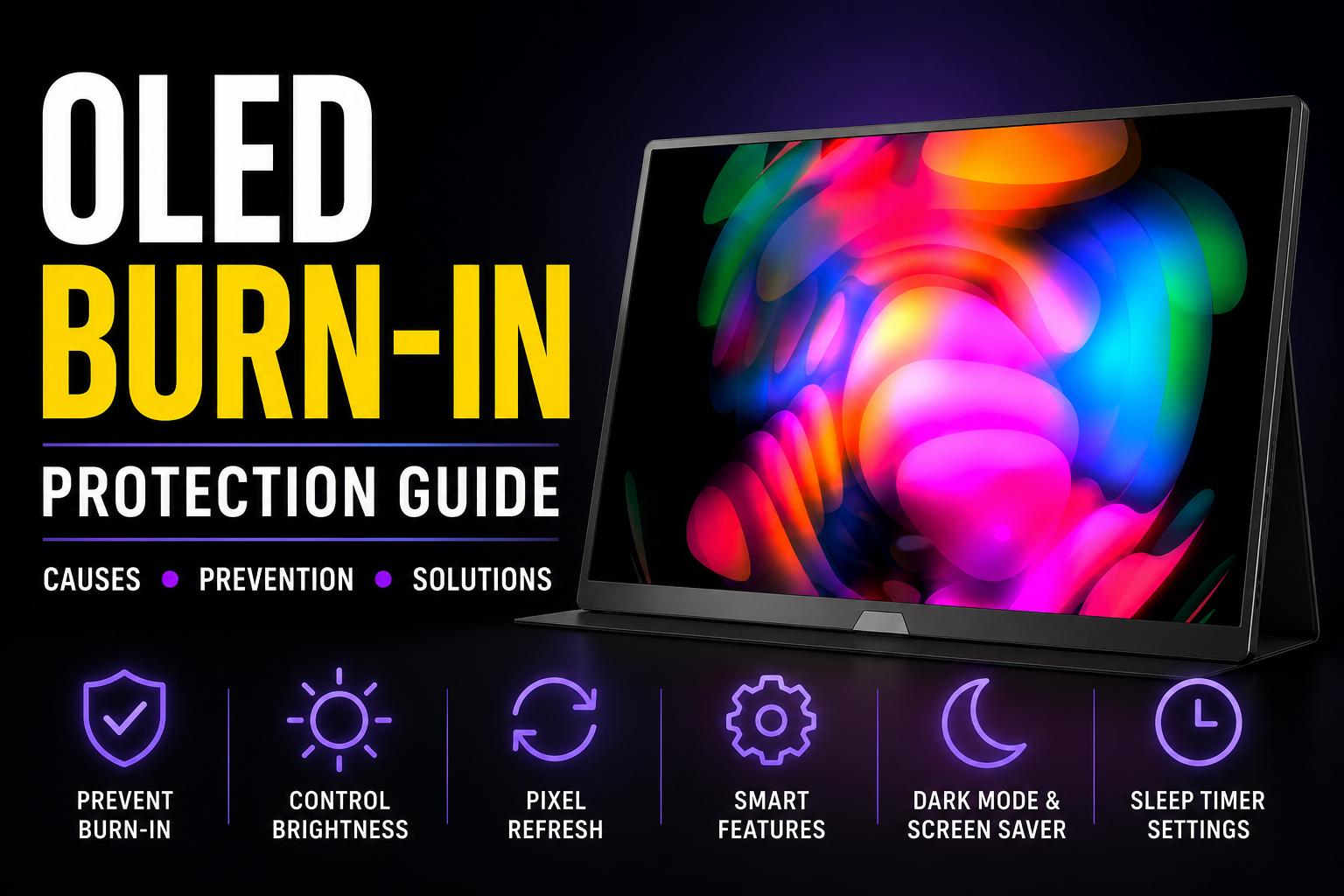
Is OLED Monitor Burn-In Risk Still Real in 2026?
Unfortunately, yes, OLED monitor burn-in issues in 2026 are still possible, even on the latest models. This is because of the nature of OLEDs and how they work, but the good news is, not all is lost.
Newer models come with a plethora of features and safeguards against burn-in, and with a few simple habits, you can confidently use an OLED display for years to come.
So we’re breaking things down easy for you, showing you exactly what burn-in is, what causes it, and what you can do to keep it from happening to your display.
What is OLED Burn In?

First things first, is understanding OLEDs at its core. The reason OLED burn-in is such a common topic is because of the way OLED monitors work to produce an image.
Unlike LCD monitors that have a backlight to illuminate pixels, OLED (Organic Light-Emitting Diode) panels use millions of individual organic pixels that generate their own light.
This is a primary reason why OLED displays like a portable monitor are so popular; they deliver true blacks, incredible contrast, and vibrant colors, because each individual pixel can turn on/off to display true black.
However, the trade-off is that because these pixels are ‘organic’, they gradually wear out over time. This happens most often when certain pixels are constantly displaying the same image, for an extended period of time.
Things like the Windows taskbar, TV channel logos, in-game HUDs, etc. all cause those specific pixels to age faster. As a result, you get a “ghost” image that stays permanently embedded on-screen, even as the content changes, which is what’s called “OLED burn-in”.
Do OLED Monitors Still Burn-In in 2026?

The short answer is yes, OLED monitors can still experience burn-in in 2026. But the risk is significantly lower than it was on earlier generations of OLED displays.
Over the years, OLED technology has evolved considerably. Modern panels are designed with a range of built-in protection features, like pixel shift, pixel refresh, logo detection, and better cooling systems, all of which helps reduce uneven pixel wear.
Unfortunately, no OLED monitor is immune to burn-in, but it’s no longer as widespread a risk as it used to be. Combining these features with some good usage habits, modern OLED monitors are far more reliable whether it’s for gaming, work, or everyday entertainment.
How to Prevent OLED Monitor Burn-In
Use Pixel Refresh

Most modern OLED monitors have a built-in maintenance feature called “Pixel Refresh”.
It doesn’t physically restore worn pixels, but recalibrates the panel to compensate for any uneven pixel wear, which helps maintain consistent brightness and reduces the likelihood of visible burn-in.
Most OLED monitors have two forms of panel maintenance: a short automated refresh cycle and a longer manual refresh cycle. Though the name/behavior may differ depending on your monitor model:
- Short/Automated Cycles: Many OLED monitors automatically perform a refresh cycle after around 4 hours of use. This usually happens when the monitor enters standby mode, or is turned off, and can take a few minutes to complete.
- Long/Manual Cycles: Most OLED monitors also have a longer manual cycle in the monitor’s settings menu. Depending on the model, it can take anywhere from 10 minutes to an hour. You don’t have to run this as often but follow the monitor’s prompts/manufacturers maintenance guidelines.
In either case, remember that when a Pixel Refresh cycle begins, allow it to complete without unplugging or turning off the monitor. Interrupting the process may prevent the panel from completing its maintenance cycle properly and could cause issues in the long term.
Enable Pixel Shift

Another built-in OLED feature you’ll often find on monitors is Pixel Shift. An easy way to think about this is that your monitor automatically moves or “shifts” the displayed image by just a few pixels every now and then.
It’s such a tiny movement, you’re prolly not even going to notice it.
The reason it does this is to stop the same pixels from being used all the time. By slightly shifting the image a pixel or two, the workload is spread more evenly across pixels, instead of leaving static elements like a desktop icon or taskbar in the same spot for hours on end.
Usually, Pixel Shift is enabled by default so you don’t need to do anything manually, but double-check your display’s settings to make sure it’s enabled. It’s one of the easiest ways to reduce the risk of OLED burn-in over time.
Hide Static UI

Another great, but simple way to reduce OLED burn-in risk is by hiding any and every static interface element possible. This could be things like your Windows taskbar, desktop icons, browser tabs or bookmark bar, or an app’s toolbar.
These elements can stay on-screen, in the same position, for hours, causing those pixels to age faster than the rest of the screen.
An easy way to do this is by simply enabling your PC’s auto-hide taskbar feature, so it only pops up when you need it. Or if you rarely use your desktop icons, hide them, or regularly switch out your wallpapers to avoid displaying the same static image all day.
Some modern OLED monitors also have a built-in feature that detects static elements like logos and HUDs. They then automatically dim those areas to reduce uneven pixel wear.
This adds another layer of protection, but it’s still a good idea to avoid leaving the same interface on-screen for extended sessions whenever possible.
Lower Brightness

It’s also probably a good idea not to crank up the brightness on your OLED to the max (regularly at least).
Keep brightness low as this helps reduce heat generation, as well as lowering the stress on organic pixels that would otherwise need to light up at max brightness.
As a general rule, anywhere between 50% – 75% brightness is ideal, but if you can go lower, the better. You don’t need to sequester yourself to the darkness forever; use it when you need it, but for the most of the time, lower the brightness a notch.
Embrace Dark Mode

Another great tip is to embrace the dark side, and switch over to dark mode.
Anywhere you can, try to use dark mode in apps, on your browser, and on your desktop wallpaper. This is because when you have white (or colored) light emitting on-screen, this causes your pixels to run at a higher capacity.
With dark mode, these pixels turn off completely to display blacks (or use less power for dark colors), preventing uneven pixel aging, lower power consumption (helps with heat generation), and as a handy bonus, is easier on the eyes!
Use Sleep Timers

Lastly, setting a sleep timer is an easy way to reduce OLED burn-in risk when you're away from your desk. Instead of leaving your monitor displaying the same image for hours, it automatically turns off after a period of inactivity.
For example, if you finish a gaming sesh but leave the game running on the main menu while you grab dinner, a sleep timer will switch off the display before those static elements have a chance to stay on-screen for too long.
Try setting up a sleep timer in the monitor settings for about 15 – 30 minutes and see if it works with your usage.
It's a simple habit that can go a long way toward protecting a 3K OLED monitor for example, in the long term.
What Causes OLED Burn In?

While modern OLED monitors are much better at preventing burn-in than older models, certain types of static content can still increase the risk over time. These are some of the most common culprits:
- Windows taskbarsthat are on-screen all day
- Desktop icons that never move
- Browser tabs and bookmark barsduring long browsing sessions
- Application toolbars in editing or productivity software
- In-game HUDs like health bars, minimaps, and crosshairs
- TV channel logos or streaming overlays
- Paused videos and game menus left on-screen for long periods
- High brightness combined with static content for extended sessions
- Always-on widgets or system monitoring overlays
This isn’t an exhaustive list of all possible burn-in risks, but the commonality between em’ is they’re all static, and tend to be on-screen for longer than they should be.
The Risk of Burning in an OLED Gaming Monitor
OLED monitors have become a popular choice for gamers thanks to their incredible contrast, vibrant colors, and fast response times.
While gaming itself won't cause burn-in, games with static HUDs and interface elements displayed for hundreds or even thousands of hours can increase the risk over time.
Some of the biggest offenders:
- MOBAs– Constant minimaps, ability icons, health bars, and shop interfaces
- MMORPGs– Persistent action bars, quest trackers, chat windows, and minimaps
- FPS– Static crosshairs, ammo counters, minimaps, and health indicators
- Strategy – Resource panels, common menus, and unit information
That doesn’t mean you should avoid the genres entirely, since modern OLED monitors, like a 120Hz OLED gaming monitor, have safeguards to help reduce burn-in. In general, most gamers will probably not run into any issues during normal use, but you should remember some habits to help keep your OLED monitor safe.
For example, taking breaks between sessions, avoiding leaving the game paused for hours, utilizing sleep timers, etc. can all help your monitor’s longevity, while havin’ a good damn time doin’ it.
How Long Does It Take To Burn In an OLED Display?
There is no one set answer as to how long it takes to burn in an OLED display, since there are a couple of factors to account for including:
- Screen brightness
- How long static element remain on screen
- How often those elements are displayed
- If you’re using a newer OLED monitor with modern burn-in safeguards
So it all really depends on these factors, but in general, permanent burn-in develops over hundreds or thousands of cumulative hours of displaying the same static content, especially at higher brightness levels.
It’s not as common as it used to be, especially on modern OLEDs with protection features, but it is still a possibility.
However, there’s also another phenomenon called “temporary retention”. In this case, even if you notice a faint ghost image on your monitor, it might not be permanently damaged.
Can OLED Burn-in Be Fixed?

It really depends on whether the monitor is experiencing temporary image retention or if it’s actual permanent burn-in.
Temporary image retention has many of the same symptoms as burn-in; a faint ghost image remains on-screen after it’s displayed static content for prolonged periods. But in actuality, it isn’t permanent, and can be resolved by:
- Running the monitor’s Pixel Refresh cycle
- Playing full-screen, moving content for a while
- Simply turning off the monitor and letting it rest
On the other hand, permanent OLED burn-in is caused by uneven wear of organic pixels.
If you've tried the steps above and the ghost image is still visible, it's possible you're dealing with permanent burn-in. At that point, the damage cannot be repaired through software or monitor settings.
If the burn-in is severe enough to affect everyday use, the only real solution is to replace the display panel or purchase a new OLED monitor.
Is OLED Worth It Despite Burn-In?
The Pros
Extremely Vibrant Colors
Since OLED panels use tiny LEDS that are self-illuminating instead of a standard backlight like an LCD screen, colors look far more vibrant and nearly pop off screen. This makes OLED monitors ideal for watching movies and playing games, where colors and visual quality take a big step up.
Deep Blacks & Infinite Contrast
OLED monitors turn each individual pixel off when displaying blacks, which results in much deeper blacks compared to LCD screens. Since dark portions of the screen are off, there isn’t any bleeding through backlight, and plays a significant role in upping color contrast performance.
Color contrast on OLED monitors are far more saturated and dynamic, leading to a better contrast in the brightest and darkest parts of the screen, making colors appear a lot more vibrant.
Near Instant Response Times
Since OLED portable monitors can switch between colors nearly instantaneously, you get better, faster response times on an OLED monitor.
This not only makes things like gaming feel much smoother since the screen shows you exactly what happens as it happens, motion also gets a boost, looking crisper than ever.
The Cons
Possibility of Burn In
As we’ve mentioned throughout the article, OLED monitors have the possibility of burning-in over time. This makes them a risky purchase (in theory), and while modern built-in protection features have decreased risk substantially, it’s still a possibility.
Needs More Care
Throughout the article, we’ve mentioned multiple habits and features you should utilize to help prevent OLED burn-in. But this in turn means you need to ‘take care’ of your OLED monitor a lot more than a traditional LCD monitor.
These added steps may be a deal breaker for some, so keep that in mind if you’re planning on getting an OLED monitor.
More Expensive Than LCD
The final big reason why many avoid OLED monitors, is the price. In general, OLED monitors regardless of size/feature set, will be pricier than comparable LCD monitors.
Because OLED panels are far more complex to manufacture than LCD panels, that in turn makes them more expensive. This isn’t always the case, but compare options online and you’ll notice similar sized screens, resolutions, refresh rates, etc. OLED monitors will range higher.
Final Thoughts
We won’t lie to you, OLED burn-in is a real concern.
But the good news is it isn’t as common or as worrying as it was with earlier gen OLED displays. Thanks to features like Pixel Refresh, Pixel Shift, and improved panel tech, modern OLED monitors are far better equipped to minimize the risk of burn-in.
As long as you follow a few simple habits like avoiding static content for long periods, using a comfortable brightness level, and letting your monitor’s built-in protection features do their job, there’s no reason you can’t enjoy your OLED monitor for years to come.
If stunning visuals, incredible contrast, and smooth gaming performance are what you're after, an OLED monitor is still one of the best display technologies you can buy.
Share:
How to Upgrade Some Portable Monitor Firmware for Switch 2 via USB-C Connection