

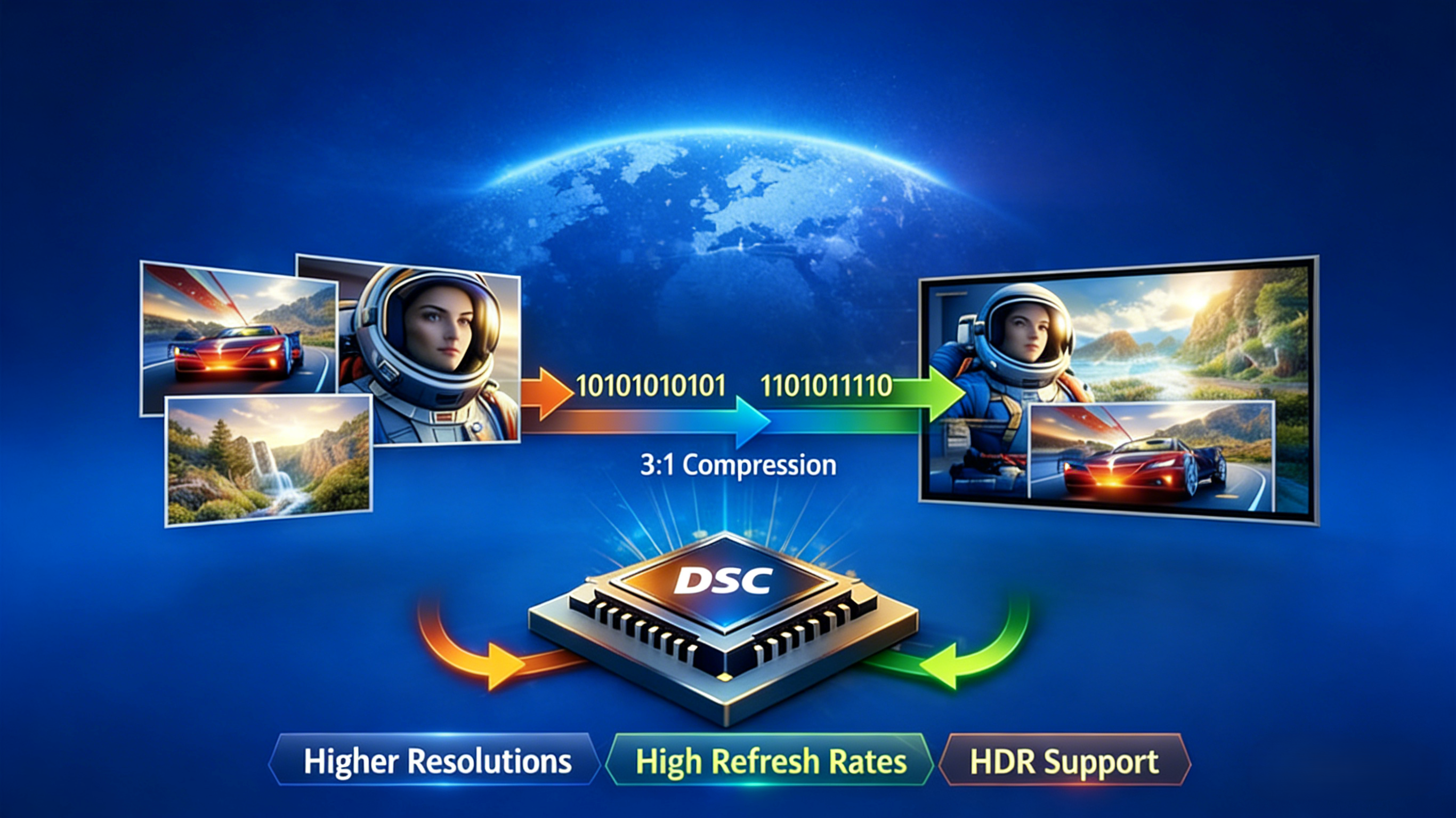
Since the introduction of HD display, there is an increase in demand for higher resolution and faster refresh rates. Viewers now prefer 4K and 5K displays with good highlights, running on a HDR-capable visual system.
However, all these visual qualities are a product of the display bandwidth limits. Many visual standards like DisplayPort and USB-C have been used to transmit a reasonable amount of HDR quality data with good refresh rate and resolution. Meanwhile, there is a limit to how much of this data that can be transmitted.
When the bandwidth falls short at any point, the visual system immediately readjusts to sub-optimal signals with lower refresh rates and overall display quality. This immediate drop-off is usually blamed on the monitor. This is why new-age visual systems use smart compressions to maintain the image quality, even with limited bandwidth. Many technologies like Display Stream Compression have been introduced to help monitors achieve this consistent resolution by managing display bandwidth.
What Is Display Stream Compression (DSC)?
Display Stream Compression is a compression algorithm introduced by VESA to manage the resolution and refresh rate of visual systems. Considering the growing demand for high-quality HDR displays, this standard is used to reduce data requirements for HD videos over limited bandwidth.
Unlike other compression algorithms, DSC is an open standard real-time tech that is widely supported by various signal chains including DisplayPort and USB-C. With this standard, users can enable high-quality visuals of about 8K and above, at a refresh rate of 120Hz.
This standard uses a visually lossless compression method… an advanced algorithm that manages image quality by eliminating redundant data. It was designed specifically to display signal transmission directly from the GPU to the display.
How Does DSC Work?
When a video is displayed on a monitor, image frames are transmitted from the host source. DSC works by using an algorithm to reduce the amount of data sent to the monitor. They do this by using a compression ratio of 2:1 or 3:1, which massively reduces the bandwidth without noticeable difference.
Using half or one-third of the transmitted bandwidth in real-time, it is easy to display high resolution videos with high refresh rates over a limited bandwidth. The algorithm uses a line-based, low-latency compression technique, where every image is singly reduced before getting to the monitor. Since the latency is as low as microseconds, they are suitable for gaming and video works in real-time applications.
Meanwhile, the signals from the host source are decompressed in real-time by a specific hardware system that is in-built in the visual display. This process happens in split seconds as soon as the data is being transmitted.
Why Is DSC Used in Modern Displays?
With the increase in HD performance over the years, modern displays continue to raise the bar with ultra-high resolutions around 8K. However, it is almost impossible for DisplayPort or USB-C with limited bandwidth to meet up with this high demand. Hence, the need for DSC.
Along with delivering sharp visuals at half or one-third of the original bandwidth, they massively increase the amount of transmittable data from the host source. This standard also supports HDR and higher color depths without relinquishing video quality. This is easily achievable by compressing the host signal in a lossless way.
Moreover, they help maximize performance and a consistent video quality within existing interface bandwidth by pushing current standards further. This standard is applied to fit in millions of pixels without surpassing what these interfaces can reliably carry.
DSC and Display Interfaces
These are the most commonly used display interfaces, and their compatibility with DSC.
DisplayPort 1.4 and DSC
Just like many other compression standards, DSC is an optional feature in DP 1.4 connection. In most cases, if your graphic card has a DP 1.4 specification, it will most likely support DSC. Even though DisplayPort 1.4 has one of the highest bandwidth limits, it still relies on compression algorithms to handle the requirements of modern display.

Image credit: Lazada
Practically, this algorithm is very crucial to maintain high quality displays at a good refresh rate without exceeding the limits of DP 1.4. In hindsight, DSC also extends the relevance of this display interface, without having to upgrade to newer standards with better bandwidth limits.
USB-C DisplayPort Alt Mode
For many years, USB-A has been the standard connector for data. On the contrary, USB-C has evolved the functionality of standard connectors by acting as a display interface when supporting certain technologies like DP Alt Mode and Thunderbolt.
Although they are standard connectors, they allow the transmission of video signals in USB-C DisplayPort Alt Mode; which is partly the reason they have limited lane availability. Out of the four high-speed lanes available on the USB-C cable, only fewer lanes are active for display. This accounts for a lower bandwidth limit, especially when compared to other display interfaces.
This limitation is the biggest reason why DSC is especially non-negotiable for the USB-C DisplayPort Alt Mode. Without an adequate compression system, it is impossible for this interface to transmit high-resolution videos on modern displays.
Common Products That Use DSC
DSC is most commonly used by monitors with limited bandwidth, but still needs to deliver high-quality visuals. At the top of this list are gaming monitors with the need for high refresh rates. While the resolution can be overlooked to an extent, achieving speed of 144Hz and above is very crucial for smooth gameplay.
Similarly, DSC is also used by high-resolution professional displays in various sectors. These types of monitors are used for medical and scientific purposes, photo editing, and video production that requires high resolution and good color performance. Just like gaming monitors, they also demand high functionality irrespective of the bandwidth limit.
Can Monitors Do Without DSC?

Display Stream Compression is not always needed, especially in cases where the bandwidth is enough to transmit high-quality data. There are some products that can comfortably carry 4K resolution pixels over the display interface at a moderate refresh rate. In cases where the display interface is more than capable, DSC provides practically no advantage.
However, the presence of DSC in some visual systems could mean there is a trade-off somewhere. These trade-offs are noticed in power, cost, and design complexity. Hence, most manufacturers choose to avoid DSC in self-sufficient monitors with good enough bandwidth to handle HDR requirements.
Does Every Monitor Support DSC?
DSC is not a compliance standard; so it is not compulsory for modern monitors. The technology is an optional feature required to improve visual displays irrespective of their limitations. Virtually every ultra-high quality display includes DSC for consistent graphic performance in video games and video production. This does not mean that some monitors cannot accept HDR signals without DSC. As far as the transmitted data can stay within the bandwidth limit, there is no need for compression.
DSC vs Other Bandwidth Solutions
Apart from using DSC as a compression method, monitor manufacturers have introduced other solutions to solve limited bandwidth issues. One of the other means of addressing this issue is by upgrading to new-gen interface standards like DisplayPort 2.0 and HDMI 2.1. This interface helps by increasing the bandwidth limit to a large extent. Unlike DSC that works with already existing interfaces, DP 2.0 and HDMI 2.1 requires new connectors and a whole lot of advanced setup.

Image credit: Cable Matters
Conclusion
In the coming years, monitor manufacturers will develop other means of transmitting high-quality visuals without compromising on cost and design. But for now, Display Stream Compression offers the best solution to bandwidth issues on modern displays. Understanding how DSC works will help users avoid compatibility issues, and unlock the full potential of their display setups.
FAQ
Is DSC visually lossless?
Yes, the algorithm is designed in a way that users cannot differentiate between a compressed and uncompressed video. This is because DSC manages to keep every element of the video quality, resolution, and refresh rate.
Is DSC mandatory for DisplayPort 1.4 devices?
No, DSC is generally optional for any interface display. Hence, the DP 1.4 device has to support DSC for it to be used.
What resolutions and refresh rates require DSC?
Mostly, a display with 8K resolution at 60 Hz and above, requires a compression system, especially for interfaces with limited bandwidth. There is also a case for devices with 4K resolution at 120Hz and above.
Is DSC commonly used in USB-C DisplayPort Alt Mode?
Yes, DSC is often used in USB-C DisplayPort Alt Mode, especially due to the availability of fewer port lanes.
Is there an inscription on DSC-supported monitors?
Usually, there is always an indication of “DSC support” in the manufacturer’s specification. Also, some visual systems display a DSC status whenever there is an active connection.
Is DSC required for HDR displays?
DSC is not practically a factor for all HDR displays. It mainly accounts for resolution as well as color fidelity.
Does every monitor need a DSC?
While every visual display benefits from DSC, it isn’t needed when the bandwidth of the interface is sufficient.
Why don’t some monitors support DSC?
Many lower-end monitors avoid DSC because they don’t require high refresh rates or resolution. Instead, manufacturers focus on other aspects of the monitor design.
Share:
What Are the Different VESA DisplayHDR Certification Levels?
What Is DisplayPort EDID And How Does It Affect Display Output