

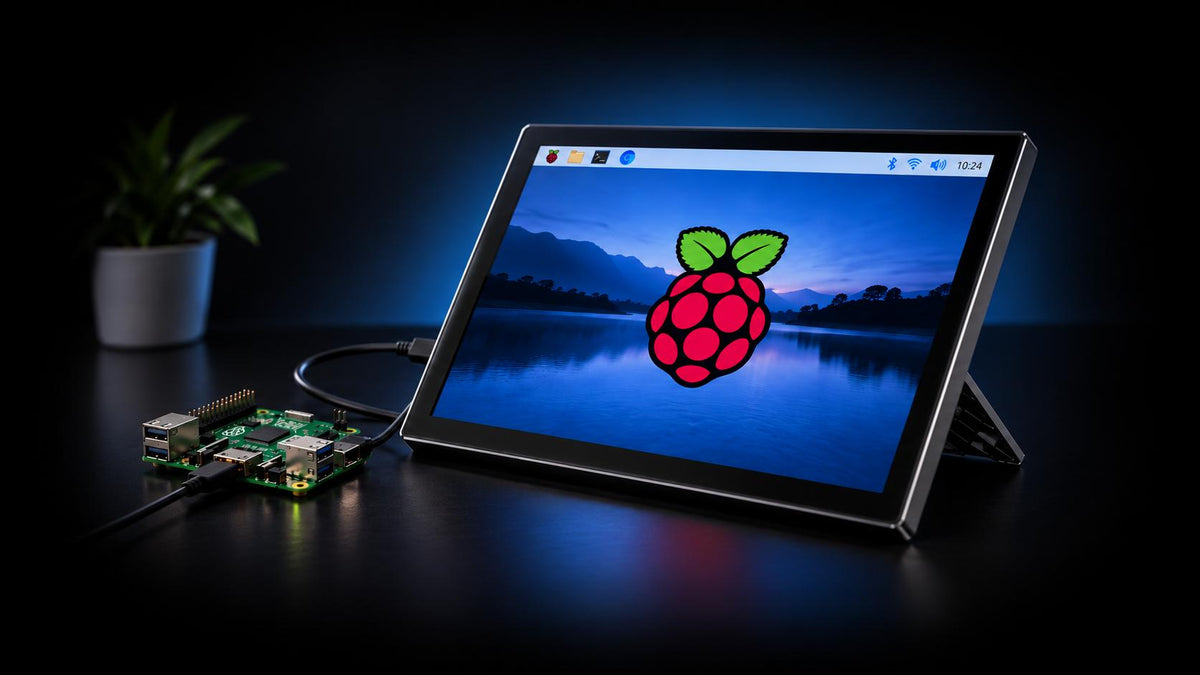
Raspberry Pi computers are small, affordable, and surprisingly capable. You can use them for everything from everyday computing and coding to DIY projects, without needing a bulky desktop taking up space on your desk.
And when you pair one with a portable monitor, you’ve got a setup that’s pretty easy to move around and take with you. To make things a scooch easier, we’ve focused on monitors with connection options that work with a range of Raspberry Pi models, so compatibility shouldn’t be much of a headache.
All that said, let’s get right into some of the best portable monitors for Raspberry Pi you can find right now:
Comparing the Specs
|
Monitor |
Display Size |
Display Type |
Resolution |
Refresh Rate |
Ports |
Price |
Best for |
|
1. UPERFECT OD101BF |
10-inch |
IPS LCD Touch Screen |
Full HD (1920 x 1200) |
60Hz |
1x USB-C 1x HDMI |
$169.99 |
Users who need an all-in-one touchscreen capable monitor built for Raspberry Pi |
|
2. ViewSonic VP1656 |
16-inch |
IPS LCD |
Full HD (1920 x 1200) |
75Hz |
2x USB-C 1x Micro HDMI 1x 3.5mm audio out |
$199.99 |
Users who intend to do creative works with their Raspberry Pi |
|
3. MSI Pro MP165 E6 |
15.6-inch |
IPS LCD |
Full HD (1920 x 1080) |
60Hz |
2x USB-C 1x HDMI 2.0 |
$94.99 |
Users who need a budget-conscious option for small projects |
|
4. ASUS ZenScreen MB249C |
24-inch |
IPS LCD |
Full HD (1920 x 1080) |
75Hz |
1x USB-C 1x HDMI 1.4 |
$349.99 |
Users who need a large-screen setup at home, but the flexibility to take it on-the-go |
|
5. SOTSU SleekView 15.6" |
15.6-inch |
IPS LCD |
Full HD (1920 x 1080) |
60Hz |
1x USB-C 1x HDMI |
$159.99 |
Users looking for a sleek design while staying lightweight |
|
6. Intehill Q14ZA |
14-inch |
IPS LCD |
2.5K (2560 x 1600) |
60Hz |
2x USB-C 1x HDMI |
$179.99 |
Users looking for a smaller, but sharper image quality |
Best Portable Monitors for Raspberry Pi
1. UPERFECT OD101BF – (Editor’s Pick) Best Overall Portable Monitor

Click here to buy: UPERFECT OD101BF
Why We Like It
First up, we have the UPERFECT OD101BF, a portable monitor designed specifically for Raspberry Pi. In particular, it can be used with most Raspberry Pi models, but works best with Pi 4/ 4B/ 5, and allows you to directly mount the board in the touchscreen case.
The display on the OD101BF is a sleek & trim 10-inch LCD panel with a 1920 x 1200 resolution. The display also features10-Point touch support, as well as touch rotation so you can use the monitor exactly to your project’s specifications, whether in portrait or landscape orientations.
On the rear, you’ll find a sturdy adjustable kickstand and dual speakers, as well as dual built-in cooling fans to ensure your Raspberry Pi doesn’t throttle.
And as an added bonus, in the package, it comes with a full accessory set with all the cables, panels, boards, and mounting tools you need.
Keep in Mind
That said, there is a downside you need to be aware of.
The 10-inch screen, while ideal for most projects, can be a limiting factor if you need the extra screen space. But considering the affordable price, it can be a worthwhile deal if you’re after fully kitted industrial monitors built for Raspberry Pi applications.
2. ViewSonic VP1656 – Best Portable Monitor for Creatives

Why We Like It
The ViewSonic VP1656 is a great option if you need a portable monitor with some punchy colors for fun projects in applications like Processing or MagicMirror2.
It features a mid-sized 16-inch Full HD display and supports up to 75Hz refresh rates.
But what makes it stand out is its attention to color accuracy, with support for a 100% sRGB color gamut, and is calibrated to deliver accurate Delta E<2 values, as well as Pantone Validated certification.
This makes it a great option for Raspberry Pi users working with digital art, photo editing, graphic design, or other color-sensitive applications, where accurate colors can make a big difference.
Aside from that, the ergonomic height-adjustable stand is another standout feature. Since it’s well built and can be used in a variety of viewing angles/orientations, this gives you the versatility to create according to your needs.
Keep in Mind
However, there are a few things to take note of, especially when it comes to connectivity. The VP1656 only has a micro-HDMI port, which means it only works with Raspberry Pi 5, Pi 4B, 400, 500, and 500+ without a complex adapter/cable setup.
Additionally, while the built-in stand is excellent for stability and versatile viewing angles, it does mean the monitor itself is heavier. The VP1656 weighs in at 1.3kg, which means it’s quite a beefy unit, especially for a portable monitor.
3. MSI PRO MP165 E6 – Best Portable Monitor on a Budget

Why We Like It
For Raspberry Pi users on a tight budget, the MSI Pro MP165 E6 is a great option. At just $94.99, it’s a great option if you’re just getting started with Raspberry Pi for a side-project or hobby, without breaking the bank.
But even at that price, it’s not a slouch in terms of performance; rocking a 15.6-inch Full HD display with a 60Hz refresh rate, you’re still getting a sharp, clear image quality at a respectable screen size.
Another standout is its portability, weighing in at just 0.78kg, it’s convenient to shove into a backpack without it weighing you down. To top it off, the monitor includes an adjustable kickstand, VESA and tripod mount support, and L-shaped cables for a more flexible setup.
Keep in Mind
But with the price, comes a few trade-offs.
While the overall package of the MSI Pro MP165 E6 is decent, it doesn’t have any ‘unique’ features you’d find on any other option. It’ll work for most types of users, but don’t expect features like optimized color accuracy or exceptional build quality.
4. ASUS ZenScreen MB249C – Best Large-Screen Portable Monitor for Raspberry Pi

Why We Like It
If you’re the type who needs a large screen, then the ASUS ZenScreen MB249C is the one for you. It includes a hefty 24-inch IPS LCD display with a sharp Full HD resolution with an anti-glare coating to reduce glare in brightly lit environments.
With this size, it’s a fantastic pick if you’re looking for something a little more ‘traditional’ at your desk, but still have the option to bring it around portably to prop up with just the built-in kickstand.
To round things off, it also comes with a height-adjustable C-clamp with Z-axis adjustment, built-in stereo speakers, and an integrated carrying handle for added versatility.
Keep in Mind
While the sizable screen is definitely a plus for the right user, it does come with some drawbacks.
Particularly, its portability.
While it can be brought around to use with just the kickstand, it’s a heavy monitor, weighing in at 2.8kg so it’s not really ideal as a backpack stuffer. Plus, for the screen, you’re going to have to pay a premium of $349 which is pricier than all options on the list.
5. SOTSU SleekView 15.6" – Best Lightweight Portable Monitor for Raspberry Pi

Why We Like It
The SOTSU SleekView is a great option if you prioritize portability without sacrificing build quality. It weighs in at just 0.7kg, making it one of the lightest options on the list while still featuring a 15.6-inch Full HD display.
Plus, the display supports a 100% sRGB color gamut so it’s vibrant and punchy, a 300 nits max brightness, and a 60Hz refresh rate. But its most standout feature has to be the build quality and design.
You’ll notice that the SOTSU Sleekview has a sleek, stylish design that’s both modern and unique, something other monitors don’t typically focus on. It uses a combination of metal and plastic for the build, so it feels ‘premium’ in hand.
All in all, a solid pick if you’re looking for one of the better looking portable monitors in the market right now, while staying lightweight for portability.
Keep in Mind
But for all the premium in-hand feel and aesthetics, the monitor itself is quite basic in terms of performance. It does come with a sharp 15.6-inch display and a solid build, but aside from that it doesn’t do anything too special.
You’ll find most of what the SOTSU SleekView can do, on most other monitors, even at a lower price point.
6. Intehill Q14ZA – Best 2.5K Portable Monitor for Raspberry Pi

Why We Like It
Lastly, we have the Intehill Q14ZA, a phenomenal portable monitor that covers the bases, especially on the display. The screen is a 14-inch IPS LCD panel with a crisp and detailed 2.5K resolution.
That’s the only option on our list that has that high of a resolution, so if you’re after as sharp an image as possible for your Raspberry Pi projects (or for watching movies), this one’s worth considering.
Aside from that, the screen also supports a 100% sRGB color gamut and HDR, so colors appear punchy and vibrant. It comes with a built-in stand that can go up to 90º, as well as support for VESA mounts.
Plus, the monitor is lightweight too, weighing in at just 0.63kg making it a great travel companion.
Keep in Mind
Overall, the Intehill Q14ZA is a formidable option if you’re looking for a sharper 2.5K screen. The 2.5K resolution makes text and graphics exceptionally sharp, but it may be overkill if you're just using your Raspberry Pi for basic projects or terminal-based work.
The price isn’t too far off from most options, but considering it is a smaller 14-inch display size, you need to figure out if the higher-res screen is worth sacrificing the overall size.
Raspberry Pi Portable Monitor Buyer’s Guide – What to Look For
Connectivity – Does It Support Your Raspberry Pi?
Connectivity is arguably the most important thing to check before buying a portable monitor for Raspberry Pi.
Unlike laptops, Raspberry Pi computers don’t support video output via USB-C DisplayPort Alt Mode.
For example, newer models like the Raspberry Pi 5 and Raspberry Pi 4 use micro-HDMI, while Raspberry Pi Zero models use mini-HDMI. Most monitors come with a full-size HDMI port, so you’ll probably need an appropriate cable, depending on your Raspberry Pi model.
Resolution – Is Full HD Enough for Raspberry Pi?
Full HD (1920 x 1200) resolution displays a sharp enough image for most projects, keeps things affordable, and comes in a wide range of size options.
But higher-resolution monitors like 2K and 4K can provide noticeably sharper, more detailed images. Newer Raspberry Pi models support high resolution displays; like the Raspberry Pi 5 which can drive two 4K displays up to 60Hz.
It’s also a better long-term investment if you’re planning to use the portable monitor for other devices, like a laptop, desktops, or gaming consoles.
However, there's little reason to spend extra on a 4K portable business monitor if you're just using your Raspberry Pi for basic tasks.
Power Requirements – Can Your Raspberry Pi Power the Monitor?
Remember that HDMI only handles the video signal, so the portable monitors will still need its own power source, which is usually through a USB-C connection.
Some monitors can draw power from its source device, but this has some limitations.
For example, Raspberry Pi sells its own 15.6-inch monitor, which can be powered directly from a Raspberry Pi’s USB port. However, this limits the max brightness and speaker volume.
We recommend using a dedicated power source for the monitor for the best results.
Share:
Best Portable Monitors for Laptops (2026) – Built for Multi-tasking & Gaming
The Best Portable Monitors for Xbox Gaming in 2026: On-the-Go Console Gaming