

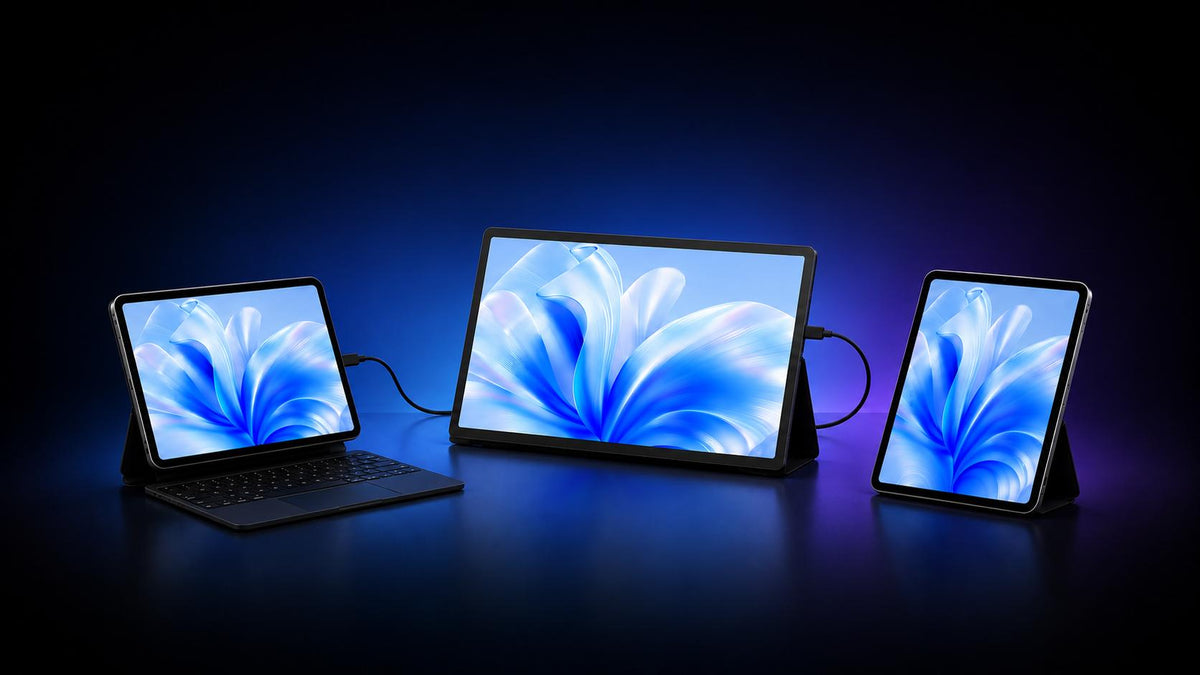
iPads are fantastic entertainment hubs, but ever since iPadOS 26, the tablet is closer than ever to being a true laptop replacement. But one thing it’s still not been able to address, is the lack of multi-screen setups.
But with a portable monitor, you’ve got a dependable secondary display for all your work or play needs, wherever you go.
So we’ve gathered a list of the top 7 best portable monitors for iPad and iPad Pro to get you started!
7 Best Portable Monitors for iPad & iPad Pro
1. UPERFECT GR14BU – (Editor’s Pick) Best Overall Option

Click here to buy: UPERFECT GR14BU
|
The Specs |
|
|
Display Size/Type |
14-inch OLED |
|
Resolution |
3K (2880 × 1800) |
|
Refresh Rate |
120Hz |
|
Weight |
0.59kg |
|
Price |
$399.99 |
|
Best For |
iPad users who want a crisp OLED panel for the best image quality & color vibrancy |
First up on the list, we have the UPERFECT GR14BU, a feature-packed gaming monitor that works well for all types of users. On-screen, it’s got an impressive display rocking a 14-inch OLED panel with a crisp 3K resolution.
Image quality is sharp & detailed, while remaining extremely vibrant thanks to that OLED panel. Plus, the monitor supports a 120% DCI-P3 color gamut, making it excel not only for gaming, but also for creative works like graphic design, vector art, or image/video editing.
For gamers, the UPERFECT GR14BU is an excellent portable monitor with a near instantaneous 0.1ms response times and a silky smooth 120Hz refresh rate. You also get a peak 500 nits brightness, making it a great performer indoors and outdoors.
Pros:
- Crisp & vibrant OLED display w/ a sharp 3K resolution
- Touchscreen input support
- Excellent color vibrancy & refresh rates; ideal for hardcore gamers
Cons:
- However, due to iPadOS limitations, touchscreen input for iPads is not supported
- Slightly pricier than other options for the OLED display
2. Sotsu FlipAction Elite 16 – Best Premium Portable Monitor for iPads

|
The Specs |
|
|
Display Size/Type |
16-inch IPS LCD |
|
Resolution |
4K (3840 x 2400) |
|
Refresh Rate |
60Hz |
|
Weight |
0.92kg |
|
Price |
$789 |
|
Best For |
Users who want a premium, well-built, and sleek design with a more familiar desk setup on-the-go |
If yer looking for the most ‘impressive’ portable monitor for iPads money can buy, the Sotsu FlipAction Elite 16 is worth a look. It sports a 16-inch display with a crisp 4K resolution. It isn’t the best for gaming, with just a 60Hz refresh rate, so it’s more suited to be a business monitor built for productivity & workflows.
But what truly makes the FlipAction Elite stand out is the build & design; it’s a clean, minimalist design similar to Apple’s aesthetics, and a durable full aluminum frame. This makes it a great partner for iPads, MacBooks, and Apple’s ecosystem.
On the rear, you’ll find the adjustable stand which transforms the monitor into a more ‘traditional’ setup. It’s a thick, adjustable stand that supports both portrait and landscape orientations, and has a magnetic attachment for added versatility.
The biggest downside however, has gotta be the price. Nearly $800 for the niceties the FlipAction Elite comes with can be a bit too rich for most, especially considering the panel is just an LCD.
With that price, you should expect an OLED display.
Pros:
- Impressive full-aluminum build matching Apple’s aesthetics
- Sharp, detailed image quality with a high 450 nits brightness
- Extremely versatile for any kind of setup thanks to the adjustable built-in stand
Cons:
- Only 60Hz refresh rate & LCD panel
- Very pricey for a portable monitor
3. Lenovo ThinkVision M14t Gen2 – Best Mid-Range Portable Monitor for iPads

|
The Specs |
|
|
Display Size/Type |
14-inch IPS LCD |
|
Resolution |
2K (2240 x 1400) |
|
Refresh Rate |
60Hz |
|
Weight |
0.7kg |
|
Price |
$297 |
|
Best For |
iPad users who want a great bang for their buck, with near-flagship features |
Next up on the list we’ve got the Lenovo ThinkVision M14t Gen2, a solid mid-range pick if you need a balance of performance and price. On-screen, you’ve got a 14-inch LCD panel with a sharp 2K resolution.
Another great thing about the ThinkVision M14t Gen2 is its color reproduction and vibrancy; with support for a 100% sRGB color gamut, this makes it a solid choice for creative work.
That said, it doesn’t do too much in terms of ‘unique’ features to stand out, but instead offers a solid overall package without breaking the bank.
Pros:
- Includes touch-screen display with excellent, detailed resolution
- Great balance of specs and price
- Supports 100% sRGB color gamut; great for creatives
Cons:
- Touch-screen input not supported for iPads (only for select Windows devices)
- Pronounced and thick ‘chin’ at the bottom of the display
4. UPERFECT GR16CQ – Best Gaming Portable Monitor for iPads

Click here to buy: UPERFECT GR16CQ
|
The Specs |
|
|
Display Size/Type |
16-inch QLED |
|
Resolution |
2K (2560 x 1600) |
|
Refresh Rate |
240Hz |
|
Weight |
0.73kg |
|
Price |
$349.99 |
|
Best For |
Hardcore gamers who need a dependable performer for iPads or even consoles & PCs |
If you’re after something a little more gamer-oriented, the UPERFECT GR16CQ is your best bet. With a 16-inch QLED screen and a 2K resolution, you get stunning, detailed image quality and vibrant colors thanks to the 102.3% DCI-P3 color gamut support.
But what makes it such a beast for gaming is the refresh rate; a silky smooth 240Hz, AdaptiveSync support, and some booming built-in speakers.
This makes it an excellent gaming companion for AAA titles on your iPad, but also a solid choice in case you need an extra screen for your gaming PC or just for regular console gaming.
Pros:
- Ultra-fast 240Hz refresh rate support
- Crisp & clear 2K resolutions
- Immersive built-in speakers to elevate gaming sessions
Cons:
- Slightly slower 9ms response times
5. ASUS ZenScreen Duo MB14FCD – Best Multi-Screen Portable Monitor for iPads

|
The Specs |
|
|
Display Size/Type |
2x 14-inch IPS LCD |
|
Resolution |
Full HD (1920 x 1200) |
|
Refresh Rate |
60Hz |
|
Weight |
1.2kg |
|
Price |
$349.99 |
|
Best For |
Users looking for extra screen space for work & play, without sacrificing portability |
iPads have become fantastic productivity machines, and with something like the ASUS ZenScreen Duo MB14FCD, it’s like working with a fully-fledged workstation, on-the-go.
The ZenScreen Duo features dual 14-inch LCD panels with a Full HD resolution, which nets you a 21-inch workspace. With the 360° hinge and kickstand, you’ve got plenty of options of how to get it set up.
It also supports 100% sRGB color gamut and HDR, so colors on the ZenScreen Duo pop.
But for that added screen space, you are losing out slightly; since there’s an extra screen, you’re compromising a notch at the cost of resolution. Full HD, while sharp, isn’t as detailed as something like 2K or 3K which you can get at the same price point.
Unless you need the extra, separate screens, there are other options in the price range that may be a better pick.
Pros:
- 2x extra screens for improved productivity & media consumption
- 100% sRGB color gamut & HDR support for impressive color accuracy & depth
- Versatile configurations to suit your usage
Cons:
- Heavier than most other options on the list
6. Acer AOPEN 16PM1Q – Best Budget Portable Monitor for iPad

|
The Specs |
|
|
Display Size/Type |
15.6-inch IPS LCD |
|
Resolution |
Full HD (1920 x 1080) |
|
Refresh Rate |
60Hz |
|
Weight |
0.74kg |
|
Price |
$129.99 |
|
Best For |
iPad users looking for a more budget friendly option with uncompromising specs |
If you’re just after an extra screen with a limited budget, the Acer AOPEN 16PM1Q is worth checking out. With a 15.6-inch LCD display and a Full HD resolution, you’ve got a sharp, and larger screen for your iPad.
It also supports a decently bright 250 nits brightness and a surprisingly speedy 4ms response time for gaming. It sports a simple, modest design but does the job well, giving you an extra screen to work with or a bigger screen to watch TikToks.
The best part is, it does all this without breaking the bank, though it is considerably more ‘basic’ compared to other options.
Pros:
- Fantastic value-for-money
- Speedy 4ms response times make it a good option for casual gamers
- Solid 250 nits brightness
Cons:
- Fully plastic build makes it feel “cheap”
- For slightly more, you could get a much better price-to-performance monitor
7. Intehill U17ZT – Best Large Screen Portable Monitor for iPads

|
The Specs |
|
|
Display Size/Type |
17.3-inch IPS LCD |
|
Resolution |
4K (3840 x 2160) |
|
Refresh Rate |
60Hz |
|
Weight |
1.4kg |
|
Price |
$439 |
|
Best For |
Users who want a larger screen to compensate for the iPad’s display size |
Lastly, we have the Intehill U17ZT, for iPad users who want a larger screen for their workflows.The U17ZT sports a 17.3-inch LCD display with a crisp and detailed 4K resolution.
In terms of colors, the monitor has HDR support and a 100% DCI-P3 color gamut so you’re getting vibrant, punchy color reproduction. The body of the monitor is a sturdy CNC aluminum build, and includes a built-in adjustable stand for a 178º viewing angle.
All-in-all, the Intehill U17ZT is an excellent companion for users who need a larger screen, though it is heavier than most options on the list and only supports a 60Hz refresh rate, which isn’t ideal considering the price tag.
Pros:
- Large, detailed 17-inch display with 4K resolution
- HDR & DCI-P3 color gamut support for improved color reproduction
- Bright 500 nits peak brightness settings
Cons:
- Pricier than most options
What to Know Before Getting a Portable Monitor for iPads
Can every iPad connect to a portable monitor?
The good news is, most modern iPads can connect to a portable monitor to mirror the display onto a larger screen like a portable monitor, a traditional monitor, or a TV. However, depending on your iPad model and which port it has (USB-C or Lightning), the connection process may vary.
Can an iPad Use an Extended Display?
Yes, iPads can use an extended display to an external screen or portable monitor. This means that instead of just mirroring and showing what is one your iPad’s screen onto another, instead, you can use it as an extended workspace to move windows/tabs from your iPad, to the monitor.
However, only a select few models of iPads can use another screen as an extended display:
- iPad Air 5th Generation or newer
- iPad Pro 11-inch (3rd Gen or newer)
- iPad Pro 13-inch (5th Gen or newer)
Will a Portable Monitor Drain Your iPad's Battery?
A portable monitor, if connected solely to your iPad, will drain your iPad’s battery relatively quickly. However, most portable monitors have the option to connect directly to a power source or have a built-in battery.
But for quick, on-the-go sessions, it is possible to use a portable monitor solely powered by the iPad.
What Cables Do You Need?
In most cases, you may require a cable or adapter depending on your iPad model and the ports available on your portable monitor.
iPads with a USB-C port can connect directly to a compatible portable monitor using a USB-C cable, provided the monitor's USB-C port supports video input. Apple uses the DisplayPort protocol to connect USB-C iPads to compatible external displays.
For iPad models with a Lightning port, you'll generally need a Lightning Digital AV Adapter, which connects to an HDMI cable and then to the monitor.
Depending on your iPad and portable monitor, you may need:
- A USB-C cable that supports video
- A Lightning Digital AV Adapter and HDMI cable
- A USB-C to HDMI adapter and HDMI cable
Before purchasing, check which video inputs the portable monitor supports and make sure they are compatible with your iPad.
Can You Use Another iPad as an External Monitor?
If you already own an older iPad, you may wonder if a dedicated portable monitor is really needed. While you technically can use another iPad as a secondary display with software like TeamViewer, compatibility, connectivity, and latency can make the experience less straightforward than using a dedicated portable monitor.
Want to learn more? Check out our guide on can you use a MacBook, iPad, or tablet as an external monitor, including the different ways to connect these devices and the limitations to keep in mind.
Share:
Best Portable OLED Monitors 2026: New Releases & Buying Guide
Best Portable Monitors for Laptops (2026) – Built for Multi-tasking & Gaming