

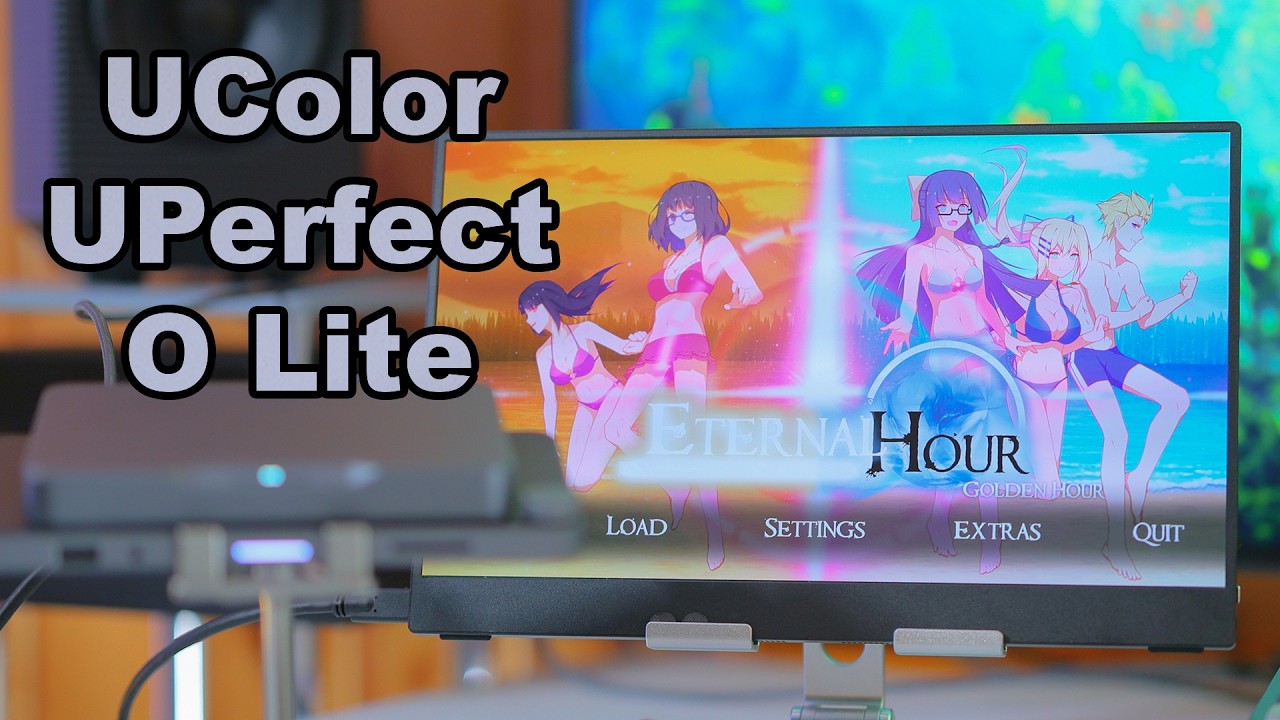
Please Note: Our model name has changed from UColor O Lite to BE133BU, but due to the recent transition period, we will also include the old model name in parentheses! The product remains the same, only the model name has changed!
Today I want to share with you my experience with a different product. We typically review audio file products, which are pretty straightforward. This music, it's your ears, and you can rely on me to do my job. But today I wanted to review a mini portable display. This is the UPERFECT BE133BU (UColor O Lite). It is a 13.3 inches display made for iMac, iOS and Windows, of course. It's. For portability, because at this size, it's almost like a tablet, like a larger tablet, but not the largest tablets. It's not like a Samsung Ultra tablet. It's more like a middle of the road tablet. There is no touchscreen, it's just a portable display for using outdoors.
Productivity Focus Instead of Gaming
The company doesn't necessarily code it for productivity, but I wouldn't use this for gaming, so I would call it a productivity oriented external monitor for Java. This version. $329 US dollars. I actually did not want to review this one. I wanted to review the larger one because for me, 13.3 inches is a bit small. Wait, what? To add insult to the injury, this version has a 4K resolution. So not only is it super sharp, but you can never run it natively because you will see nothing at 4K at 13 inches. I have 4K at 65 inches, and I still think it's a bit small. So this one, the text is not readable if you run it natively, and that may be an issue because most operating systems like Windows or even Android don't scale your apps very well.
Display Quality and OLED Experience

OLED Picture Quality
It's OLED, the display quality is far, and I mean far better than anything on the market, it's far better than my smartphone, than the S24 Ultra, far worse leaps ahead than my monitor. Which is a Samsung 65 QN 95 C or D. At this point, I, I always replace it, and yeah, it's far better. The, the actual picture quality is insane. It's so clear, crisp, the colors are deep and rich. They're not oversaturated, but they're super saturated. It's, it's insane. what this little monitor can produce.
Brightness and Power Consumption
Also, with the O light, it has a peculiar issue to run it at 100% maximum brightness, it's super bright and the colors are so much more beautiful. But it eats so much power that it cannot be powered by the cadas alone. So once again, you need a separate power outlet for the monitor. So this monitor requires its own power type C plug, which once again is more cable you have to carry, more power outlet you have to carry. Of course you can purchase a power brick that has multiple outputs, one for a mini computer like Adas Mind One, separate power for the tablet. There are many combinations that could work and do work really well.
Connectivity and Compatibility Issues

Smartphone Compatibility Problems
You may be wondering why I don't turn it on during this video review, and part of that is because it doesn't really work with my smartphone. It needs quite a bit of power and it would try to eat the power from my smartphone, but my smartphone cannot offer so much power as to power this. So at that point, it needs to have both type C ports populated, which are on the left side of the mini display, which means that you have to travel with two type C cables. A power brick and something that can feed its signal, because even then my smartphone doesn't usually see it or feed its signal. The cables may be the issue because I also have a different external monitor.
Comparison with the Arzopa FZ1 FC
This right here is the Arzopa FZ1 FC. The Arzopa is much larger, as you can see, which I like a lot, can be powered from my smartphone. The default cables work. It's only full HD which works well for this size, which is about, 16 inches, very good compatibility with most stuff, the picture quality is horrendously lower than the UPERFECT BE133BU (UColor O Lite). One of the main reasons I wouldn't use the UPERFECT BE133BU (UColor O Lite) for gaming is that it only has a 60 Hz refresh rate, which makes motion looks a bit stuttery to my eyes. I've been spoiled and I have mostly been using 144 Hz monitors for, Almost 3 years, 4 years now, so everything else just feels stuttery, slow, and it's not great to work, especially on Windows for a computer.
Gaming and Productivity Performance

Why It Is Not Ideal for Gaming
So, the O Lite is better for productivity tasks. For example, I would take the Kadas Mind 1 mini PC with me, I would take this, I would take a keyboard and a mouse, and I would work outdoors. That's perfect. One of the main reasons I wouldn't use the UPERFECT BE133BU (UColor O Lite) for gaming is that it only has a 60 Hz refresh rate, which makes motion looks a bit stuttery to my eyes. I've been spoiled and I have mostly been using 144 Hz monitors for, almost 3 years, 4 years now, so everything else just feels stuttery, slow, and it's not great to work, especially on Windows for a computer. Yet for productivity, it's so nice, and it's so beautiful.
Portable Workstation Setup
You could use this for video editing, photo editing. You can do so much with it, especially if you are a student or someone who has to travel. It's like your own portable mini laptop monitor, but it looks much better than any laptop, and one of the problems with laptops is that they have such limited power, and Kadas M1, for example, as a mini desktop computer is so much better that I just don't bring a laptop with me anymore. I sold all of my laptops because I don't like how they operate. They are usually very. Stuttery, there are so many driver incompatibilities with laptops, it's horrible. So the laptop experience is just not worth it in 2025.
Case Design and Stand Problems

Included Case and Magnetic Attachment Issues
Another considerate is that it does come with this case, which is a multi-foldable case that. Doesn't seem to be any magnetic attachment in this case, and I tried to stick it to the UPERFECT BE133BU (UColor O Lite) every single way possible. It just doesn't stick to the tablet. There is no way to use this together. I've been trying for such a long time now, it just doesn't work. So this case, I think it's great because it offers it protection. I would have wished that our Zopa included one with their monitor. All light comes with the case, but the case is not a stand.
Using an External Tablet Stand
While Zopa has a little fit at the back which allows you to stand on your desk, like a little tent. So for the new UPERFECT BE133BU (UColor O Lite), I've been using this, which is an off-brand AliExpress tablet support. It looks kind of like this. You can imagine what it does, it's pretty natural. It transforms the Arzopa from a tablet-like thingy into a full-sized business monitor. Ooh, there is a magnetic attachment, look, so it has some magnetic properties, wow. But how do you use this as a stand if this is how it looks, wow. Yeah, I don't like this. It's super wobbly, not secure enough. There just isn't enough support for its own case.
Extra Protection and Modifications
But still, the case is a nice addition, and having it is much better than not having it. I won't complain about having something. I just wish they made a better case or included the stand report. So as I was saying, the magnetic properties are not very strong on that case. I purchased this. I will leave a link in the video description if you want it. As you can see, I had to use a lot of those styles of protections on the inside to avoid scratching because they don't really protect the monitor. So you may scratch it. I also had to glue a few here on the lower lip because Once again, there is bare metal there and it might scratch the case of the tablet.
Final Thoughts and Overall Verdict

Then the Cadas, which created the Mind One, which doesn't have any of those issues. The OLED display is very beautiful and at the same time it's also pretty resilient, so if you push your finger on the display, it doesn't damage it. With IPS displays like the Azropa, yeah, you will damage the display if you touch it a bit harder, so I have to give the UPERFECT BE133BU (UColor O Lite). A full 10 out of 10 grading. It's beautiful, it's superb, but I think that it has some drawbacks that you have to consider because there is a bigger version, the O, which is larger.
Once again, I would like that. It's faster, it has a faster refresh rate, 120 Hertz refresh rate. I would like that. I don't use it that much on a daily basis because of those limitations. I prefer having a smoother OS, having a larger tablet, and not necessarily a 4K display because at 4K, the text is just too small to be usable and scaling just doesn't work for all apps. At the end of the day, it's a very good product and, If you are in the niche where you need a 13.3 inch portable monitor, the UPERFECT BE133BU (UColor O Lite) is the best one that I have ever seen in my entire life.
Share:
UPERFECT GR185BF NXTLED 18.5 Inch Monitor Eye Care Display | FIRE WOLF TECH
UPERFECT ZX27BU (UMax 27") 4K Monitor Reviewed by Over 50 Tech