

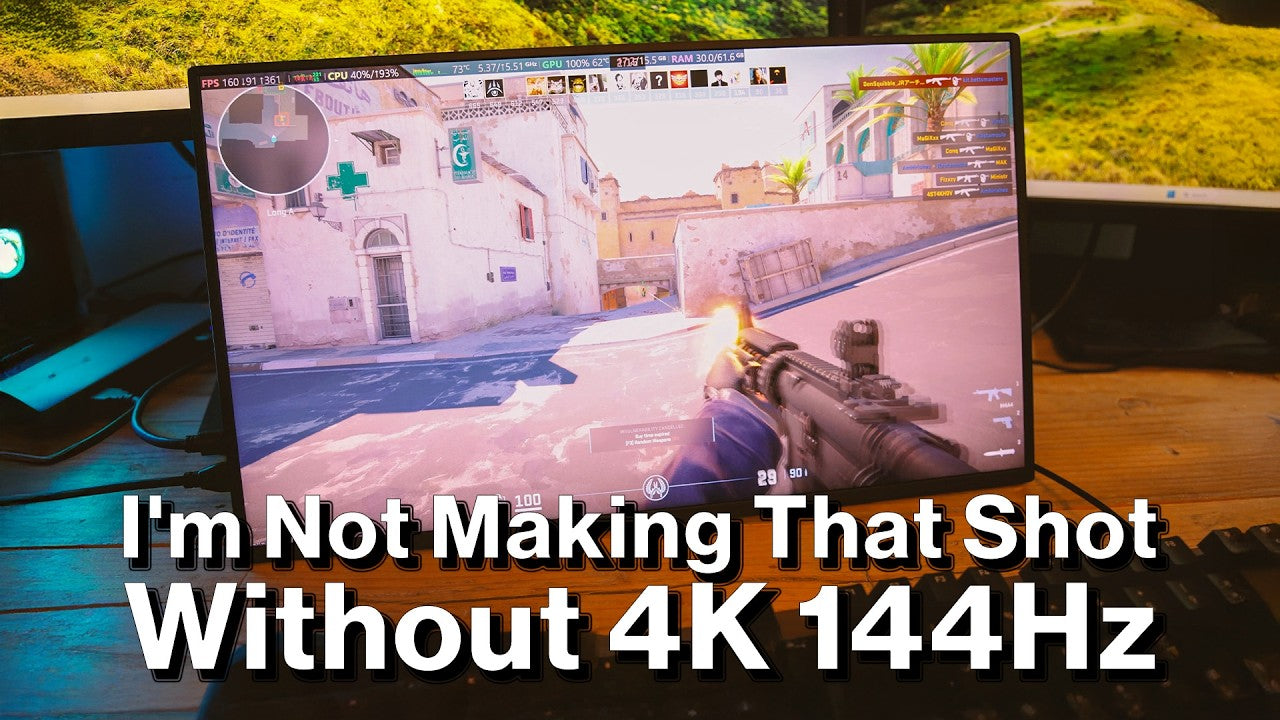
I've been very much looking forward to getting this one out of the box. This is from UPERFECT. Thank you very much to them for sending this out. This is the GR19BU (UColor Apex), a 19 inch 4K QLED monitor with a 144 Hz refresh rate, so coming in at around 400 pounds, seems to be a good deal for a 4K monitor with that high refresh rate. I've been working with their T6, which is their 4K 1200 nitz OLED monitor, but that one is 60 hertz. So I want to know what of a difference it makes to use a 144 Hz monitor, and I'm looking forward to having it allow me to test some frame rates on my new PC as well, which should be exciting.
Box Contents & Accessories

Includes a power adapter, which is not always the case, VESA mount screws. Use a manual, and it's mini HDMI to full HDMI. And two USB CC cables, so plenty, isn't there? I wonder if it will just work with one cable and whether on that one cable it will work with its full refresh rate. So it says for more stable use our power delivery adapter. So power delivery adapter should work. Let's find out.
Design & Build

Design & Ports
Comes with a built-in little kick stand. Very nice, buttons on the side, it does have randomly a micro USB there for OTG so I don't know if that's purely for sort of firmware updates if needed, and the HDMI. And two USB-Cs, so let's try first of all just running from my PC into the USB-C.

Build Quality & Controls
The couple of things that I've noticed in using it actually compared to the T16, I find that the input isn't as nice. It's got these kind of like, can you hear the buttons are kind of a bit rattly in their seat, whereas the T16 has a little jog wheel which is a little bit better. But it is bigger, 19 inches, it does have its own kick stand rather than needing a kind of folding case. It's a little bit less portable, and yeah, really I should probably put this up on a. Monitor arm, I think that would be better.

Initial Setup & Connectivity Test
No, so I'm not getting anything directly from that, but what if I plug in a power delivery? So maybe it's that cable isn't capable of display, would have thought it would be. Let's try their cable. Yeah, there we are, so that cable must not have been. Good enough. There's the display, 4K resolution. Advanced display, 144 Hz, so straight away. So yes, one cable from a USB-C port, as long as the cable can do display port and the port can as well. And yeah, that looks really quite something.
Display and Performance

Display Performance & Usage
And 144 Hz, great for content creation, but really this one is designed for gaming. You can see that it's very smooth motion. And I'm gonna look forward to messing around with some games on it, so it's also that little bit larger than the T6 that I'm looking at, but not quite as bright, which is not something that of course you need in this. Scenario where we are right now, very cool.

Gaming Experience
I've been playing sure Counter-Strike 2 on it, but also a little bit of Battlefield 6, which does look absolutely sublime on this panel at those very high refresh rates that my PC can manage. But it's every now and then, and of course right in a key moment. The screen just goes blank for a moment as it just goes through a power cycle, and as I say, I think that might be related to my own ring main, it might be related to the fact that I've got solar cells and I've got inverters and batteries and things on the house that aren't quite giving me a stable power supply.
Uses Case Workflow

Editing Workflow Idea
I also think I might mount this and have this running as my 4K monitor, as in like my video editing monitor, so, so I can just see a full resolution preview of my 4K video as I work. I think that might be very, very slick. Thanks very much, I'll be back with the conclusions.

Overall Experience
So I have very much enjoyed having this 4K monitor here on my desk. It is really nice, my stated use for it was in my editing suite. I can have it as just a full screen monitor which can just play as I work. So you can see a preview exactly how it's going to look when you finish it and I can just switch that on and off with a quick keystroke. And I can tell you that that 4K 144 Hz does look absolutely amazing on this 5080 GPU PC that I've got for short amounts of time because, well, I have one issue with it unfortunately which I'll come to in just a moment, but I don't think you necessarily need to worry about. that.
Display Technology Explained

Display Technology Explanation
Now I wanted to just briefly talk about the different screen technologies that are out there, and this is marketed as QLED, which is not the same as OLED, and you should still see OLED as being the highest level of screen quality, although OLEDD can have issues with flickering at times, especially you'll notice that if your OLED screen has variable refresh rate. However, you get lots that are marketed very close to. OLED such as QED and this is called QLED and QLED is basically an LCD screen, it's just got a quantum dot layer, it still needs a backlight. So the quantum dot is just simply an improvement to the backlight through the LCD layer, so it's still essentially an IP. panel is still essentially LCD rather than LED individual pixels like OLED is.


Brightness, Color
Should get really bright images, you do, you should get really strong color, you do in this one as well. You shouldn't have any issues with things like burning. Because LCD rather than OLED, so that's good as well. But your blacks aren't going to be as deep as OLED is and you aren't going to get quite the contrast ratio as OLED.

Mini LED & Other Technologies
Other things you can find terms like mini LED that's a similar idea really, it's still LCD but it's got very, very small low. Called dimming zones, very small LEDs for each individual pixel essentially. So a mini LED can essentially dim areas of the screen and get closer to that contrast that OLED can. And QLED and mini LED are very close really. These older panels are edge lit LCD and of course then you can go to an RLCD like this which is actually a totally reflective screen. More on that in the future. The brands are certain to use marketing to make their names for their panels as close as possible to OLED, because that's still the kind of gold standard for the best display technology that's out there for viewing content at least.
Issues and Testing

Main Issue: Power Stability
So my issues with it, well, unfortunately right now it is running at 4K60 rather than 4K or 144. Because when I put it onto a 4K 144, I get the occasional power outage, so it might happen as we're working now, we'll see. I think that that's related to my power line, and you saw when I unboxed it, it said use our power supply for a more stable connection. Yeah, I did use their power supply, but unfortunately I wasn't getting a stable connection.
Testing Different Power Sources
But then I tried using it with a power bank and this power bank will do 100 watts, and that did give me a stable connection. So for some reason my power line at my home is not giving me stable power. And you might just see this occasionally just flick on and off, but I don't know if it's going to do that in this period of time. It's more stable with one of my own power delivery adapters though, and it was actually less stable with their own one. So, OK. There's a slight issue here that I am getting.

Research & Observations
I have done my research though, I have looked around and I can't see any other reviewer actually mentioning that as an issue, nor can I see any customers mentioning having that issue as well. And I don't know whether it's not doing that now because it's not actually down on change. Or refreshing, but I certainly noticed that in games where it looks amazing at 144 Hz.

Stability Insights
It seems to be fully stable when I actually use it on a battery and it isn't having an issue right now. So yeah, I think it's definitely something with my power line because in this session it hasn't gone on at all, so that's annoying. But most of the time I'm just using it in that 4K 60, which of course is totally fine for a 30 frame a second video, the way that I'm working right now.
Possible Causes
So a little bit disappointing and one to be wary of maybe if you're in the UK, but I actually think that it is just peculiar to me. I think I noticed as well I was getting. Some static shock sort of plugging in my HDMI from my graphics card, so it might be something to do with that as well, just a static shock which just sort of resets the power supply within it. I don't know what's really going on. It's typical that now that I'm testing it and I'm not getting any of the power outages, but there we are. When I've been using it, it certainly has been occasionally going out.
UPERFECT Response & Compatibility
I reached out and discussed with them, obviously this issue that I was having, and they confirmed that this was the first time they'd heard of this issue as well. They did say though that other reviewers have noticed when you connect it to a PS5 for instance, then the maximum you're gonna get is 4K 120 hertz, or when you're using it from a Switch 2, you're either gonna get 4K 60 Hz or. 1440p at 120 Hz. You can't actually do 4K 120 with the Switch too because well, it doesn't do that. And some games can do 4K 60 or 1,440p 120 on the Switch. There's a lot of versatility there.

Final Verdict
They did of course say that if anybody does have this issue, then their customer success team will make sure that they have it resolved. As you can see, I have. I haven't had the issue, it hasn't flickered once during the filming of this, which is always the way. So I, I think that I can recommend this to you if you want this size and if the price works for you. I think I'm just getting a few issues with it. The color on it is amazing, the crispness of the pixels is absolutely beautiful. I do like it having its own stand and VSA mounts. It's very thin and very light. It's an all-round really good monitor and most of the time, no issues at all, and I can tell you it looks good and plays really well, yeah. Great fun.
Share:
The UPERFECT GR19BU (UColor Apex) - 19 Inch 4K UHD Monitor reviewed by Open Surprise
UPERFECT GR19BU (UColor Apex) 4K QLED Monitor reviewed by GameTechPlanet