

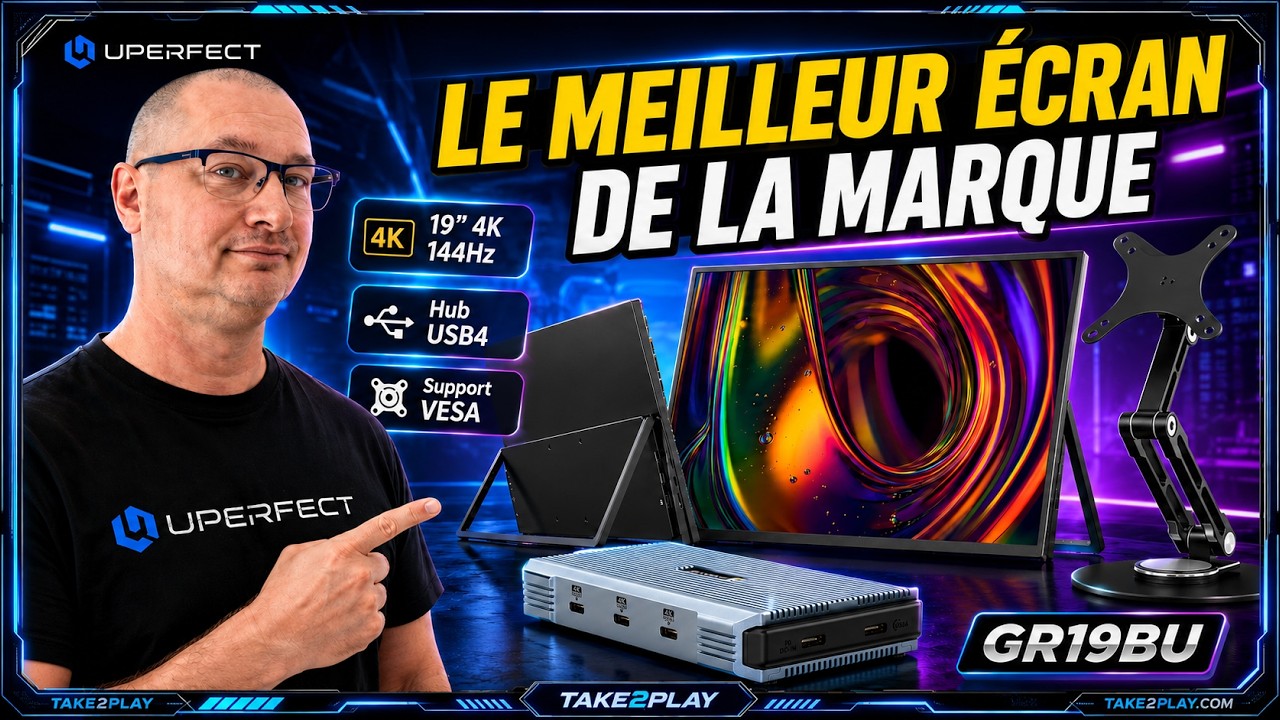
Hi, today we're taking a look at a portable monitor that checks a huge number of boxes on paper, the UPERFECT GR19BU (UColor Apex), but can it really become an excellent companion for work, gaming with a home console, or accompany what interests us the most, portable gaming consoles? Well, I suggest we find out in this review, right after the sponsored segment, let's go.
Design and Build Quality
19-Inch Portable Format

The GR19BU is a 19-inch monitor. So, we're dealing with a portable screen rather than a truly portable one. Here, we clearly gain visual comfort for a handheld console. A laptop, a mini-PC, a Switch 2, or a PlayStation 5 can benefit from a true display surface without moving directly to a large fixed desktop monitor.
It's a format I find quite interesting because it keeps the nomadic spirit while offering a screen size that starts to become really comfortable and appealing. However, let's be clear: at 19 inches, this isn't the kind of screen you slip into just any small bag. It's more the idea of having a portable setup.
Design

The design is quite understated; we have a thin display with an aluminum chassis and 5 mm bezels. It's really very high quality from UPERFECT.
A kickstand is directly integrated into the monitor, allowing for quicker and cleaner setup. You place the screen, unfold the stand, plug it in, and you're ready to go.
Controls and Settings

On the side, you'll find all the buttons for accessing various settings. It's easy and intuitive. You can adjust brightness, sound, and video input, but also colors, frequencies, and there's even a Switch mode, a Switch 2 mode essentially meant to be used with the console for the best possible settings and compatibility.
Display Quality and Specifications
4K UHD Resolution on 19 Inches

The big selling point of this monitor is obviously its specification sheet. We have a 4K UHD definition on only 19 inches. The result is a very high pixel density.
For text, office work, web browsing, and video editing, it's a real advantage. The edges are sharp. Fonts are clean, interfaces are precise, and there's a very pleasant sense of sharpness.
But be careful: on a 19-inch 4K screen, you'll often need to use scaling in Windows or macOS. At 100% display scaling, everything may be too small. In practice, you'll probably use an enlarged interface with comfortable scaling while still enjoying the sharpness of 4K.
Some people will say 4K is useless on a 19-inch display. Well, that's debatable, because I can see the difference, especially compared to 1080p.
QLED Panel and Color Performance

Very clearly, the panel is QLED, not OLED. So don't expect perfectly infinite blacks or magical colors.
However, QLED still provides very rich colors, good brightness, and an image that is generally very flattering. UPERFECT claims 107.8% DCI-P3 coverage, which is excellent on paper for a portable monitor, and in practice, it's really very beautiful.
144Hz Refresh Rate

And finally, we have 144 Hz. And that's clearly a gaming feature, but not only.
In games, it provides better fluidity if your machine is capable of outputting enough frames per second. But even for office work, 144 Hz makes mouse movements, page scrolling, and animations much more pleasant than a simple 60 Hz screen.
And for gaming, which interests us most, it's incredibly clean and smooth.
HDR and Contrast

We're dealing with a high-end image experience here. I rarely get the chance to see this from UPERFECT. I've seen very good displays before, certainly, but here we're starting to reach excellence.
This monitor supports HDR, and I assure you it's remarkably effective. It's a shame it's not paired with OLED. We would have perfection from UPERFECT, perhaps in the next monitor, but let's not spoil our enjoyment because the image is truly superb.
The contrast ratio is 1200:1, which is respectable for this type of panel. But once again, it's not OLED. However, for a portable QLED display, the result should be sufficiently dynamic and enjoyable.
Matte Screen Finish

The screen is matte, which is a very good point for a portable monitor because reflections can quickly become annoying.
Gaming Performance
4K and 144Hz Gaming Potential
As for gaming, the GR19BU is very interesting, that's true, but you still need to understand who it's aimed at.
The combination of 4K + 144 Hz is very ambitious. To fully take advantage of it on a PC, you need a powerful machine. Running a recent game in 4K at 144 frames per second isn't within everyone's reach.
Handheld Console Experience

And above all, let's be honest. On a portable console such as a Steam Deck, Rog Xbox LX, Legion Go, or MSC Clo, you're obviously not going to play major AAA games in 4K 144 FPS.
However, you can use this display at lower resolutions, 1080p or 1440p, and enjoy a beautiful image with good smoothness depending on the games.
On the other hand, for indie games, retro games, and less demanding games, the screen can become extremely enjoyable.
Home Console and PC Gaming

For a home console like a PlayStation 5, PlayStation 5 Pro, Xbox Series, or a gaming PC, you can better exploit the 4K, HDR, FreeSync, and high refresh rate.
FreeSync Support

And the presence of FreeSync is very important. It helps reduce screen tearing, what we call tearing, when the frame rate varies significantly.
Viewing Angles and Response Time

It includes low blue light protection and a 178-degree viewing angle. That's huge; everyone around you will be able to see the screen in very good conditions.
The response time is 9 milliseconds. For single-player games, adventure games, RPGs, racing games, emulation, console gaming, or more casual gaming, it will be perfectly fine.
However, for pure competitive gaming such as fast-paced FPS esports titles, some people will prefer a more specialized screen with a more aggressive response time, but also a more expensive one.
For portable use, I should specify.
Connectivity and Compatibility
Ports and Connections

In terms of connectivity, UPERFECT has done a pretty good job, especially since it provides plenty of cables, a power adapter, and accessories.
We find two full USB-C ports for audio and video, a mini HDMI port, an OTG port for connecting a keyboard or mouse, and a 3.5 mm audio jack output.
USB-C Power and Display

The two USB-C ports are very practical. With a compatible laptop, mini PC, or certain handheld consoles, you can pass both image and power through USB-C, depending on the available power of course.
Still, there's an important point: to achieve maximum brightness, it may be necessary to power the screen separately. In other words, a single USB-C cable may be enough in some cases. But if you want to use the screen properly, it's better to provide dedicated power, and it is included.
VESA Mount Compatibility

Another very good point is VESA 75 x 75 mm compatibility. That means you can install the screen on a monitor arm, desk stand, or suitable mount for a fixed or semi-fixed setup, which is excellent.
Accessories and Additional Hardware
USTAND Max Z1

That's precisely what makes the GR19BU versatile. It can be used as a portable screen, but also as a real secondary monitor on a desk.
In fact, UPERFECT sent me one, the UStand Max Z1 with a magnetic plate for handling the monitor comfortably. It's absolutely superb, and the whole thing feels solid with its 360-degree rotation and aluminum construction. It does the job and is really very stable.
However, at $70 for the stand, you're going to have to break the piggy bank.
Weight and Portability
In terms of weight, we're looking at 1.390 kg. That's not heavy for a 19-inch monitor, but it's not ultra-light either. Once again, we're more in the territory of comfortable transportability than a mini-screen you take everywhere.
Audio Performance
Built-In Speakers

The screen includes, and this is very interesting, two 1-watt speakers. It's practical for troubleshooting, watching a video, quickly launching a console, giving a presentation, or using the screen without headphones.
But don't expect powerful, deep, and highly immersive sound. On this type of portable monitor, built-in speakers are rarely the strong point. They're there more to help out than anything else.
External Audio Options
For more serious gaming, watching a movie, or enjoying quality sound, you'll be better off using headphones or external speakers. And that's where the 3.5 mm jack output is welcome.
Productivity and Professional Use
Multi-Screen Workflow
For productivity, this screen also makes sense. As a second screen, or even a third screen with the UHEB Power X3 for example, a multi-display dock from UPERFECT that works wonderfully and can be very useful for multitasking work.
Here, the 19-inch size brings real comfort. You can put Discord, a web page, a game, a spreadsheet, a document, or even do video editing.
UHEB Power X3 Dock

However, be warned: this hub also costs a pretty penny, around $189. Yes, it stings, and unfortunately it's limited to 4K 60Hz, although honestly that's not bad.
On the other hand, it does an excellent job and is responsive. And it's really very useful for professionals.
Color Accuracy Considerations
For those doing demanding professional color work, you'll need to calibrate the screen. As always, a great specification sheet doesn't replace proper calibration when you're seeking perfect color accuracy.
Pricing and Limitations
Price and Value
So, is this monitor perfect? Obviously not. The price, for starters.
But we're dealing with a fairly high-end portable monitor; it's not a cheap secondary display. You really need to need the 4K, the 144 Hz, the QLED, and the 19-inch format to justify the purchase.
Its price is $479, or €415, but with my promo code Gandam60, you get $60 off, bringing it close to €360 for the monitor, which isn't not bad.
Performance Requirements
The 4K 144 Hz requires a very capable source. If you connect it to a low-powered handheld console, you're obviously not going to game in 4K 144hz.
For modern AAA games, the monitor can do it, but the machine behind it still needs to keep up.
Missing Features
The screen is not touch-enabled. For some mobile use cases, that can be a drawback, particularly with Windows or certain mini PCs.
There's no built-in battery; the monitor must be powered, so it doesn't become a standalone tablet.
And finally, the 19-inch format is a compromise. It's more comfortable than a 15.6-inch monitor, for example, but less easy to carry around.
Strengths of the UPERFECT GR19BU
And in the end, for me, the UPERFECT GR19BU is a very ambitious monitor that delivers on many of the promises it makes, and it does so very well.
Its major strengths are clear. A 19-inch panel, 4K UHD resolution, QLED technology, 144 Hz, FreeSync, good brightness, complete connectivity, an integrated kickstand, VESA compatibility, and a format that can serve equally well for gaming and work.
In short, it's extremely complete. For me, it's only missing OLED.
Who Is It For?
And moreover, it's a screen I can easily imagine in several scenarios: for a content creator who wants a clean and precise second display while traveling, for someone who uses a handheld console but occasionally wants to play on a larger screen and doesn't like XR glasses.
It's also very relevant for connecting a PS5, an Xbox, a gaming PC, or a mini PC in a compact setup. It can become an excellent companion, or for a minimalist desk setup, it's also a good high-end secondary monitor.
Who Should Skip It?
On the other hand, if you're simply looking for a cheap auxiliary display, it's probably not the best choice, let's be honest.
For me, its real value isn't just being a portable or portable monitor; it's being a portable or portable monitor that tries to replace a true secondary monitor while maintaining a certain level of mobility, and that's exactly where it becomes interesting.
Final Thoughts

So, tell me what you think in the comments. I'll leave all the links in the video description.
Thanks to UPERFECT for giving me the opportunity to test this monitor. It had been a long time since I had the chance to test one.
Share:
UPERFECT ZX173BQ Gaming Monitor reviewed by ItzLVz
UPERFECT GR16EQ 2K Portable Display reviewed by Steam Flow