

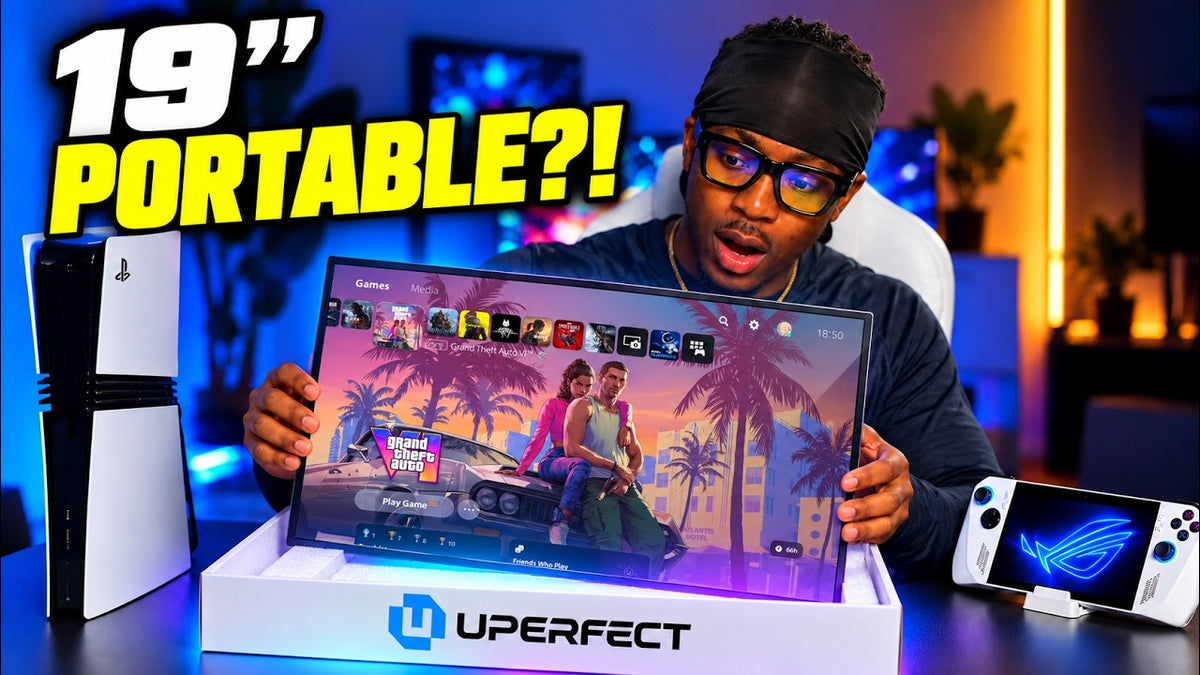
Can one portable monitor work for console gaming, handheld gaming, PC gaming, and getting a second screen when you want to work somewhere else? This is the UPERFECT GR19BU. It's a 19-inch 4K monitor with a refresh rate of up to 144 Hz. I tested it with my PS5 Pro, Asus ROG Ally, gaming PC, and MacBook Pro. I also took it away from my usual desk to see how practical a screen this size is for working and gaming. Let's see how it does.
Review Disclosure and First Impressions

You sent me the monitor, adjustable stand, and carrying bag for this review. I appreciate them for sending these over. My opinions, however, are my own. I've also included referral links in the description that may give you a discount. If you purchase through one of those links, I may earn a commission.
The first thing you notice is the size. At 19 inches, there's a lot more room than you get on a handheld or laptop screen, while the monitor is still designed to move between setups.
UPERFECT GR19BU Design, Ports, and Connectivity
Ports and Connection Options

Here are the ports and connections. You have USB-C, mini-HDMI, a headphone jack, and an OTG port, which means on-the-go port. It also has a built-in speaker, a kickstand, and VESA mounting on the back.
The OTG port lets you connect compatible accessories like a keyboard or a mouse through the monitor. The built-in speakers are handy too. I can listen to my games or videos without needing to put on a headset, which is useful for a more casual setup.
Built-In Features for Portable Setups

The built-in kickstand makes it possible to position the monitor for a quick setup without needing additional accessories. The VESA mounting option also gives you another way to position the display depending on your workspace.
At 19 inches, the display provides more screen space than a typical handheld or laptop screen. This makes it useful for both gaming and productivity while still being designed to move between different setups.
Gaming Performance: Testing the UPERFECT GR19BU with Different Devices
PS5 Pro Console Gaming Experience

First, I tested the monitor with my PS5 Pro. That's my console for this test, but the idea applies to console gamers more broadly. Whether you play on a PlayStation, an Xbox, or another console, a screen like this gives you a dedicated gaming display without needing a full-size TV.
I played PUBG, Battlefield, and Asphalt Legends. In PUBG, I could read the scene while scanning for opponents. There's a lot going on across the landscape, so the distant buildings and terrain are a good test. I also wanted to see how clearly, I could make out smaller details when moving into a closer encounter.
Battlefield is a good way to show the lighting and atmosphere. The brighter areas, shadows, effects, and detailed environments give the monitor plenty to display. The faster action also lets me see how the screen feels during a match.
In Asphalt Legends, the colorful tracks and fast movement make the action easy to follow. The cars, bright effects, and track details stay in view as the camera moves, giving me a different kind of test from a shooter.
While the PS5 Pro can output up to 120 Hz, I'm showing the console's output settings so you can see what it's sending to the monitor. I'm not expecting the PS5 Pro to run at 144 Hz.
With GTA 6 coming up, I can see the appeal of bringing a console and a larger screen when you travel or stay somewhere else instead of relying on whatever TV is available. You can bring a screen you already know and use it for gaming away from your main setup.
Handheld Gaming with the ASUS ROG Ally

Next, I connected my Asus ROG Ally. This is my handheld test, but it applies to handheld gaming more broadly. Whether you use an ROG Ally, a Steam Deck, a Legion Go, a Switch, or a similar device.
I played GTA 5 Enhanced and Need for Speed Heat. In GTA 5 Enhanced, I wanted to see how the city looks on a bigger screen. As I drive, the lighting on the streets and buildings is easier to take in, and the larger display makes it easier to notice details that can be harder to see on a handheld-sized screen.
Need for Speed Heat gives me a lot to look at. The night driving, headlights, reflections, bright colors, and fast movement make it a fun test for seeing how the game feels on the larger display.
A portable monitor can turn a handheld into more of a small gaming station. The handheld still does the work of running the game, so I can adjust the resolution and graphics settings to find the balance I want between sharpness and smooth gameplay.
PC Gaming at 4K and 144Hz

Now, for my gaming PC, I have an RTX 4080 and a Ryzen 9 7950X 3D. So, this is the setup I use to test the monitor at 4K. My PC could handle playing the game at that resolution, so I could try the monitor at its full 4K resolution.
I also checked the display settings to confirm the resolution and refresh rate the PC was sending to the monitor.
I played Call of Duty Warzone on Rebirth Island. This is a useful test because I'm moving quickly, looking across the map, and reacting to what's happening on the screen.
At 4K, I can make out more detail in the environment as I look across the island. The structures, terrain, and smaller scene details are easier to pick out as I move through the map. The lighting is easier to see too, especially when I move between brighter outdoor areas and darker spaces.
During a firefight, the fast movement gives me a chance to see how the monitor feels in a competitive game. This is the setup where I could test 4K and check the monitor's refresh rate in my PC settings.
The PS5 Pro and ROG Ally each have their own output and performance limits. So the best settings will depend on the device and game you're using.
Productivity and Portable Work Experience
Using the UPERFECT GR19BU as a Second Screen

Gaming isn't the only reason I wanted to try this monitor. I work from home around 2 to 3 days a week, and I also stream, edit content, review analytics, and plan videos. Sometimes it's refreshing to get away from the desk, but I still need enough screen space to get my work done.
I'm packing the monitor and cables I'll need. Once I'm in the apartment office, I can set the monitor up on its built-in kickstand for a quick setup. But for work, I like using the adjustable stand UPERFECT sent me to position the monitor above my MacBook screen.
That gives me an easy two-screen workflow without taking up as much space beside the laptop. I work as an analyst, so having more room for my work is useful. I can keep my main task on the MacBook and put analytics, notes, research, or reference material on the larger screen.
MacBook Pro Connectivity and Power Consumption

Something that surprised me is that for casual work, my MacBook Pro powered the monitor through the connection. I didn't need a separate power cord for the monitor.
With the monitor connected, my MacBook lasted for several hours on 40% charge during casual work, depending on the brightness, workload, and battery level. For a longer session, or if I want the monitor at maximum performance, I connect it to its own power supply.
Final Verdict: Is the UPERFECT GR19BU Worth Considering?

So, what do I think of this UPERFECT monitor? I like that I can move between gaming and work. A 19-inch monitor is larger to carry than a small portable display, but that larger size also gives you a more useful screen for gaming and productivity.
If you want the smallest travel monitor possible, this may be more than you need. If you want one larger display that can work with a console, handheld, PC, or a laptop, it could be a strong option.
The UPERFECT GR19BU offers a combination of a large 19-inch display, 4K resolution, and a refresh rate of up to 144 Hz. It can work across different gaming devices, including consoles, handheld gaming systems, and gaming PCs. It can also serve as a second screen for laptop users who need additional workspace when working away from their usual desk.
Share:
UPERFECT BE156NF OLED Portable Business Monitor Reviewed by Gabriel Pilo
UPERFECT UD14BQ QLED Pen Designer Monitor Reviewed by FifiMangaka