

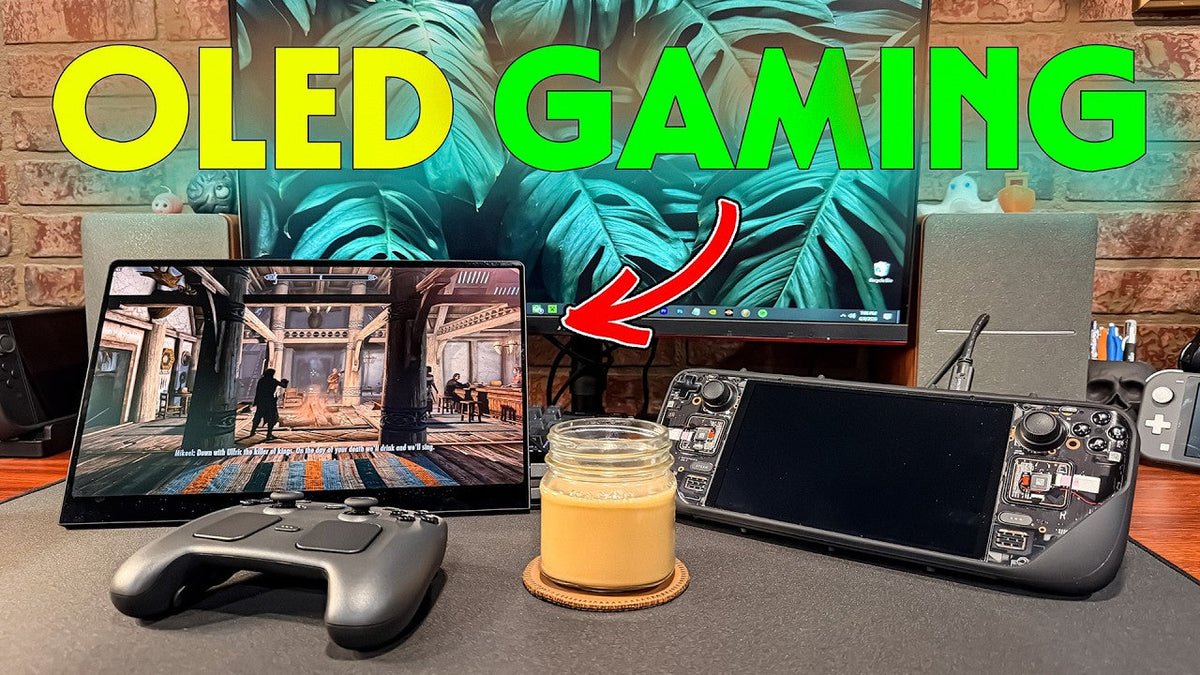
What's up everyone, Joseph here with another YouTube video. So I've been gaming for as long as I can really remember, and there's been tons of improvements and jumps in technology. I love seeing them happen and I love experiencing them for myself. There's one thing in the gaming industry that has really drawn me in. Something that I didn't think would matter to me as much as it does. And it's something that I was introduced to with the Steam deck. So after a couple of years now of using the Steam deck, there's a lot I can say about it, and there's a lot I have said about it. I really enjoy the Steam OS. The interface is excellent. It's got me head over heels for handhelds, and I love the simple idea of playing my Steam games on the go. It's a PC gamer's dream if you ask me.
The OLED Experience
But that one thing that I can't help but appreciate is that dang OLED screen. The Steam deck display looks so crispy, the colors are popping, it's just a cleaner, sleeker and more matted look. And recently, my brother got an UPERFECT GR14BU OLED monitor for his PC. I went over there a while back to check it out, and I gotta say, I was blown away. I didn't know that gaming could honestly look this good. I wanted a way to make all my gaming look like this, especially my gaming handhelds.
Introducing The UPERFECT Portable OLED Monitor

A New Gaming Setup
If you guys remember, a while back I posted this weird Steam Deck camping setup that you guys all seem to be pretty interested in. That weird speaker display was my mom's, but this new edition is along those lines. So today, we're going to be checking out some new tech, very different kind of video today. So, a few weeks ago, a tech and gaming gear company named UPERFECT, who is also today's video sponsor, reached out to me and asked if I wanted to try out their 14-inch, 3K 120 hertz. Portable OLED monitor. Of course, I said EPs a freaking Luli.
Portability And Accessibility

The OLED and portability was what really got me. Perfecting the main setup at home is one thing, but perfecting a setup on the go is another story. Changing up the scenery and getting it looking and feeling good, it's certainly a fun challenge to figure out. It's always refreshing to change the vibes of the gaming sessions up. And if you know me, you know I like to have the most accessibility when it comes to my workflow, hobbies. And especially how I game. And I obviously enjoy it even more when it looks good. And I've always found it a bit easier to get into games more when the screen is of a decent size. At least when it comes to games that aren't specifically designed for handhelds.
Adding An OLED Monitor To A Handheld Setup

Steam Deck And Nintendo Switch 2
So today, we'll be talking about adding an OLED monitor to the handheld traveling setup. Mainly alongside the Steam Deck and the Nintendo Switch 2. We'll get into this more in a second, but before I get carried away, I gotta pour up a coffee real quick. You know the routine. Exactly.
Gaming Content And OLED Screens

So now that we got that portal, make sure you hit that like and subscribe button and also hit that notification bell so you don't miss any more meaningful gaming content. Here, we have relaxing conversations about gaming, tech, and how we can better incorporate them into our lifestyles. So, thank you for stopping by. And now that I think about it, coffee is a lot like OLED screens. They make gaming that much better. Cheers guys.
Using The 14-Inch OLED Monitor

First Impressions
So, I've spent a couple of weeks with this OLED monitor and I gotta say, this thing is sweet. In a lot of circumstances, I can see it being a bit of an overkill for some handheld gamers, but for longer trips or temporary setups, this thing could be incredibly useful. The OLED screen in general is just something that we learn to appreciate over time. Tech gets more and more advanced. I really enjoy the visual aesthetic of things, especially tech, so it really stands out to me with the way the colors display.
Thin And Portable Design
The first thing that stood out to me on the monitor itself was how thin and portable this thing really is. It's like an iPad, so it kind of fits in any bag as long as it has a compartment for tech. It's extremely light and easy to move around, and it has a surprisingly very sturdy kick stand that keeps it at whichever angle you choose. This makes it very travel friendly, and the fact that it's a 14-inch monitor makes that much more doable.
Accessories And Travel Setup
They sent it with all the cords you could possibly need plus some. It's got all the settings a typical monitor would have, and it's an easy-to-use accessory for any portable gaming or work setup. And with handhelds, this thing was an absolute breeze. I put it in the same kind of bag my laptop goes in, but they also sent me a backpack with a special section dedicated to housing a monitor. Which was a very appreciated bonus, could come in handy for a gaming bag down the line.
Gaming And Productivity On The Go
Whether you're going on a trip or just want to take your setup to another area of the house, this can do that for you. I'm the kind of guy that really likes the idea of being able to take my hobbies with me wherever I go in life, and this helps me do exactly that. I can see myself not only taking this on trips to game on, but also for productivity, which we'll talk about in just a bit, but right now, we gotta dive into the games.
Using The OLED Monitor With Steam Deck

Connecting The Steam Deck
I tried the Steam. Deck out first because I knew that it would be a good way to compare the two OLEDs. I'm happy to say it just enlarged the Seam deck screen. It looks just as crisp and dialed in as the deck's display. And this is a fun way to combo the deck with a monitor and dock and turn the deck into a mini and fully functional PC. All the deck needs to connect to the monitor is the USB-C to USB-C display connector.
Touchscreen And Gaming Performance
So super easy to set up, especially if you use a wireless controller to game. It's actually a touchscreen monitor as well, but from my experience, it only worked with the deck in a Windows device. Most likely due to conflicting operating systems. I tried out a few of my favorite games and they all performed well, and the OLED screen made their colors pop beautifully.
Games And OLED Visuals
So I tried out some Skyrim, some Vital Shell, and some Castle Crashers to really show off the colors here. And it ran at the exact frames that I set them at. Skyrim's environments looked amazing as always, and Vital Shell showed how beautiful OLED displays. Make retro games look, this device and a Steam controller, and you've got yourself an upgraded Steam Deck PC hybrid. This would be useful for some of the games with smaller text or even RTS games.
Steam Deck Setup Experience
So far with the Steam Deck, this monitor is a big W. This will be nice for when I'm up north, the cabin, and a big storm rolls over the lake. A perfect time to pour up a coffee and get some gaming in on a trip. Quick note, the audio on the monitor is just OK, not bad, but that's the usual case. With any monitor, so I would advise using Bluetooth headphones or speakers when gaming on it. In my case with handheld gaming, my usual go to is my AirPods.
Using The OLED Monitor With Nintendo Switch 2

Connecting The Switch 2
The next experiment on my list was the Switch 2. I love my Switch 2, but the only thing that could make it better would be an OLED screen. One thing I was wondering was if I would need the dock in order to connect it, and I was right. You do need the dock as well as the official or equivalent AC cable to get the Switch 2 to display on here. But luckily, I have them both, so getting them to the Display wasn't a problem at all.
HDMI And Nintendo Hookups
Just know that if you're planning on using this with your Switch 2, you'll need to have the correct Nintendo hookups and you'll be using an actual HDMI, not the USB-C cable.
Gaming On The Bigger OLED Screen
I played some Mario Kart World and ran some Free Ride to just explore and see the biomes display. It looked fantastic. The classic 3D Mario games were stunning and nice to play on a bigger screen, especially Super Mario Sunshine. That era of gaming was just designed to be played on OLED displays.
Splatoon Raiders And OLED Colors
Splatoon Raiders was the main game I wanted to try out here, and this one looked insane. This game already has a strange contrast of the dark and stormy skies, mixed with the endless bullet hell of ink that we shoot the enemies with. And the OLED does it so much justice. It's like playing Splatoon Raiders on my Steam Deck OLED. Looking at the ink colors and the inky blacks from some of the environments is astounding.
Nostalgia And OLED Gaming
Nintendo has always nailed it with the color palettes of their games, so it only makes sense that an OLED would improve it even more. I never had the original Switch OLED, so this is my first time seeing these games presented in this way. Something about them is so nostalgic and comforting, and I love enjoying games like these at home with a good cup of coffee. Maybe I'll even bring this on our Florida trip next year for those inevitable rainy days to play Mario Kart with the fan.
Handheld Gaming Experience
So this monitor does indeed pair perfectly with the Steam Deck and the Nintendo Switch 2, and it gives both of these handhelds a bit of a desktop boost when the occasion is right.
Using The Monitor For Productivity

Portable Editing And Workflow
But it doesn't just stop at gaming. I've been really trying to perfect the editing and workflow setup when I'm. Away from home as well. And at home, I'm very used to 2 monitors. Now I can easily link this monitor to my MacBook for some productivity. It's such a cool and easy thing to add to any portable working setup.
Working Away From The Office
Getting work done out of the office has never been easier. The best part is, is that the screen can run off the laptop's power alone, so no need for the extra power cord in this case. Some of these newer dual screen laptops I'm seeing as of late are going for big bucks at the moment, since they're all still so new. So this is definitely a great and affordable alternative for any creator or die. Hard gamer.
Working And Traveling
I've always wanted to take a trip for a month or two out of the country to really experience culture, and being able to work fluidly from anywhere and edit would be a game changer. Imagine just chilling, getting some work done in Italy, sipping on a freshly brewed espresso. It's a dream I need to make come true.
OLED Gaming And Future Upgrades

Home Setup And OLED
I was weary about switching out my main monitor for an OLED, but after seeing how this one performs, I'm looking forward to eventually upgrading the home setup. It might not seem like a huge difference, but trust me, once you play games on an OLED, you will understand. But for me, Using it for my handhelds will do for now.
OLED For Handheld And Laptop Gaming
And if you mainly game on handhelds or a laptop, this could be a game changer for you. If you're interested in this monitor, you can click the link and use the code down below to check them out, get a good discount, and also support your boy at no extra cost to you.
So thank you again to UPERFECT for not only sponsoring this video, but also sending this cool piece of portable tech. Much appreciated.
Overall Experience

Overall, I thought this was a neat addition to the setup. As a frequent traveler and an avid gamer, this really helps mix up the gaming routine. Any ways of doing things that make. Your hobbies more easily accessible and easier to incorporate into a busy routine.
This monitor is amazing because it will help me get some OLED gaming in, and it also might even make me more productive down the line when traveling. And that's a win-win right there. And I can't wait to try out even more games and even more systems on this Bad Boy in the future.
And that's one of the best things about gaming. It's always changing and there's always something interesting going on.
Share:
UPERFECT GR16HQ OLED Portable Gaming Monitor reviewed by RePlayGaming
UPERFECT GR16HQ OLED Gaming Portable Monitor Reviewed by Tech Enthusiast