

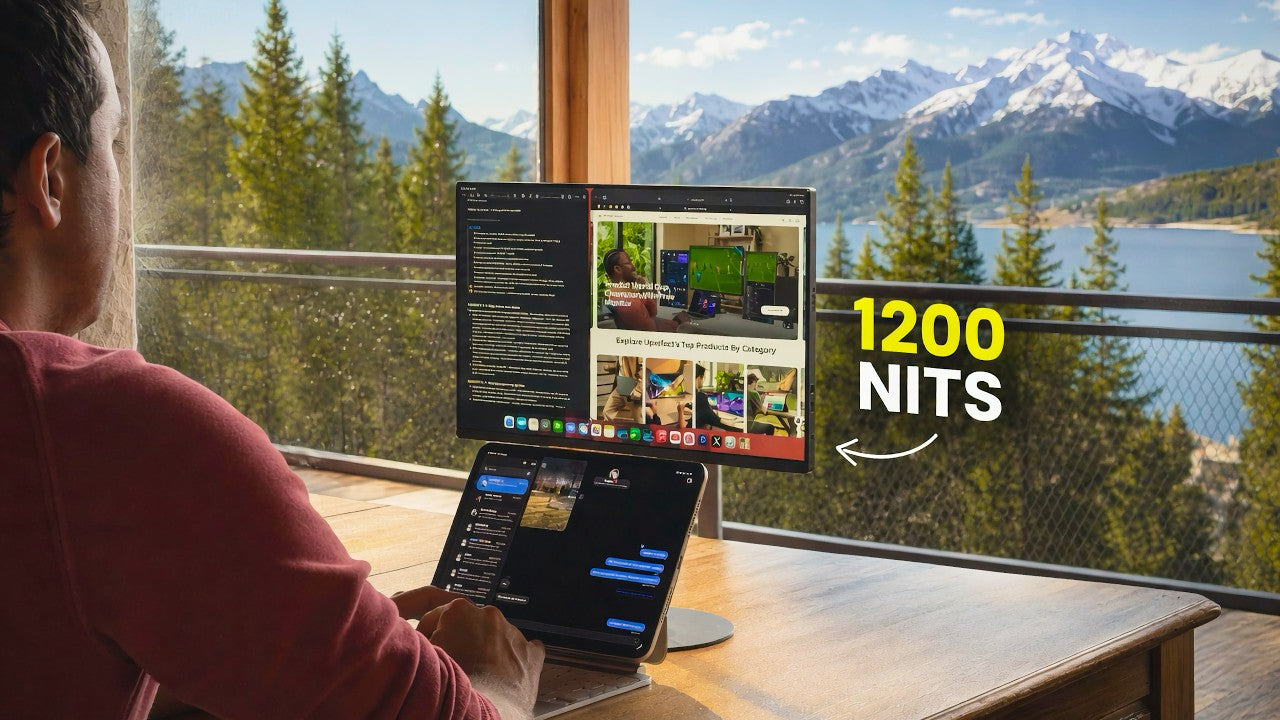
Most portable monitors have the maximum brightness of up to 300 needs, and this one goes to 1200.
And after using it for a few weeks in coffee shops, co-working spaces, near big windows, and even outside in the mountings, that one number ended up changing the way how I work.
Quick note, I reached UPERFECT myself and asked about this monitor, and they sent it for free, but they're not paying for this video.
And there is a discount code in the description if you want to check it out.
Why I Started Looking for a Portable Monitor

If you watched my previous videos, you know that I love the 11-inch iPad Pro.
It's the perfect size for most of the time, but the truth is, sometimes that screen just starts feeling small. Even the 13-inch version doesn't fully solve it.
And my dream would be a nice, big studio display XDR on a proper desk, but that's not my life right now. I've got two small kids, multiple jobs, and I'm constantly moving between different places, and,
That's exactly why I made the iPad my main computer in the first place. So, I started looking at the portable monitor options available on the market that could actually fit in this kind of messy mobile routine.
Something sharp, bright enough for real world lightning, and easy to carry and simple to connect. And the UPERFECT BE16CU (UColor T6) checked all of those boxes for me.
Resolution, Color, and Sharpness

It's 16-inch 4K matte panel with 1 to 1500 contrast ratio, which supports 100% of a RGB color gamut, meaning the colors are also very nice.
Right away, the sharpness stood out, text is super crisp, photos look great, and the pixel density is actually higher than the Apple Studio display, which is impressive for something this size.
The 16 by 10 aspect ratio also gives you noticeably more vertical space than 16 by 9, and it makes a bigger difference than you would think when you're writing, browsing, or designing.
Brightness Performance

But the thing that really blew my mind away was the brightness, 1200 needs. That's 3 or 4 times brighter than the most portable monitors, and the first time I used it next to a bright window in the afternoon, I had that wow moment.
With this level of brightness, you just stop worrying about the glare of washed-out screens. The matte coating helps a lot too. I still prefer glossy screens for the contrast when I'm indoors, but once sunlight hits them, they become almost useless. But this one stay usable in any kind of lighting conditions.
Connectivity and Setup

Connecting it is also really simple, just one USB-C cable for both power and the video from the iPad. And yes, it can run straight off the iPad's battery if you need it to, but in practice, that drains the iPad battery quickly.
What I usually do is plug a charger into the monitor and then connect it to the iPad. It supports p-through charging. So, you still only have one cable on the iPad side while it stays charged, and it also has HDMI support if you need that.
Real-World Productivity

And for the work I do, like building websites, designing something in Figma, or just writing a lot of texts while researching something. Having a second 16-inch display available on demand really makes a lot of difference.
The 16-inch size monitor fits nicely in my backpack and it doesn't feel like I'm lugging around a second laptop. It actually weighs way less than my iPad, this magic keyboard combined, and the included case is simple and practical, it also weighs almost nothing, and you can use it as a stand for the monitor, so you are not forced to carry around any extra stands, but I do appreciate that there is a lesser mount support.
Being able to put it on a small stand at the proper eye level makes a quite big. Difference when I'm working for hours.
60Hz Refresh Rate
Now it's not perfect and there are a few downsides I want to mention.
The 60 Hz refresh rate is noticeable, especially since I'm used to promotion on my iPad Pro, iPhone Air, and MacBook Pro. The coarser movement or swiping between screens with the trackpad feels a little less smooth. It's not a deal breaker, and you can get used to it pretty quickly, but you do notice it at first.
Display Scaling

Another small thing, because of the high PPI, it's a 4K panel in the 16 inch size, the default scaling makes everything look a little bit too small when it's connected to iPad or Mac.
And you probably want to adjust the display settings right away if you're on the iPad, and on the Mac, I would recommend to use an app called Better Display to make it more comfortable to look at while still keeping it sharp.
Final Thoughts

Overall, I'm generally impressed with this monitor. Most portable displays force you to compromise on something, but this BE16CU (UColor T6) offers a real monitor experience, much better than anything else I've tried.
Before, and for me, the biggest compliment is that I actually want to carry it around as my second screen. So, if you work in changing environments, cafes, near big windows, or even outside, and you want something bright, sharp, and genuinely portable, this one I can comfortably recommend.
Share:
The UPERFECT Touch Screen Business Monitor (UTouch E7) Reviewed by Greytogrey
UPERFECT ZX173BQ Gaming Monitor reviewed by ItzLVz