

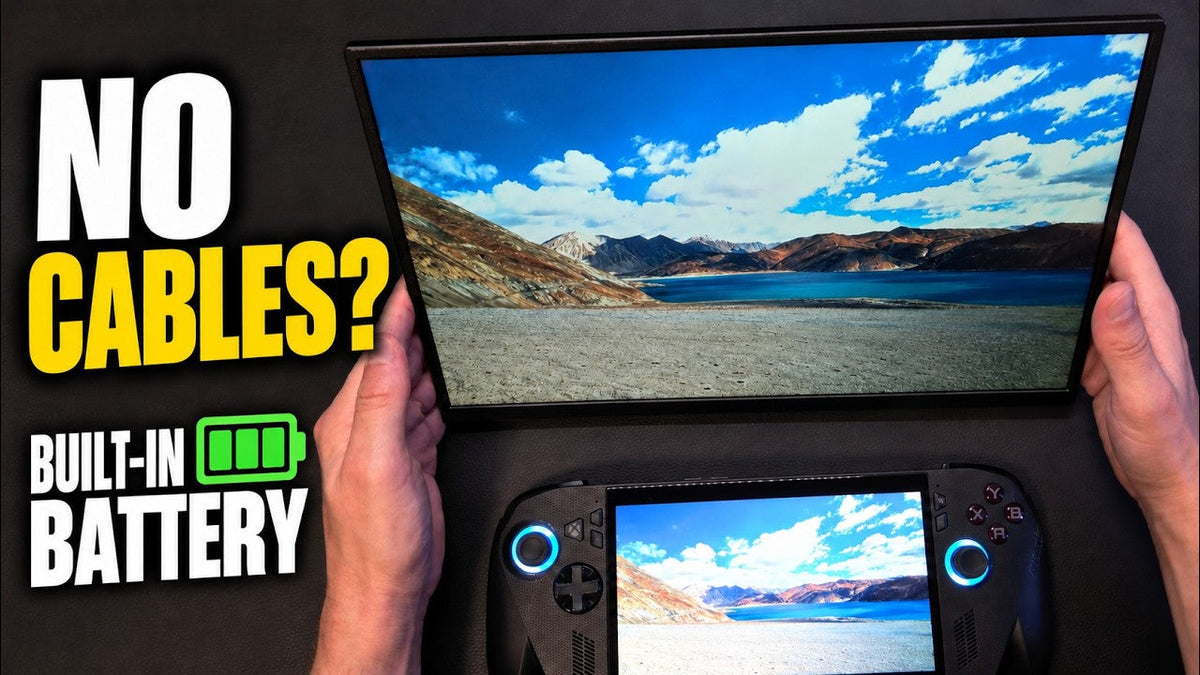
Today I'm trying this portable monitor from UPERFECT. It has its own battery, and I can send the picture to it wirelessly. So in this way I can add a second screen without plugging it in. I wanted to see how well that works in normal use. So we have here the UPERFECT BE156EF, and here I'm using it with the LG Xbox Ally X.
Setting Up the Wireless Connection

When I turn the monitor on, there is this page with the connection instructions for different devices. For Windows connection, it shows the Windows and Key shortcut. There we go. Now I have Windows on the monitor. I can still use the i touch screen to open things, and you can see the same thing happening on the larger screen. The monitor itself isn't a touch screen, so the controls stay with the connected device for moving around windows and watching videos. I found the wireless connection pretty responsive without feeling that I needed to reach out for a cable. Here you can see the video playing on both displays. I can change its position using its own kick stand.
Gaming Performance and Wired Connectivity
Testing Gaming Performance with a Wireless Connection

Now I am playing cyberpunk running on the alley. I can feel the delay between the controls and the picture, and it honestly made it quite hard to play. That's why in this case I switched to a wired connection. I used the Type C for this setup, which is actually also included inside the box. The monitor has 2 USB-C inputs for audio and video, so this way you can hook it up to your device like a notebook or in this case the AI. Plus it also has mini HDMI.
Wired Connection and Gaming Experience

The supplied manual labels the Type C ports as USB 3.1. A cable from mini HDMI to full size HDMI is also included, so you have that option as well. If you are going to use a Type C, make sure both your device ports and the cable support video. Once the cable is connected, I can select that input on the monitor and use it in wired mode. Here it is running over the wired connection. Like you can see the game is completely responsive the same way it is on the integrated display. Now I'll leave it for a moment so you can see it in use. The cyclin refresh rate is actually 60 hertz, and there is no free sign, of course. Aer also lists a 30 millisecond response time, so I wouldn't choose this specifically as a fast gaming monitor. Connecting the cable doesn't raise the refresh rate, but what felt better to me was the response between making a movement and seeing it happen, all thanks to having a faster signal. And that's why I'd use it wired for gaming use, while I would use it as a wireless portable monitor when I want to watch something or for productivity.
Battery Life and Display Quality
Built-In Battery and Wireless Portability

The thing that stands out with this monitor is actually the built-in battery it has, which is 8000 mili amps an hour, a perfect quote around 4 hours of use. Although I read that as a guide because brightness, volume, and the connection you are using can affect the battery life. What interested me is that the screen can power itself as well as receive the picture wirelessly. So this way it can be a very compact setup. Let me show you a little more of the screen.
Screen Resolution, Colors, and Audio Quality

It's a 15.6 inches with a full HD IPS panel, so the resolution is 1080p. Looking at it in person, I found the picture clear enough for everyday use. Also, colors are pretty decent. It gives me a much larger view than. In this case they lie, and for the desktop and videos I tried, I was happy with how it looked and there is something that I appreciate about it the fact that it also has integrated speakers while they are not that loud, but still they are pretty usable, a perfect trait. The brightness at 270 needs with 1500 to 1 contrast and 100% SRGP coverage. It's listed as 8 bit color depths. It has an SDR effect that you can toggle on using the OSD. The surface of it, as you can see, is matte, so this way it could minimize the reflections.
Monitor Controls and Additional Accessories
Physical Controls and Audio Options

Along the edge are the physical controls. If I open the menu, I can adjust brightness and contrast of 200%. It also has built-in speakers, as I said before, with volume controls here and a 3.5 millimeter for audio. So I have audio options without needing to connect separate speakers just to get sound from the display. So that's actually pretty neat for using Windows from the desk.
Folding Bluetooth Keyboard and Built-In Kickstand

I've also got this folding Bluetooth keyboard. It has its own power switch and the charges through USB-C. Let me open it up. You can see the trackpad on the right as well. So this way you can get a little bit more compact. Experience. I've paired the keyboard to through Bluetooth. That connection goes to the handheld itself. There are also 3 Bluetooth channel shortcuts on the keys for switching between paired devices. I'm using it with ally here. This part on the back folds out, so it has this integrated kick stand. And it's actually pretty sturdy and as you can see it can hold on pretty nicely. You can easily fold it back against the body. A perfect least the screen itself at about 790 g, so it's pretty light.
Monitor Stand and Android Device Compatibility
Magnetic Stand and Adjustable Viewing Angles

They also have this separate stand that you can use for like a stationary setup. You can just stick this magnet plate and it will. Attached pretty nicely. Like you can see it's a very, very strong magnet. It can hold on pretty nicely, and you can tilt it or make it in portrait mode, tilt it around. You can swivel it, so you don't need any kind of screw. It's very screwless set up in this way.
Testing Wireless Compatibility with an Android Tablet

We have tried it with a lie. I'm curious to try it. Also with an Android tablet. Like, for example, the Samsung Galaxy Tab S11 Ultra. As you can see on this tablet, I'm using Samsung Smart View. I selected the monitor, as you can see, it showed up here, and there we go. The tablet image is on the screen. This is mirroring, so the monitor is showing the same picture on the tablet. Now of course they are very similar in terms of size. It could make less sense when using it with such a large tablet to begin with. Now of course, in terms of image fidelity, I would opt for the tablet screen because it's an AMOLED, but in this case it could also be useful like for a smartphone for wireless compatibility. The Windows connection here uses Mirrorcast and UPERFECT also lists Airplay for Apple devices like MacBooks. So you can check the casting support of the device and the apps you want to use with it. These methods aren't interchangeable. I'm showing Windows and Smart View in this video, so those are the wireless setups I've tried here.
Laptop Productivity and Multi-Display Setup
Using the Monitor with a Galaxy Book 6 Ultra

I also wanted to try it out with the Galaxy Book 6 Ultra, which is my current notebook. I think the more useful option is having extra room to work with. I already have a keyboard and a trackpad here in this case, so I can put the monitor beside it and use the two together.
Extended Display and Portrait Mode for Productivity
If I wanted room for different windows, I'd use extend. For example, I could leave a reference page open on the monitor while working on the laptop on the screen. I can also turn the monitor vertically for a long page or document that could be useful besides the laptop.
Power Accessory Hub and Included Accessories
Three-in-One USB-C Hub and Display Connectivity

They also have this power accessory hub. Now this one is actually pretty interesting. The 3 in 1 part is for connecting up to 3 USB-C monitors at the same time to a compatible Windows computer. A perfect list USB 4 at 40 gigabits per second. That's actually insane. So it's pretty cutting edge bandwidth with. Thunderbolt 3 and 4 support, and it also supports up to 3 4K displays at 60 Hz depending on the host capabilities.
Power Input, Accessory Ports, and Carrying Bag

You have 3 display connections, a separate connection to the computer, a 65 watt USB-C power input. It also has this power adapter to power it up, and a USB-C 2.0 accessory port or something like. A keyboard or mouse, it's included sleeve only has a place to put the monitor inside, so you cannot put something else inside. You can also get this separated bag that also includes a compartment to put something like cables, this hub, the foldable keyboard, etc. Let me open it up so you can see the lining inside. It's very soft. This way it could avoid any kind of scratching the monitor itself. The monitor listed package, as I said, also includes this Bluetooth keyboard, USB-C cables, as you see plenty of them. So 2 USB type C cables and 1 HDMI 2 mini HDMI and a power adapter.
Final Thoughts and Conclusion

I genuinely like this portable monitor from Upper. I wouldn't choose it to replace my main monitor. Where it makes sense to me is adding a screen to the devices I already have, then being able to pack it away.
Share:
UPERFECT BE156EF Wireless Business Monitor Reviewed by Pyurangi
UPERFECT BE238CF (Delta Mega) Business Dual Monitor Computer Display Reviewed by Gadgets Guardian