

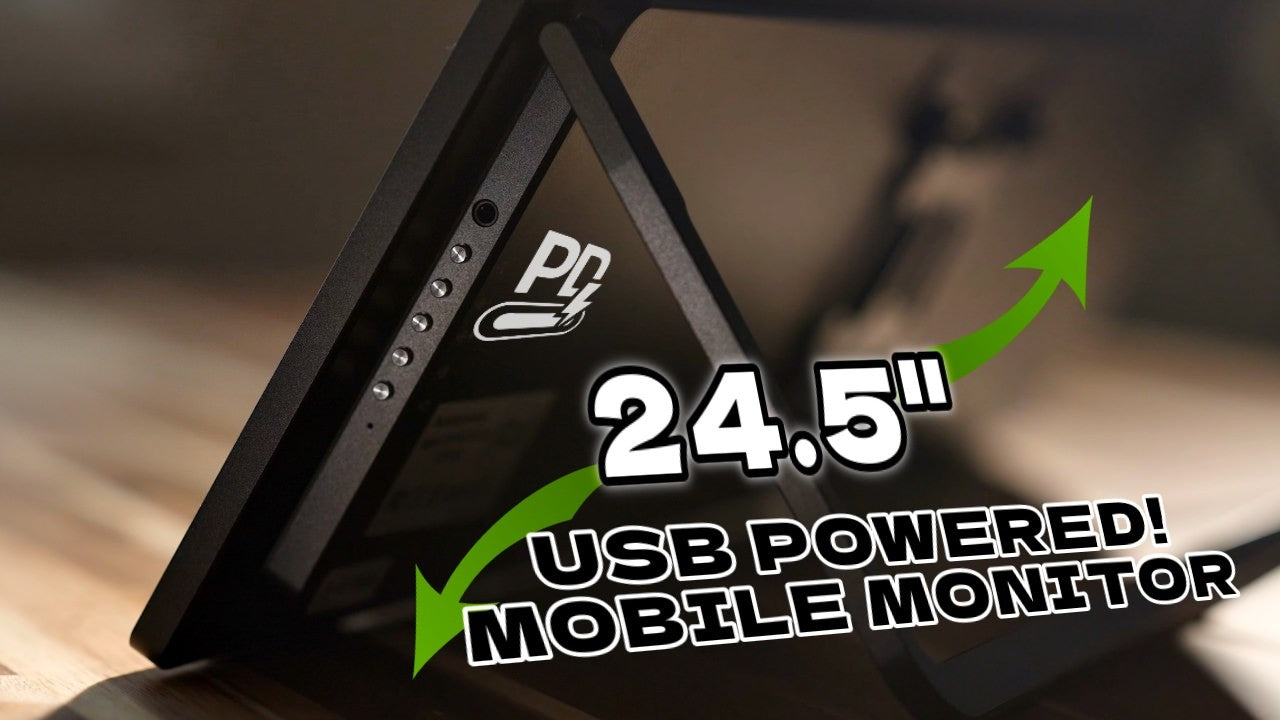
Hey, it's Wes, and I've had this problem for a while now that I offer photo booths and other on-site stuff, so like if I'm going to shoot a big commercial shoot, whether it's video or photo, it's nice to have a confidence monitor to bring with you or a client monitor or a director's monitor.
These are all things that everyone uses in the industry. Sometimes they're just an iPad or something, sometimes it's big, sometimes for a big shoot where I'm charging a lot of money, you know. You want to have that there, it looks fancy, it looks nice, but it's always been the choice of like bringing a television, using a little iPad.
Monitor Experience & Setup

Previous Monitor Experience
iPad can be great, nice and mobile, or this is the monitor I've been using a lot, just because, honestly, it's cheap, and it travels pretty well. So it's in that box, and then I keep it in the Styrofoam, one of my main prerequisites for choosing this one is that it had a thinner box.
And then I pull it out of the foam, and you know, it's a nice smallish monitor, but I've gotta say, it's not very bright. And this is my 3rd photo booth slash confidence monitor because I keep breaking them. These things are not made to travel, and they come with the added issue that it just takes a normal DC power in and HDMI.

Power Supply Issues
And so I'm left with like running an extension cord or converting a V mount battery to power the, how many volts is that again? Doesn’t even say on the monitor what the voltage is, which leads me to the biggest problem that I ended up with this: I lost the power supply.
Anyway, it's been a pain in my butt, and again, that's my 3rd one. Finally, found something new and better.

Introduce of New Monitor
So here we have the UPERFECTZX245CQ (UMax 24 Touch), this monitor. It's not like that monitor. It's not a normal monitor. This monitor is powered by USB-C. It can be fed display signal by USB-C. Additionally, it is very small and thin. Additionally, it is not made of plastic like those other monitors. This is a hard metal chassis.
That's better. This is designed to go on the road also. Even though it's super tiny, it does have a base mount on the back, which is fantastic, and that's how I operate mine.

Usage Setup
I'm going to show you a little bit more of the mechanics behind this, but right now it's on. We're going to talk about some big disadvantages later on, so stick around. This isn't just a sales pitch here, even though I'm pretty excited about it and I've been using it quite a bit.
So right now I'm operating this on a wireless receiver. This is a CineView SE. And so if I'm doing video or something, I can put that on my camera, feed it back through this monitor, or if I'm doing a photo booth, I would connect that directly to my computer by a USB-C.

Power Limitations
Now unfortunately if you have a MacBook Pro, which a lot of creatives do have, it's only going to put out a maximum of I think 15 watts from the USB port, so that kind of dashes your dreams of like plugging in the monitor and powering it up.
So the cut sheet for this says that it uses far less power than it does. In normal operation this is drawing anywhere from like 28 to 35 watts of USB power, and that's getting 20 volts of USB power delivery and it just so happens I can power this off of this V mount battery right here, no problem, little USB-C cable, so you can get USB power from just about anywhere and that will do the job for you.
Display & Performance

Touchscreen and Display Quality
Now this is the touch version, and if I look very closely, especially off axis, I can kind of see the touch layer. It is not the tightest integration. Touch doesn't work great with Mac OS so for me it's not a great addition.
It's not crazy bright. It says that it's HDR but it's kind of that low end HDR that I wouldn't really want to turn on.

Refresh Rate and Performance
One funny thing about this is that it is 165 Hz. That only works through the USB-C connection. The response time of the screen is only 10 milliseconds, but that being said, it is significantly faster than the MacBook Pro display, which talks a big game about being a high refresh rate display, but it has a very slow response time.
So we can see the comparison here with the usual aliens, and you can see much, much faster than the MacBook Pro. And if we compare, we can see that in a few different modes.
Gaming Performance Context
So it's not like beating the highest end gaming monitors. 10 milliseconds is a little slower than where you want it for like super high-end gaming, but it's a lot slower than where a lot of gaming monitors are now at like 1 millisecond. However, that's beyond what you need for most applications.

Color Accuracy
They boast 100% sRGB. I measured it and calibrated it and found it came out at 97%, which is pretty normal for monitors that claim to be 100%. That's 79% of P3.
Unfortunately, here's one of the big downsides. If this monitor is not calibrated through your computer, the colors are not fantastic. So as you can see, there's a pretty big shift between the calibrated color and the stock color on this display.

Ports and Connectivity
Ports
Alright, let's go around to the back here and we will see something interesting. So we have two USB-C ports. Either can be used for either thing, so for display or for supplying power.
But we have the one really disappointing thing to me: this is an HDMI mini port, not micro. Micro, known for breaking immediately all the time, but I haven't had the best of luck with HDMI mini either.

HDMI Port Suggetion
I used to have a bunch of mini HDMI cables lying around. Honestly, I don’t even remember what I originally needed them for. Ended up tossing them, and of course now I have a monitor that needs one.
Just a small suggestion for monitor makers, especially UPERFECT: if making the device 1-2 mm thicker allows for a standard HDMI port, it’s totally worth it. It would make things much more convenient, most people prefer not having to deal with adapters or extra cables.

Cable Management Design
You can get these right angle adapters with them to take your wires and bring them around to the inside, that's great. They're specifically designed this to make it look nice and clean and tidy, which I mean, obviously this thing looks ridiculously clean.

Design & Build
Stand and Interface
Doesn't come with a monitor stand by default, which is totally fine by me because I don't need anything like that, because this for me is always on the road, always being attached to something.
Along the side here, we have our interface buttons. Not a huge fan of the interface on this. For something with a touch screen, I expected it to be a little easier to use, a little confounding.
I wish that the icons were printed on the side here and not all the way around to the back. Pretty inconvenient to me.

Mounting Setup
I am using a special quick release VESA adapter. This didn't come with the monitor, but I expect that a lot of people are going to use it this way. So I have a VESA plate on the back and it just slides into this arm right here.
It's made by Vivo, super normal typical stuff there, and this attaches to pretty much anything.

Portability and Build Quality
And here's one of the great parts of this is the carry case. Unfortunately, it doesn't come with it, but it lets you pack this thing up much, much smaller, way more convenient.
And again, this thing's made of metal. I don't want to punch it too much because obviously it's glass on the other side. The display panel, as you saw, is not matte, it is glossy. Some people will like that, some people won't.

Kickstand and Design
On the bottom here, we have rubberized feet because again, we have that kickstand so that you can put it on your table.
Oh, and again, that kickstand, it has got some gusto to it. I always feel kind of terrible whenever I snap it all the way, because it always comes in way harder than I expect it to.
If you're using the ports on the back and hanging it up, gotta get that kickstand in the top position, so you don't chop your cables with it.
Kind of a plus and a minus, you like things to be built in a sturdy way that has a nice grab and feel and tactility to it, which it does, but that also means it comes in real hard.
Value & Extras
Pricing and Value
So as you probably already saw on the screen, this thing comes in at $490 for the touch version, $440 for the non-touch version, and honestly for me as a working professional, something that looks this nice, the whole point of the confidence monitor is to kind of impress the client, and this looks significantly slicker and more impressive for the client.
Audio Quality
Yes, it has speakers. Where they come out, I'm not even sure. But they don't sound fantastic. You're not going to want to use them.

Recommendation and Conclusion
If you want to pick one of these up, there's going to be a link down in the description below.
It's funny, I was talking to a friend of mine who owns a photo booth business not that long ago. I was like, I've been looking for a monitor that I can easily wirelessly power with USB-C, and it's big enough and has the right specs.
A lot of these mobile monitors have been much smaller. This is 24.5 inches, real big size, fantastic.
If you want to buy other portable monitors, you can visit the UPERFECT website.
Share:
UPERFECT NxtLED One Plus Portable Monitor Review
The UPERFECT BE16CU (UColor T6) Review by Gadgets Guardian