

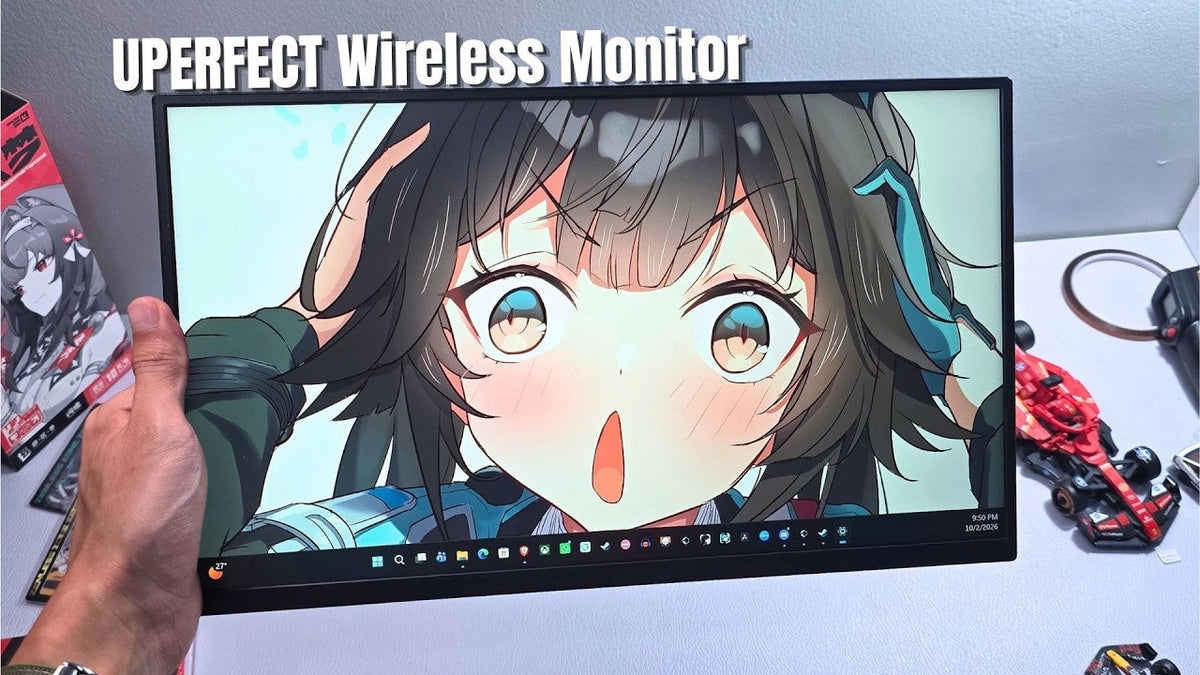
Hello guys, welcome! Today, we're going to unbox the UPERFECT BE156EF portable monitor. This is an interesting electronic gadget that offers a convenient portable display solution.
The monitor comes with several accessories that make it easier to use. It is designed for portability and convenience, whether you're using it for work, entertainment, or gaming.
First Look at the Monitor and Its Features

Let's take a closer look at what's included in the package. The monitor comes with a carrying case and several accessories.
In terms of technical specifications, it looks pretty good. It can be used for gaming, office work, and entertainment.
Design, Accessories, and Build Quality
Included Accessories and Foldable Keyboard

Inside the package, we have the monitor and a foldable keyboard with a built-in touchpad. The keyboard is portable and can make the monitor setup feel more like a laptop. We also get several connection cables, including HDMI to Mini HDMI and USB-C cables. These accessories provide different connection options for compatible devices.
There are two Mini HDMI connections mentioned, along with USB-C. The package also includes a mounting solution. The foldable keyboard has a touchpad, so you don't necessarily need to carry an additional mouse. This makes the entire setup more convenient when travelling.
Overall Design and Build Quality

The monitor has a simple design with relatively thin bezels. Its overall construction is mainly plastic, but the design looks decent. The back of the monitor is also quite thin. The overall build quality feels reasonably good.
The monitor has a flexible design and feels pretty solid. Its construction is good considering its portable nature. One of the biggest advantages is its portability. You can easily carry it inside its protective case without worrying too much about damaging it. The monitor is lightweight and convenient to transport. It should fit inside a medium-to-large backpack without much difficulty.
Connectivity and Physical Controls
Ports and Connection Options

Looking at the available ports, we have an HDMI port and two USB-C ports. The USB-C connections support high-speed data transfer. There is also a headphone jack. These connections provide several ways to connect the monitor to different devices.
Buttons, Mounting, and Stand


The monitor has a power button and additional control buttons. The buttons feel solid and provide a reasonably good clicking experience. You can use the buttons to navigate the controls and adjust the brightness. The monitor also has rubber feet and mounting options.
There are ventilation areas on the back for cooling. The stand supports rotation, allowing you to adjust the monitor's orientation. The monitor also has mounting holes, which can be useful if you want to attach it to a compatible mount or stand.
Wireless Connectivity and Display Performance

Connecting the Monitor to Windows
Now let's move on to connectivity. Connecting the monitor to a Windows computer is relatively simple. You can open the Windows notification center and select the screen-sharing or wireless display option. From there, you can search for the monitor and establish a connection.
Let's give it a try. Open the Windows Connect option and select the monitor. The connection process is straightforward. Once connected, the monitor can function as an additional display.
Wireless Display Experience and Performance
The monitor can be used as a second screen for your PC. However, the available resolution during wireless connection appears to vary.
The connection initially shows a resolution of 1920 × 1080, although in some instances it appears to switch to 720p. This is something worth considering when using the wireless display feature.
Overall, the wireless connection works quite well. The connection process is simple, and the monitor responds reasonably quickly. You can also use it with Android devices through screen sharing. The wireless connection is convenient, and there are no major connection problems mentioned during the test.
For gaming, responsiveness is important. The monitor performs reasonably well during the test, although wireless connections can sometimes introduce delays.
Display Quality and Audio Performance

Display Quality and Viewing Experience
Now let's talk about display quality. The monitor delivers a sharp and clear picture, particularly when displaying content at 1080p resolution. The viewing angles are not perfect, but the overall picture quality is quite good. For gaming and general entertainment, the display performs reasonably well. The monitor also supports a 60Hz refresh rate. Overall, the screen looks sharp, and the display quality is satisfying for a portable monitor.
Built-in Speakers and Audio Quality
Next, let's discuss the audio quality. The monitor has built-in speakers positioned on the sides.
Compared with laptop speakers, the audio quality is not particularly impressive. However, the speakers are usable for basic entertainment and casual gaming. The bass is almost nonexistent, so you shouldn't expect powerful audio performance. If you want better sound quality, you can connect headphones through the headphone jack.
Using headphones would be a better option if you want a more immersive audio experience.
Keyboard and User Experience

Foldable Keyboard Experience
Last but not least, let's talk about the overall user experience. The included foldable keyboard is a useful addition to the package. It has a built-in touchpad, which makes it convenient to use without carrying an additional mouse. The keyboard is not particularly premium, but it is a nice accessory to have.
Overall, the keyboard makes the portable monitor setup more practical. It gives you a more laptop-like experience.
Keyboard Mounting and Additional Accessories
The mounting arrangement is another aspect worth considering. The included accessories help you create a portable workstation.
However, the mounting mechanism could offer a little more flexibility. There could also be more options for positioning the monitor and arranging the accessories. Despite these limitations, the display itself performs well. It is responsive, with no noticeable ghosting or major display problems during the test.
On-Screen Settings and Battery Life

On-Screen Display Settings
Now let's look at the on-screen display settings. The monitor provides several options that you can adjust using its physical buttons. You can change the brightness and contrast settings. There are also options for adjusting the display according to your preferences. The on-screen menu includes additional settings, such as aspect ratio and language selection. It also offers a blue-light filter option.
Overall, the menu is reasonably easy to navigate, and the available settings are sufficient for everyday use.
Battery Life and Wireless Usage
Now let's move on to battery life. Battery performance is another important factor when choosing a portable wireless monitor. Wireless operation provides greater convenience because you don't always need to connect cables to your computer. However, using the monitor wirelessly will consume its battery. The battery performance during the test appears to be around two hours, although the exact duration is not entirely clear from the recording.
You can also connect the monitor using a USB-C cable when needed. This provides another option for using the display without relying entirely on wireless connectivity.
Final Thoughts

Now let's move on to the conclusion. There are several things worth mentioning about this monitor. Its biggest selling point is wireless connectivity. Being able to use a portable monitor without constantly dealing with cables makes it much more convenient. Its portability is another major advantage. You can carry it around and use it in different locations.
Overall, it is a pretty good portable monitor. There are a few areas that could be improved, but the overall experience is satisfying.
It's actually a pretty good device. The wireless functionality and portable design make it an interesting option for people looking for an additional display.
The monitor is suitable for different purposes, including office work, entertainment, and casual gaming. Its display quality, connectivity options, and included accessories make it a useful portable setup.
Share:
UPERFECT GR185CF 18-inch 1080P Gaming Monitor Reviewed by HonestCyborg
UPERFECT BE185EF Business Monitor Gaming Touchscreen Reviewed by KevoBato