

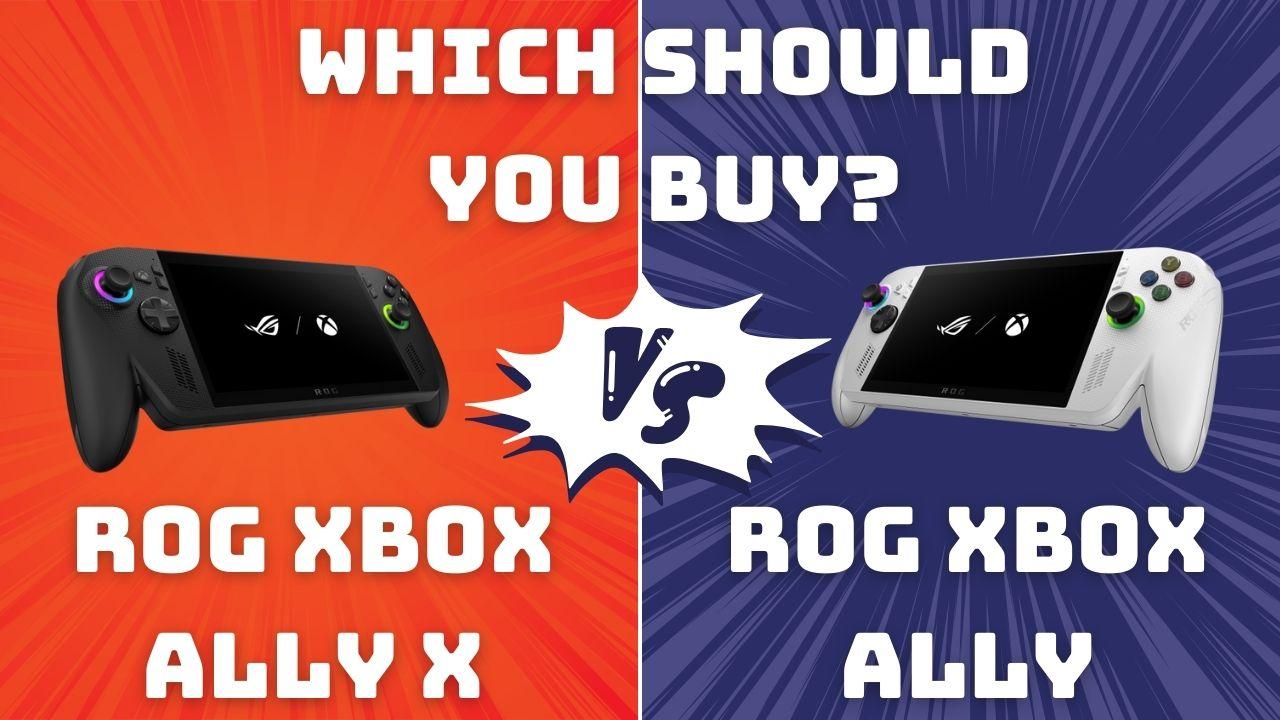
Making their debut into the PC gaming handheld market, Xbox has finally thrown their hat in the ring with their latest collab with ASUS ROG; the ROG Xbox Ally X and the ROG Xbox Ally.
And if you’re in the market for a new gaming PC handheld, these are two powerful & enticing options to look for. But most might have no clue what’s even different between the two, the Xbox Ally X and the Xbox Ally.
Today, we’re taking an in-depth look with our Xbox Ally X and Xbox Ally comparison, checking out what they have to offer, and breaking down their key differences so you know exactly which one you should buy.
What is the ASUS ROG Xbox Ally VS. ROG Xbox Ally X Handheld Lineup?

Before we get to the comparison, it’s a good idea to actually understand what we mean by “Xbox’s first PC gaming handheld”.
Yeah, it’s kinda confusing, but at its core, it’s pretty easy to understand; basically, Xbox slapped their official branding onto an existing PC gaming handheld, and made it “premium”.
So yes, the ROG Xbox Ally and Xbox Ally X are still PC gaming handhelds, and not exactly a portable Xbox in your pocket (a pretty huge pocket, I might say). It can do pretty much everything other PC handhelds can do in the market right now, but better.
What the Xbox Ally Lineup is NOT

But if you were expecting to carry over your entire Xbox library of games to play portably, then unfortunately, that is not what the ROG Xbox Ally lineup is. But what it can do is to stream games from your Xbox console, using Xbox Remote Play and direct cloud game streaming with their Xbox Cloud Gaming platform.
It’s not a perfect substitute for a dedicated Xbox handheld, but it works well enough (with a fast enough internet connection, that is).
This means that most of what you’ll be doing on these handhelds is playing your PC games library. You can access most, if not all, digital gaming storefronts, from Steam, Ubisoft’s UPlay, the Epic Games Store, and more!
Debut of the “Xbox Full Screen Experience”
Another impressive debut was the “Xbox Full Screen Experience”, acting as a hub to all your games and storefronts.
This essentially eliminates the clunky, non-user-friendly nature of PC handhelds, with a centralized, easy-to-navigate UI with all your games in one place.
While this was initially released on the Xbox Ally lineup, the Xbox Full Screen Experience will be available across most PC gaming handhelds.
It can be pretty confusing to understand at first, but simply put, it’s Xbox’s foray into the PC gaming handheld market, with some premium niceties to boot.
The Biggest Differentiator: Performance

Here’s where the biggest differences between the two can be found: performance.
- The Xbox Ally X is their ‘flagship’ model, making it a more premium experience with accompanying specs to match.
- The Xbox Ally is a more ‘entry-level’, base variant of the new PC handhelds.
Here are their spec sheets side by side to get a better idea of what each has to offer:
| Specs | Xbox Ally X | Xbox Ally |
|---|---|---|
| Processor | AMD Ryzen AI Z2 Extreme (2.0GHz) | AMD Ryzen Z2 A (2.8GHz) |
| CPU Details | 24MB Cache, up to 5.0GHz, 8 cores, 16 Threads | 6MB Cache, up to 3.8GHz, 4 cores, 8 Threads |
| RAM | 24GB LPDDR5X | 16GB LPDDR5 |
| Storage | 1TB 4.0 NVMe SSD | 512GB 4.0 NVMe SSD |
Practically, what these specs mean is that the ROG Xbox Ally X is significantly more powerful than the base variant, the ROG Xbox Ally.
The ROG Ally X has a far more powerful CPU, plenty more RAM, and a lot more storage to store those beefy PC game downloads. What this translates to when you’re actually gaming on it is better frame rate, higher resolutions & graphical fidelity, and fewer performance dips like stuttering/lagging.
This also means the Xbox Ally X is a lot more future-proof than the base version, which is important for gaming handhelds in general. It won’t be ‘obsolete’ as fast as the ROG Ally, making it a better overall performer, for longer, even as games get more advanced and graphically demanding.
That said, it’s important to know that performance isn’t everything. Not every gamer needs or wants to run a super high frame rate at max settings. Some gamers prefer handhelds for ‘lighter’ titles, like strategy games, casual platformers, or adventure titles.
Depending on the type of gamer you are, you might not need the extra bump in performance. Most games that can run on the Xbox Ally X will still run on the Xbox Ally, though at a slight dip in performance, like a lower resolution or a lesser frame rate.
The Not-so-Different: The Display

Once you move past the internals, though, the differences slow down.
While internally, there are a lot of differences between the ROG Xbox Ally and Xbox Ally X, externally, not so much. One major point the two share is the display; they’re exactly the same.
Here’s a quick rundown of both the Xbox Ally X and Xbox Ally’s displays:
| Specs | ROG Xbox Ally X & Ally Display |
|---|---|
| Size | 7-inch |
| Resolution | Full HD (1920 × 1080) 16:9 |
| Display Finish | Corning Gorilla Glass Victus & Gorilla Glass DXC Anti-Reflection |
| Refresh Rate | 120Hz |
| Brightness | 500 nits |
| Variable Refresh Rate Support | AMD FreeSync Premium |
This means that even while the Xbox Ally is a lower-spec version of the Xbox Ally X, you’re still getting the same display, so it won’t be all too different depending on the game you’re playing.
For example, more casual games like Minecraft would still run and look phenomenal on both (especially with texture packs and mods). But for more intensive, AAA games, the difference in display (specifically, resolution & graphic quality) would be noticed, solely because the ROG Xbox Ally would need to ‘nerf’ the resolution in favor of performance.
So while the display is technically the same, they can still feel different.
External Hardware Differences – Comfort & Inputs
The most obvious physical difference between the Xbox Ally X and the Xbox Ally is the color.
The Xbox Ally X is only available in black, whereas the Xbox Ally is only available in white; not that important, but some might shirk at having a white console (grubby Cheeto dust fingers, I’m lookin’ atcha).

Color aside, both models share the same redesigned grips, a more comfortable, in-hand feel thanks to the Xbox controller-like grips. While that does add on to the overall weight & form factor (a bit chunkier in hand), it is extremely comfortable to hold.
Most of the buttons on both versions are similar; however, there is one key difference when it comes to the triggers (RT/LT buttons).
The Xbox Ally X features “Impulse Triggers,” which add additional motors, improving haptic feedback that responds directly to what’s happening in-game. More immersive, precise, and better overall, making you feel the weight before you pull the proverbial “trigger”.

Whereas the base Xbox Ally version only has Hall-Effect analog triggers, which, while tactile, don’t match the same level of precision as the Xbox Ally X.
Otherwise, whichever PC gaming handheld you get, the overall feel and ergonomics are incredibly similar. Save for the Impulse Triggers on the Xbox Ally X, which might not be that important for all gamers.
I/O Selection & Weight

In terms of their I/O port selection, there is a slight difference that isn’t too striking, but depending on your setup and how you’ll use the handheld, it’s important to know.
| I/O Ports | Xbox Ally X | Xbox Ally |
|---|---|---|
| USB | ● 1× USB4 (Type-C) – Supports DisplayPort 2.1 / Power Delivery 3.0 / Thunderbolt 4 Compatibility ● 1× USB 3.2 Gen 2 (Type-C) – Supports DisplayPort 2.1 / Power Delivery 3.0 |
● 2× USB 3.2 Gen 2 (Type-C) – Supports DisplayPort 2.1 / Power Delivery 3.0 |
| Card Reader | UHS-II microSD card reader | UHS-II microSD card reader |
| Audio Jack | 3.5mm combo audio jack | 3.5mm combo audio jack |
The main thing here that sets the Xbox Ally X apart is the inclusion of the nifty USB4 port. On paper, sure, it looks like just another USB-C slot, but its increased bandwidth capability makes a huge difference in how you use it.
USB4 can push much higher data throughput than the USB 3.2 Gen 2, which means in practical terms = smoother, faster, and stable connections to external gaming monitors, docks, and high-speed accessories.
It’s also a ‘doorway’ to turning your handheld gaming PC into an outright powerhouse if you use an external GPU. Like, ASUS’ ROG XG Mobile eGPU, boosting your handheld performance into a full-on desktop-class graphical beast.
But this only really matters if you plan to hook up your handheld to a proper gaming monitor setup.
If you plan to switch between handheld mode while on the move, and settle down at your desktop for more ‘intense’ sessions, then the Xbox Ally X’s USB4 port is simply more reliable for connecting to something like a 2K FreeSync monitor or even a 4K output on a TV.
Another note is the weight; the ROG Xbox Ally X has some beefed-up internals and an accompanying higher weight. The Xbox Ally X weighs in at 715g (1.57lbs) while the Xbox Ally weighs in at a lighter 670g (1.47lbs).
Not an insane difference, but it is noticeable during longer playing sessions; so if you prefer a lightweight handheld, the Xbox Ally may be a better fit (if you don’t mind the dips in performance, that is).
Another Huge Difference: The Battery Life
PC gaming handhelds are notorious for having atrocious battery life, but for good reason; the games they’re playing aren’t actually meant to be handheld. Brands just figured out how to do so reliably thus far.
The ROG Xbox Ally lineup isn’t some miracle when it comes to battery life; you can still expect around 3-4 hours of continuous use before you’ll need a top-up (depending on the games you play).
But there is a noticeable difference between the Xbox Ally X, which has a substantially bigger 80Wh battery, compared to the Xbox Ally’s 60Wh battery.
This doesn’t seem all too drastic a difference, but in real-world usage, this can have a make-or-break difference for reliable, all-day gaming sessions.
The Actual Biggest Difference – The Price Conundrum
When you piece together all these changes, it all equals out to one BIG difference: the price.
The ROG Xbox Ally X is undoubtedly the flagship model, and with that flagship-level performance, you get flagship-level pricing: $999.99.
On the other hand, if you noticed throughout our breakdown, there’s not too much separating the base Xbox Ally variant on paper. Yes, it might not be able to run the highest-end games at the best settings, but its $599.99 price tag might make you reconsider.
That’s a huge jump in pricing, and while not everyone will be able to justify spending a cool $1,000 smackeroos on a PC gaming handheld of all things, its performance jump from its previous version (the ROG Ally X) is noticeable and well worth it for serious handheld aficionados.
So, Which Should You Buy?
At this point, the differences are pretty clear, but the right choice still depends on the kind of gamer you are and how much you actually care about raw power in a handheld.
Get the Xbox Ally X if…
- You want the best possible performance in a handheld right now
- You play a lot of AAA titles and hate dropping resolution or frame rate
- You plan to dock the handheld at a desk or hook it up to a 120Hz gaming monitor
- You like the idea of external GPU support, turning it into a mini desktop
- You want something that stays future-proof for several years
Quick Tip: If you’ll be using either model docked for long gaming sessions, it might help to skim through our WikiMonitor page on the intricacies of monitors to help pick the right monitor setup.
Get the Xbox Ally if…
- You mainly play indies, older titles, or lighter, casual games
- You’re new to PC handhelds and just want to dip your toes in
- You prefer a lighter device for long sessions
- You don’t plan to dock it, use an eGPU, or chase the highest settings
- You want the best value without breaking the bank
Final Takeaway
If you want the ideal “one-handheld-to-rule-them-all,” the Xbox Ally X is the better buy. It’s pricier, yes, but far more capable and flexible.
But if you’re just looking for a reliable, comfortable way to enjoy your Steam backlog on the couch, the standard Xbox Ally still delivers a great experience at a much friendlier price.
Both are solid; it really just depends on whether you’re gaming casually… or trying to stuff a tiny gaming PC into your backpack.
Share:
Steam Deck How-To Guide: Setup, Mods, Fixes, and Features
Steam Deck Game Compatibility: What Can It Really Play?