


Free Delivery Worldwide
Shipping 2-7 days from oversea warehouse or 15-25 days by international express.

2-Year Warranty Policy
Gain peace of mind with support in 24 hours and 2-Year Warranty
 60-Day Risk Free TrialTake it home and enjoy them with no hesitate. Contact us within 60 calendar days for returns without hassle.
 Buy Now, Pay LaterAfterpay and Klarna are available for 4 interest-free payments.
Seamless Four-Screen Workflow
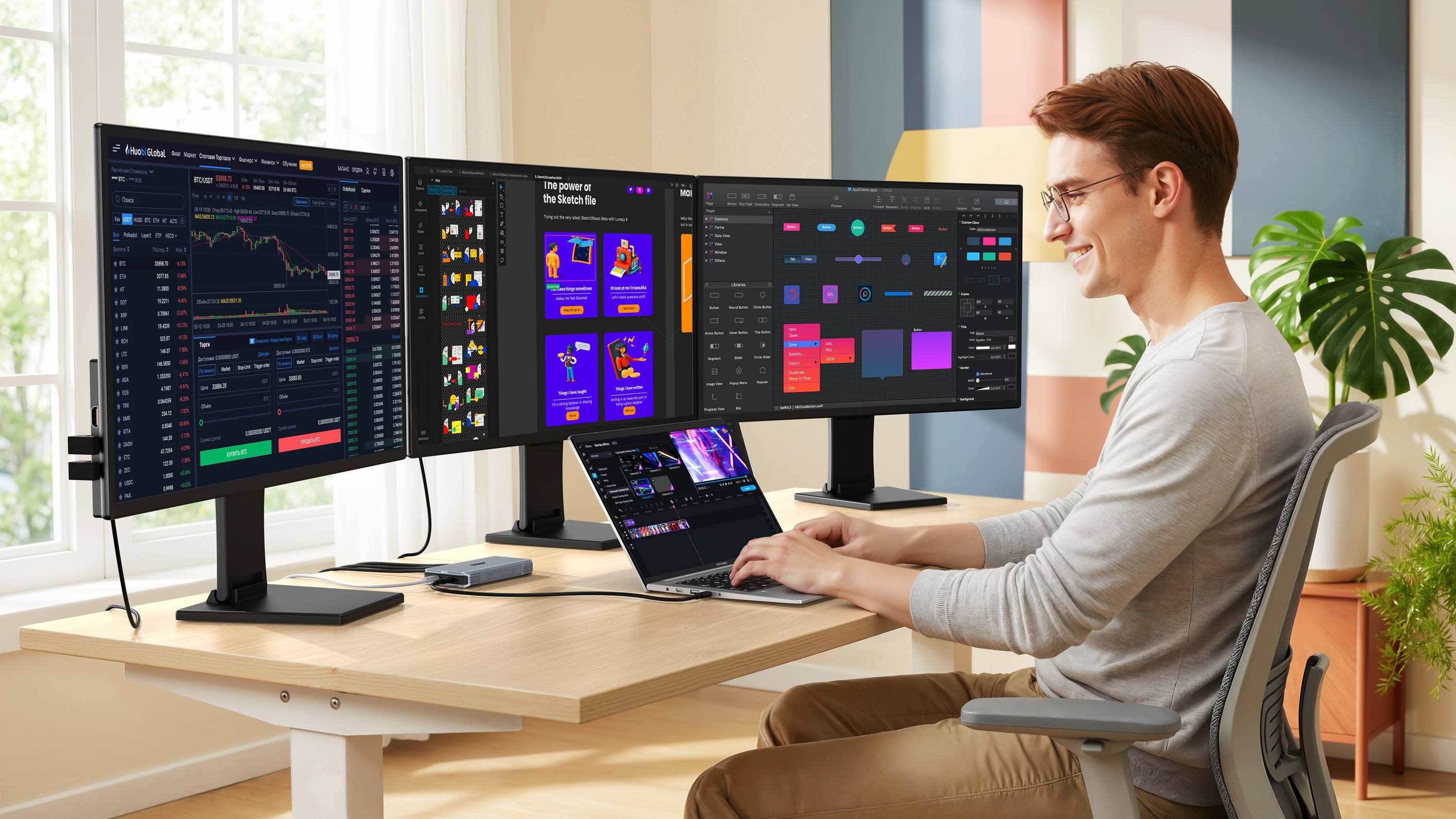
Connect three independent monitors to a single laptop for a smooth, stable visual experience and seamless four-screen workflow. USB 4 hub is perfect for high-intensity multitasking, professional work, and creative processes, USB4 hub boosts your productivity and keeps you focused without interruptions.
A Smarter Way to Work on Four Screens
One-wire connection, four-screen synchronization: No need for repeated plugging and unplugging, no need for additional adapters. Simply plug in your laptop to instantly transform it into a high-performance workstation, significantly reducing preparation time.
Plug and Play
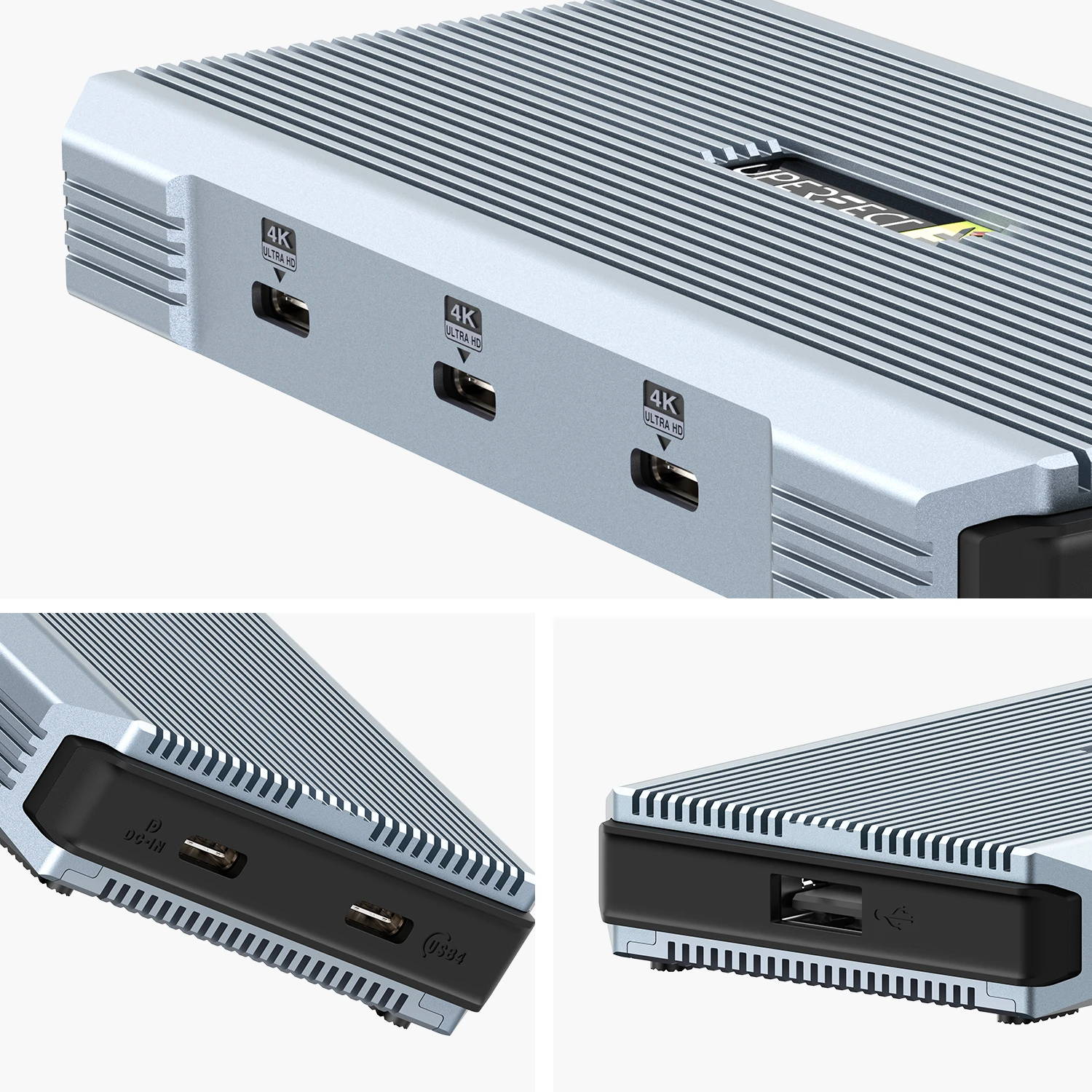
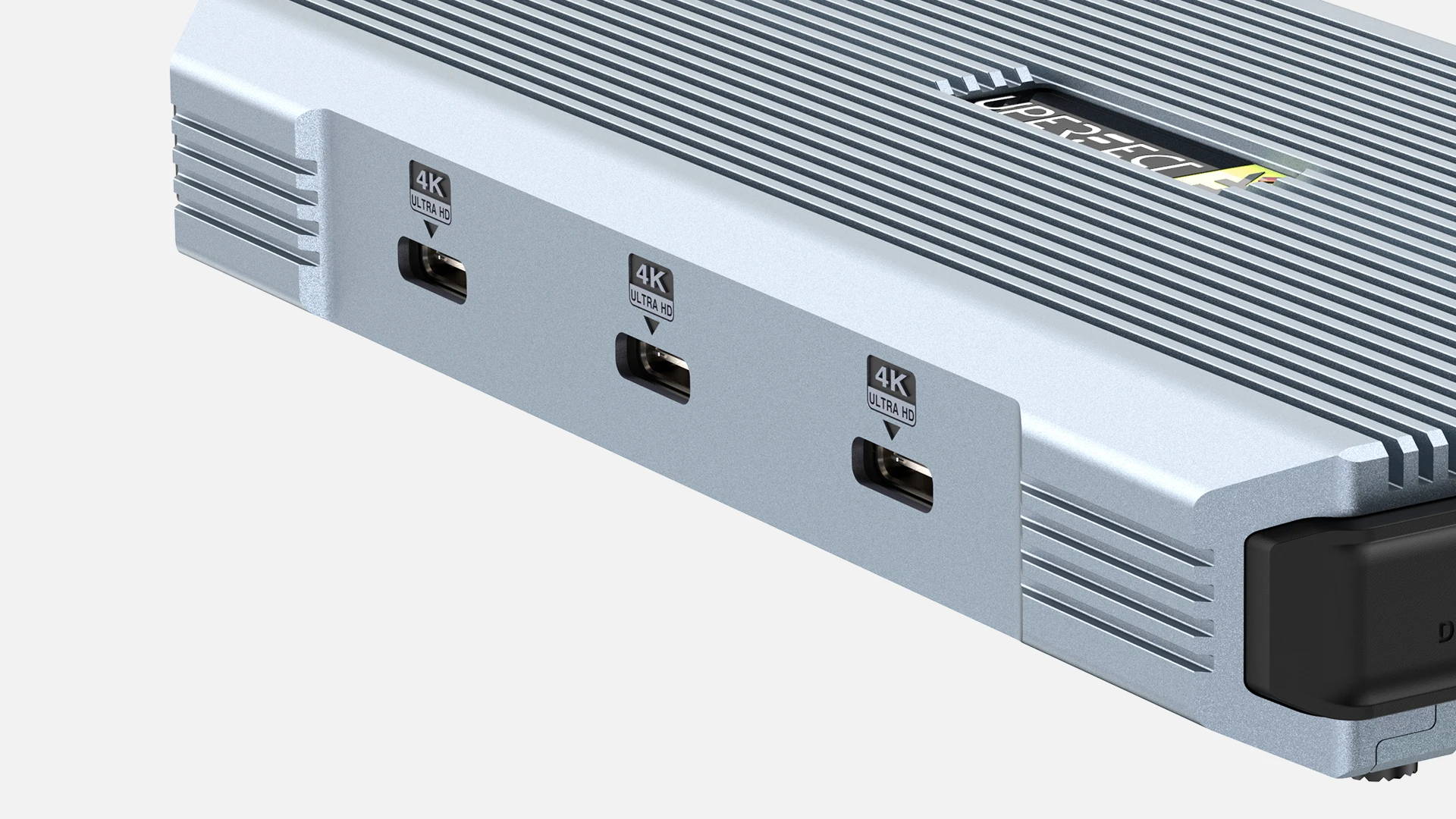
Effortless setup,no drivers needed.Three 4K USB ports connect up to three 4K monitors simultaneously, along with one source input, one charging port, and one OTG port. Unlock a seamless multi-screen workflow for work, gaming, or content creation.
How to Connect?
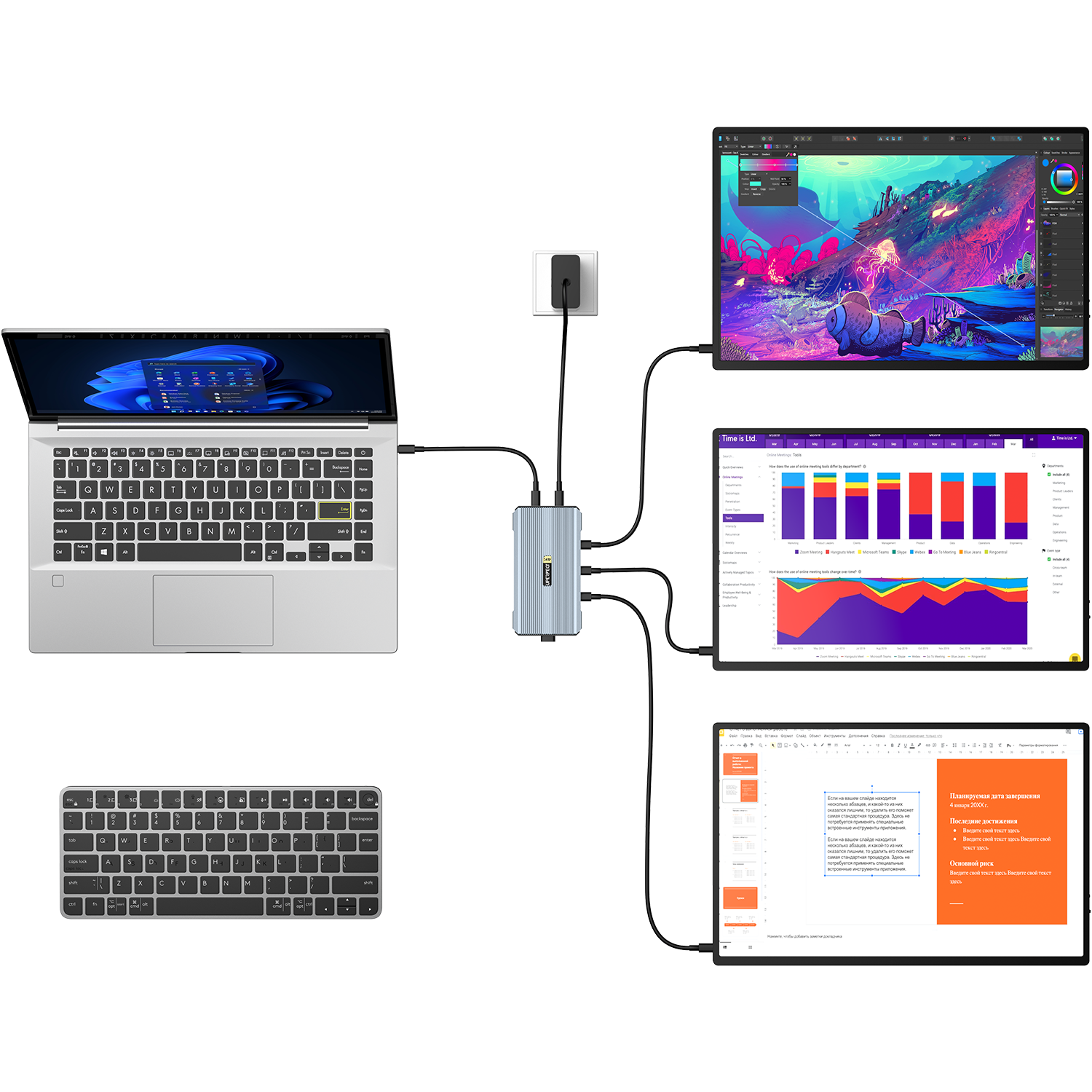
The docking station has two Type-C ports on top: the left one connects to your laptop for signal output, and the right one connects to the power cord for input. The three adjacent 4K ports can be connected to your three monitors to set up a multi-monitor workstation.
Note: The two Type-C ports on top have different functions and cannot be used interchangeably.
No Extra Power, No Extra Cables
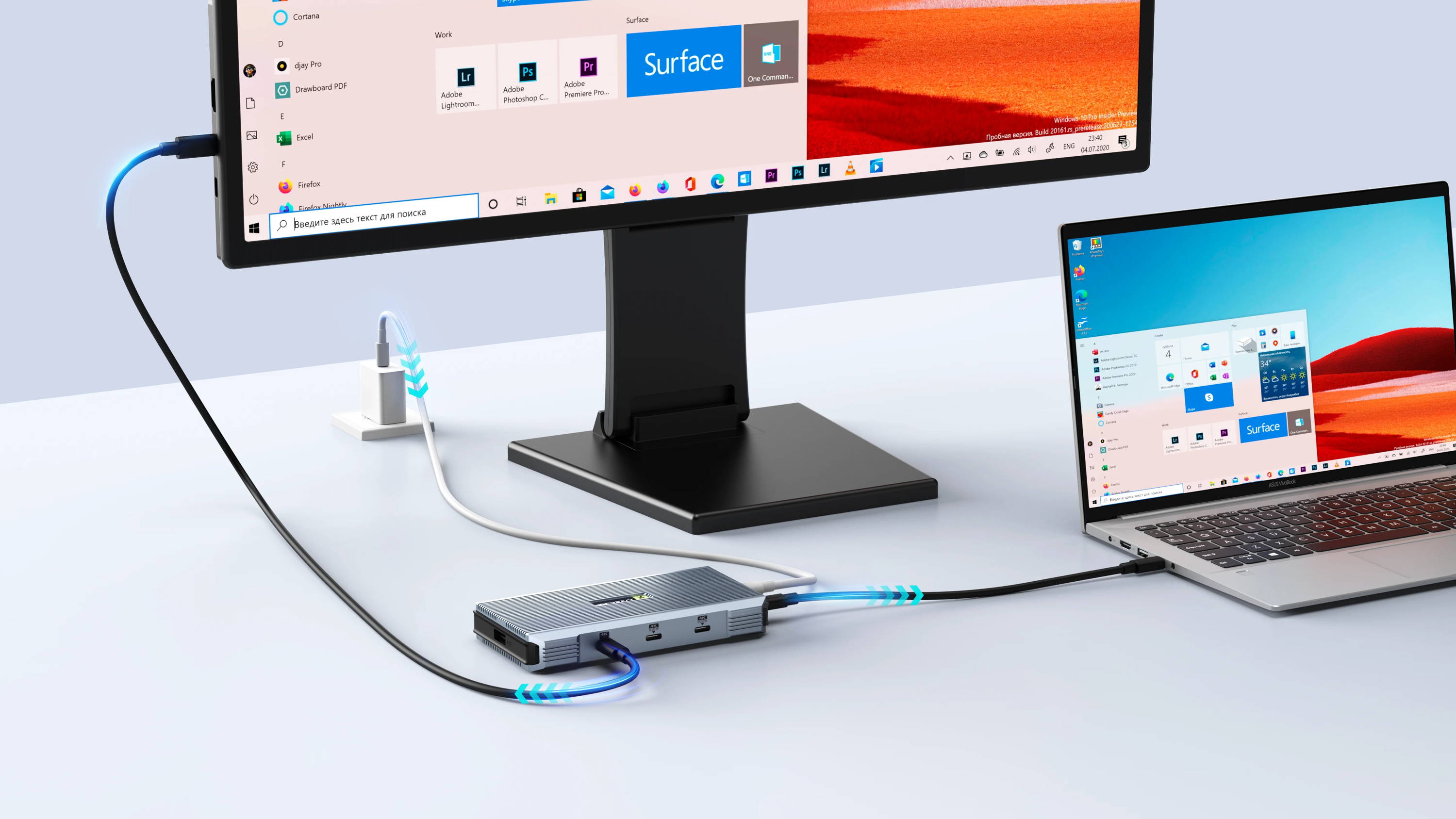
After the USB 4 docking station is connected to the power supply, each connected monitor is powered directly through the dock, eliminating the need for separate power adapters or wall outlets. Fewer cables, a cleaner desk, and a lighter setup make it ideal for both fixed workstations and on-the-go use, just connect and start working.
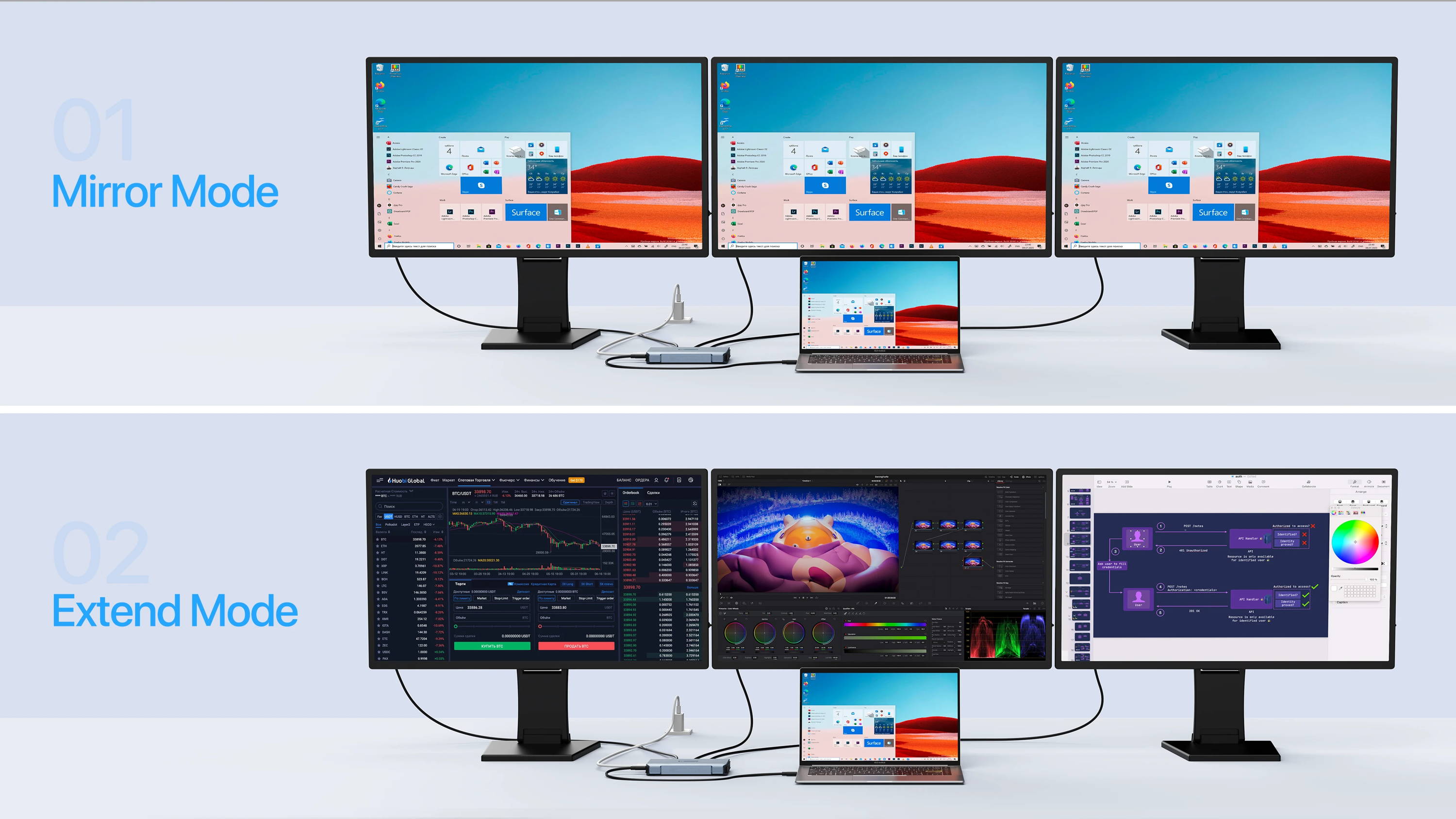
Flexible Display Modes for Any Workflow
Thunderbolt hub supports both duplicate and extend display modes, allowing you to mirror your laptop screen across all connected monitors for meetings and presentations, or expand your desktop across multiple screens for efficient multitasking and improved productivity.
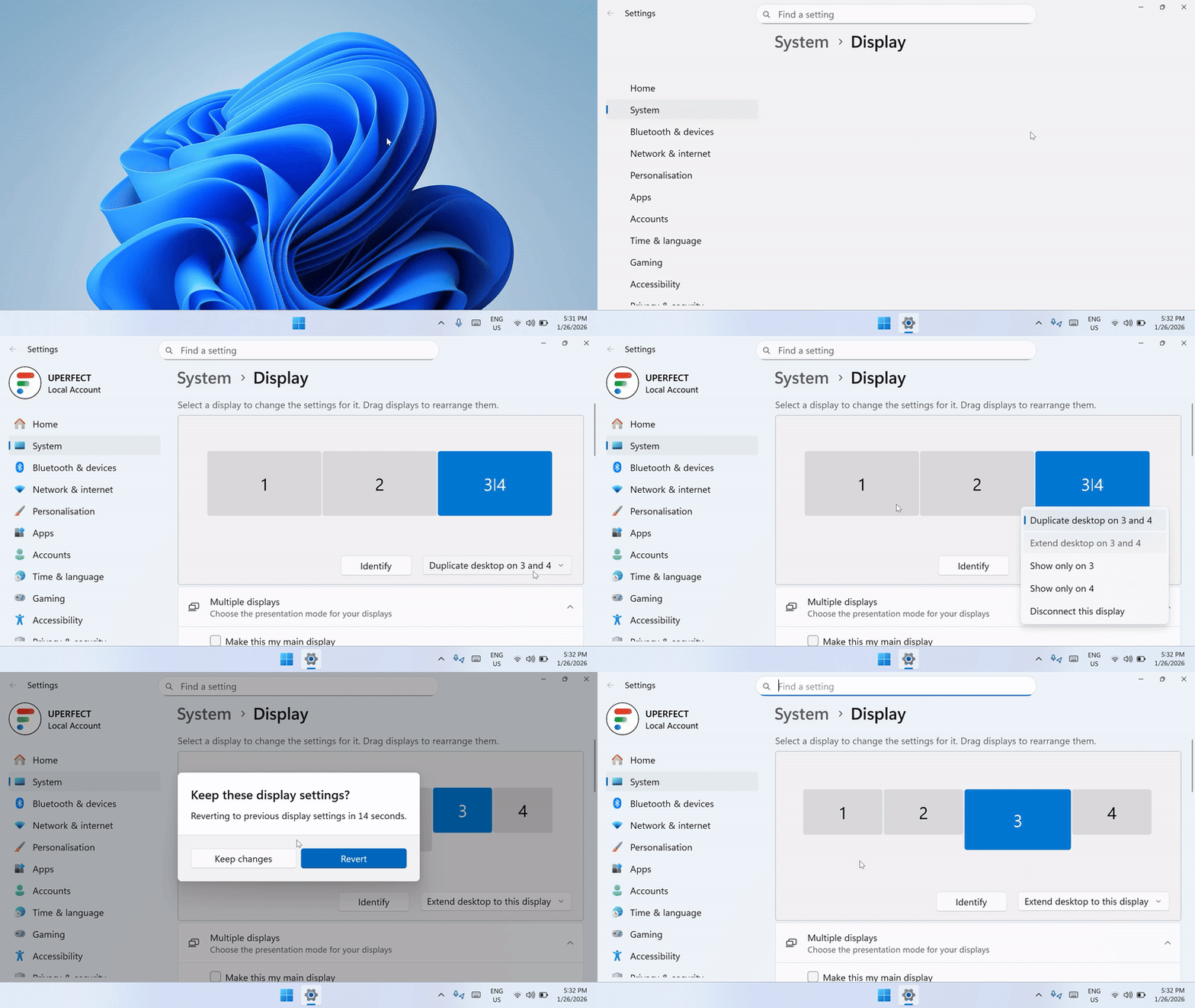
How to Set up Extend Mode?
After connecting three monitors via the docking station, two screens will be displayed in duplicate mode by default. Right-click on the laptop desktop to enter "display settings", select the screen in duplicate mode, then change the "duplicate desktop" to "extend desktop" and click "keep changes" to complete the setup.
Built-In USB Port for Essential Accessories
The integrated USB port lets you connect keyboards, mice, or wireless receivers directly to the dock, keeping your core peripherals always connected. Fewer cables to your laptop, smoother daily workflow, thunderbolt hub is perfect for both desktop and mobile setups.
Parameter
View the hub parameters below.
Brand
UPERFECT
Series
UHub
Model
Power X3
Item
4K UHD Docking Station
Material
Metal
Product Size
130 × 68 × 18 mm (5.12 × 2.68 × 0.71 inch)
Package Size
170 × 119 × 63 mm (6.69 × 4.69 × 2.48 inch)
Net Weight
0.22 kg (0.49 lbs)
Package Weight
0.54 kg (1.19 lbs)
Signal Input
USB4.0/40Gbps
Signal Output
4K@144Hz(SST), 4K@60Hz(MST/DSC)
Supported Port Protocols
USB 4.0, Thunderbolt 3, Thunderbolt 4.
Power Input
PD65W(20V/3.25A)
Interface
3 × Type-c for Signal Output
1 × Type-c for Signal Input
1 × Type-c for PD Input
1 × USB-C 2.0 for Mouse or Keyboard
Compatible Systems
Windows 7/8/10/11
Indicator Light Status
Blue Light: Powered by connected device
Red Light: Powered by external power adapter
#UPERFECTMonitor
Join us on Instagram, share your set up and tag us, win discount or even cash back!